A rotary cutter works safely and accurately as part of a cutting system: the cutter, its blade control, a stable self-healing mat, and a rigid ruler all have separate jobs. The correct workflow is to identify how the exact cutter exposes and covers its blade, clear the cutting path, keep the supporting hand away from the blade side of the ruler, cut in the direction supported by the manufacturer, and cover or retract the blade as soon as the cut ends. If the cutter skips fibers, wanders, or suddenly needs excessive pressure, stop and separate a technique problem from a blade, size, mat, or tool-condition decision before forcing the cut.
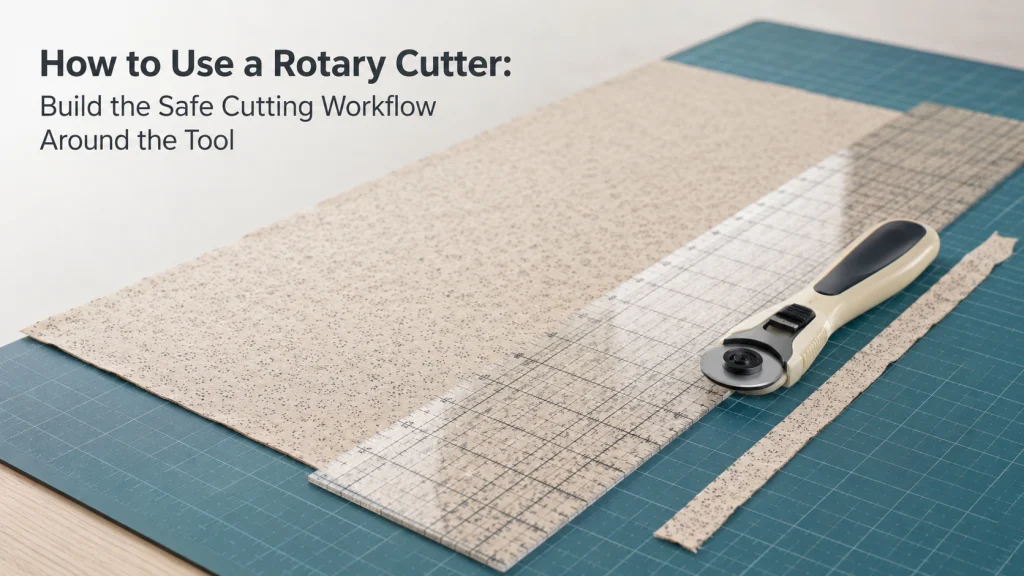
Use the cutter, ruler, mat, and guard as one system
Learning how to use a rotary cutter is not simply learning to roll a circular blade across fabric. The cutter needs a supported cutting surface, the ruler needs to control the straight cutting line while keeping the other hand away from the blade path, and the blade-control mechanism needs to return the sharp edge to a protected state when cutting stops.
This is also why a rotary cutter should not be treated as a freehand substitute for scissors in every situation. If you are still deciding which cutting system fits the task, first compare fabric scissors and rotary cutters. Once the rotary system is already owned or chosen, the operating sequence below becomes the important part.
| System part | Job during the cut | What to verify |
|---|---|---|
| Rotary cutter | Rolls the circular blade through the fabric | Exact handle, blade-control mechanism, and normal cutting orientation |
| Blade guard or retraction control | Keeps the edge protected when the cutter is not actively cutting | How the exact model exposes, retracts, covers, or locks the blade |
| Self-healing mat | Supports the complete blade path and protects the work surface | The full intended cut remains on the mat |
| Rigid ruler | Guides a straight cut and gives the supporting hand a controlled place to hold | The hand stays away from the cutting edge and blade path |
Think of that table as a system map rather than a shopping list. Those parts are assumed to be already available here, so the focus stays on how they work together during a normal fabric cut.
Identify the exact cutter and blade-control mechanism
Rotary cutters do not all expose the blade in the same way. Current OLFA documentation provides a useful contrast: its ergonomic handle design uses a squeeze control that exposes the blade and automatically retracts it when released, while a quick-change handle uses a blade cover. Those are examples of different control systems, not instructions that can be transferred to every cutter.
Before cutting, look at the exact tool in your hand and confirm what the manufacturer calls its blade control. Check whether the blade is exposed by a slider, cover, squeeze mechanism, or another model-specific control, and identify any lock separately from the normal cutting action. Do not improvise around a guard that does not move normally or assume a lock is meant to be used the same way on every handle design.
This exposed-versus-protected distinction is more important than memorizing one button sequence. It gives you a consistent safety rule even when the physical control changes from one cutter design to another.

The OLFA RTY-2/DX uses a 45mm rotary blade with a squeeze-trigger handle that exposes the blade during cutting and retracts it when the trigger is released. A dual-action safety lock can secure the blade in the open or closed position. The cutter can be configured for right- or left-handed use and accepts compatible OLFA 45mm replacement blades.
Check On AmazonIf you click this link and buy, we earn a commission at no additional cost to you.
Clear and stabilize the cutting surface
A rotary blade needs an uninterrupted path. Remove pins, loose tools, fabric scraps, and other objects from the area where the cutter and your hands will travel. OLFA specifically advises clearing the cutting mat of obstacles before cutting, while WAWAK likewise frames a clear mat-and-ruler setup as the starting point for rotary cutting.
The work surface underneath the mat also needs to stay stable while pressure is applied. If the table shifts, the mat overhangs an unsupported edge, or you have to reposition the entire setup halfway through a short cut, the ruler and cutter are harder to control. Rearrange the work before exposing the blade rather than trying to rescue the setup during the cut.
Use a self-healing mat that supports the full cut
The mat is not an optional surface protector when a manual rotary blade will reach the work surface. It supports the blade path, protects the table, and provides the flat cutting surface the cutter needs. The intended cut should begin and end on the supported mat rather than running off onto bare wood, stone, metal, or an unsupported mat edge.
Mat dimensions and product comparisons are separate decisions. If the mat you own cannot support the complete cutting path for the work in front of you, move that decision to the separate process for how to choose a self-healing cutting mat. The operating rule here is simply that the blade path needs a suitable supported cutting surface from start to finish.

The Fiskars cutting mat provides a 24 by 36 inch self-healing surface for sewing, quilting, and rotary cutting. It uses measuring grids on both sides and includes 30-, 45-, and 60-degree bias lines for angled layouts. The large work area supports full-width fabric, long strips, and other larger cutting tasks while protecting the work surface underneath.
Check On AmazonIf you click this link and buy, we earn a commission at no additional cost to you.
Position the ruler so the supporting hand stays away from the blade path
For a straight guided cut, place the ruler on the fabric and align the intended cutting line before the blade is exposed. The non-cutting hand belongs on the ruler, away from the edge where the cutter will travel. OLFA and WAWAK both make that separation explicit in their rotary-cutting guidance.
A common beginner problem is concentrating so hard on keeping the ruler from shifting that fingers creep toward the cutting edge. Do not trade a more secure grip for less clearance. If you cannot stabilize the ruler while keeping every finger safely away from the cutter side, reset the ruler and your hand position before making the cut.
Pre-cut safety check: Do not expose the blade until the cutting system is fully positioned.
- Align the ruler before the blade is exposed.
- Keep every finger of the supporting hand away from the cutter side of the ruler.
- Confirm that the mat supports the complete blade path.
- Remove pins, loose tools, and scraps from the cutting route.
- Know how the exact cutter will return the blade to its protected state.
Only after those conditions are in place should the blade be exposed for the cut. Preparing the system first reduces the temptation to adjust the ruler with an exposed blade beside your fingers.

The Fiskars Sewing Ruler measures 6 by 24 inches and is made from clear acrylic for sewing, quilting, and fabric cutting. Its grid uses two-tone markings for visibility across different fabric colors. The ruler also includes 30-, 45-, and 60-degree angle indicators for measured straight and angled cuts.
Check On AmazonIf you click this link and buy, we earn a commission at no additional cost to you.
Hold the cutter according to the handle design
The correct grip follows the shape and control system of the cutter you actually own. A straight handle with a manual guard does not operate exactly like a squeeze-activated ergonomic handle, so generic instructions such as “press this button and roll” are not reliable across models. Use the manufacturer’s handle and control instructions as the authority for how the blade is exposed while the tool is held.
For the actual guided cut, keep the blade aligned against the ruler edge without allowing the cutter to climb onto the ruler. WAWAK describes placing the blade just before the fabric edge and using the ruler to control the cutting line. The important operational goal is a controlled, consistent path, not a special grip that is claimed to suit every hand or every rotary-cutter design.
Make a short test cut before cutting the main piece
If the fabric matters or the setup is unfamiliar, make a short test cut on scrap from the same material before cutting the main piece. Use the same mat, ruler, cutter, fabric layers, and hand position you plan to use for the real cut so the test reflects the actual setup rather than a different cutting condition.
The test is not a substitute for checking blade condition or cutter compatibility. Its purpose is narrower: confirm that the cutter tracks cleanly along the ruler, the fabric stays stable on the mat, and the cut completes without skipped fibers or unexpected force. If the test reveals a problem, stop and resolve that operating or tool-condition issue before moving to the main fabric.
Cut in the manufacturer-supported direction with controlled pressure
OLFA and WAWAK both instruct users to cut away from the body rather than pulling the rotary blade toward themselves. With the ruler and supporting hand already positioned, place the blade at the start of the cut, keep it against the ruler edge, and roll it away from your body through the fabric using controlled pressure.
WAWAK describes light, even pressure through the cut. That does not mean a fixed amount of force works for every fabric stack, blade, or cutter. The practical signal is that the cutter should move in a controlled path and cut without requiring you to force the handle, jerk the blade, or make a risky second pass while the ruler and hand position are unstable.
- Prepare the ruler and hand position before exposing the blade.
- Start with the blade aligned to the ruler edge and supported by the mat.
- Move the cutter away from the body in the documented cutting direction.
- Use controlled, even pressure rather than forcing a resistant cut.
- Finish the cut before changing the ruler or supporting-hand position.
This sequence keeps the task narrow: control the cutter along a prepared path, then return the blade to a protected state before anything else moves.
Retract or close the blade every time the cutter leaves the fabric
The end of the cut is part of the operating workflow, not an afterthought. OLFA warns against setting a cutter down with the blade extended, and WAWAK likewise instructs users to engage the cutter’s protective blade feature when the tool is set down. The exact motion differs by model, but the protected end state should not be skipped.
If the cutter self-retracts when a squeeze control is released, confirm that the blade actually returned to its protected position. If it uses a manual cover or slider, move that control as directed before putting the tool down. Do not leave an exposed rotary blade on the table while repositioning fabric, moving a ruler, or reaching for another sewing tool.
Recognize skipped fibers, excess pressure, or wandering cuts before forcing the tool
Skipped fibers and unexpectedly high cutting pressure are recurring beginner complaints, and they are useful stop signals rather than invitations to push harder. WAWAK identifies incomplete cutting and the need to force the cutter as signs that blade condition may need attention. Community discussions also repeatedly show users struggling with ruler movement, inconsistent pressure, and partial cuts, but those reports are problem evidence, not safety instructions.
Wandering cuts have a different first check. Before blaming the blade, verify that the ruler did not shift, the cutter stayed against the ruler edge, and the mat and work surface stayed stable. If the cut still behaves abnormally after the basic operating setup is corrected, stop and move to the appropriate tool or blade decision instead of escalating pressure.
| What you observe | First operating check | Next decision if it continues |
|---|---|---|
| Cut wanders away from the line | Reset ruler stability, hand clearance, and cutter alignment | Recheck whether the cutting system suits the task |
| Small fibers remain uncut | Confirm an even guided pass on a fully supported mat | Inspect blade condition without forcing another pass |
| Much more pressure is suddenly needed | Stop rather than increasing force | Evaluate blade condition and tool setup |
| Cutter or guard does not operate normally | Return the tool to a safe state if possible | Check the exact manufacturer’s instructions before further use |
The table is intentionally a routing tool, not a repair procedure. It helps distinguish a normal operating correction from the point where continuing to push the cutter is no longer the right next step.
Separate operating problems from cutter-size and blade-condition decisions
A rotary cutter that feels wrong in use does not always have an operating-technique problem. The cutter size may be poorly matched to the type of cut, the blade may be worn or damaged, or the tool itself may no longer operate normally. Those are separate ownership decisions, and mixing them into the basic workflow makes it harder to know what should change.
If the problem is cutter diameter or maneuverability, compare rotary cutter sizes rather than changing hand pressure to compensate. If the issue points to blade type or condition, use the separate information on rotary cutter blade choices. Blade replacement procedure and replacement compatibility are separate decisions.
Likewise, if you are still deciding whether to own this cutting system at all, move back to how to choose a rotary cutter for fabric. The broader collection of fabric cutting tools for sewing and the main sewing tools for machine projects provide the surrounding equipment context without turning this operating workflow into a product-selection page.
Final Thoughts: use the whole cutting system, not just the blade
Good rotary cutting comes from a controlled system: know the exact guard or retraction mechanism, support the full cut on a suitable mat, stabilize the ruler with the other hand outside the blade path, and move the cutter in the direction the manufacturer supports. The blade should be exposed only for the prepared cut and returned to its protected state as soon as that cut ends.
If the tool begins skipping fibers, wandering, or demanding unusual pressure, stop before forcing it. Recheck the operating setup first, then route the problem to cutter size, blade condition, mat suitability, or manufacturer instructions when the evidence points beyond normal use.
FAQs
🛡️ Should I close the rotary cutter after every cut?
Yes. Return the blade to the exact cutter’s protected state whenever the cutter leaves the fabric or is set down. The mechanism may be manual or automatic, so follow the model’s instructions.
📏 Where should my other hand go when using a rotary cutter?
Keep the supporting hand on the ruler and away from the cutting edge and blade path. Reset the ruler rather than moving fingers close to an exposed blade to stop it from shifting.
🧵 Why does my rotary cutter leave some fabric threads uncut?
First check that the mat fully supports the cut, the blade stayed on a controlled path, and pressure remained even. If skipped fibers continue or the cutter needs excessive force, stop and evaluate blade condition rather than pressing harder.
🧭 Why does my rotary cut wander away from the ruler?
Check whether the ruler shifted, the work surface moved, or the cutter stopped tracking along the ruler edge. Reposition the entire setup before another attempt instead of correcting the ruler beside an exposed blade.
🟩 Do I need a cutting mat under a manual rotary cutter?
Use a suitable cutting mat that supports the full blade path and protects the work surface. If your current mat cannot support the intended cut, solve the mat-size or surface decision before cutting.
✋ Should I use more pressure when the rotary cutter stops cutting cleanly?
Do not keep increasing force to overcome a persistent problem. Stop and check the cutting setup and blade condition, then move to the appropriate blade or tool decision if normal use no longer produces a clean cut.
References and Sources
- OLFA rotary cutting safety guidance: Supports the mat-and-ruler setup, cutting away from the body, supporting-hand clearance, and covering the blade after cutting.
- WAWAK rotary cutter workflow: Supports the beginner cutting sequence, ruler guidance, controlled pressure, and stop signals for incomplete cutting or excessive force.
- OLFA rotary cutter handle overview: Documents different blade-control designs, including squeeze-and-retract and blade-cover systems, supporting model-specific guard instructions.