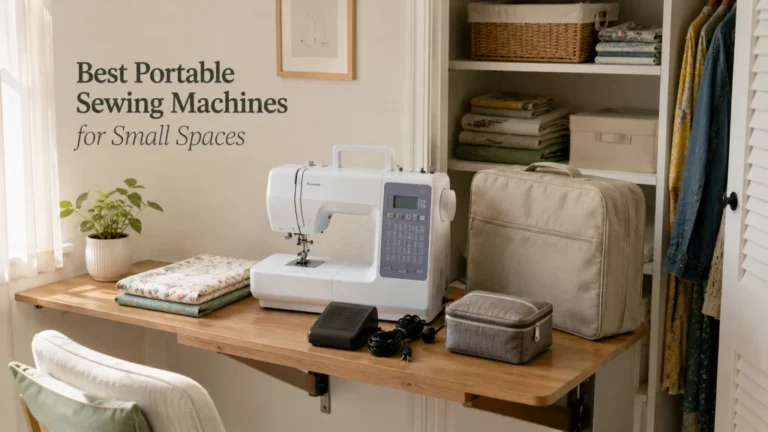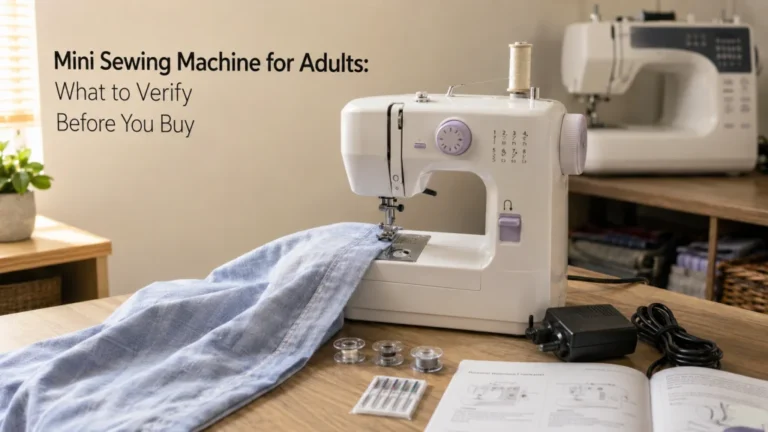
Choosing a general-purpose domestic sewing machine gets easier when the machine has a written job description before any model enters the shortlist. The useful brief records what the machine must do, who will operate and move it, which controls are non-negotiable, what support is available, and which claims still need verification. A feature can be impressive without being relevant, while a modest-looking control can be essential for one buyer’s workflow. The goal is to finish with pass-fail requirements that can be used against current machines without treating stitch count, price, brand, or marketing language as proof of fit.
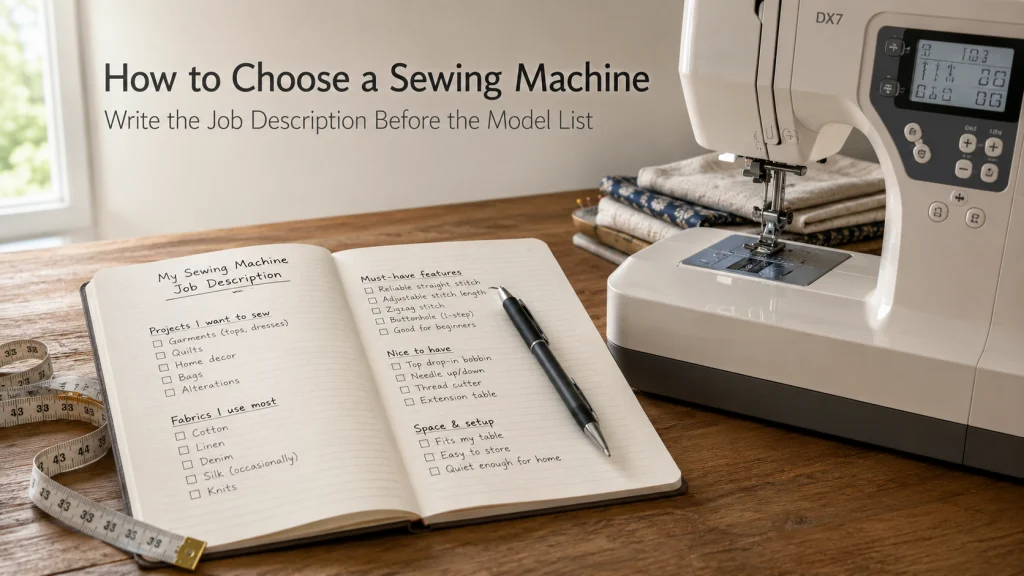
The machine needs a job description before it needs a ranking
Imagine three plausible sewing machines on the table before comparing any of them. One has many stitch options, one has a simpler control panel, and one is easier to move between a closet and the work surface. None can be called the better choice yet because the buyer has not written down the jobs, controls, material range, storage conditions, support needs, or ownership constraints the machine must satisfy.
A useful sewing machine buying guide should therefore begin with the buyer rather than the model list. The process below turns vague preferences into a one-page brief, then marks each important claim as verified, directly observed by the buyer, or still unknown. That brief tells you what to look for in a sewing machine while leaving control-system comparisons, material-led buying, project-led buying, budget tiers, brand comparisons, used-machine evaluation, and specialist systems to their own decisions.
Define the general-purpose domestic machine covered here
This process is for one primary household sewing machine intended to handle recurring construction tasks. It does not cover a serger, coverstitch machine, embroidery-only system, longarm, or specialist industrial setup, because those systems begin with different jobs.
The scope is also narrower than a broad market ranking. This article does not decide whether mechanical or computerized control is superior, choose a machine for a specific fabric or project, set the buyer’s budget, compare brands, or judge a used machine. Its job is qualification: turn the buyer’s actual situation into requirements that another comparison can test.
Write what the machine must do in the next 12 months
Start with recurring work that is likely to happen, not a lifetime wish list. A buyer planning simple garment construction, household repairs, and occasional bags has a more useful brief than someone who writes “sew everything.” Record the materials and construction types you genuinely expect, but do not turn that list into unsupported claims that a candidate can handle them until the exact machine evidence is checked.
Use a one-year horizon to capture repeated needs while still forcing priorities. Label hypothetical projects as future interests rather than pass-fail requirements so they do not eliminate suitable machines without evidence that the capability is needed.
| Buyer brief field | Write the requirement | Why it matters |
|---|---|---|
| Recurring work | List the two or three types of sewing expected most often. | Defines the machine’s real job instead of a generic feature wish list. |
| Material range | Record the fabrics and typical layer situations you expect. | Creates questions to verify later without assuming capability. |
| Utility operations | Note required straight stitch, zigzag, buttonhole, reverse or reinforcement needs. | Separates everyday work from decorative abundance. |
| Control requirements | Write the controls that must be easy to understand and operate. | Turns personal fit into a pass-fail condition. |
| Workspace | Record table size, storage location, and whether the machine must move. | Prevents a physically awkward machine from surviving the shortlist on features alone. |
| Support | Record manual, local service, dealer, class, or household help requirements. | Makes learning and ownership support part of the purchase. |
Keep this worksheet beside the shortlist. Every later feature should be able to point back to one of these fields or be treated as optional.
Separate current skill from hoped-for future projects
Current skill describes what the buyer can operate and evaluate today. Future projects describe what the buyer may want to learn. Mixing those two can produce a machine that is optimized for an imagined future while making the first six months unnecessarily confusing, or it can produce a machine that fits today but blocks a clearly planned next step.
Write both columns. A first-time independent user may prioritize understandable controls, a clear manual, and manageable speed, while still leaving room for buttonholes or a wider range of utility stitches later. An experienced owner who already knows exactly which repeated limitation is forcing an upgrade should put that limitation in the current-requirement column, not hide it under “growth.”
Record who will operate, supervise, move, and maintain the machine
The same sewing task can create different requirements for different users. Record who will operate it, whether a child or teen will sew under appropriate adult supervision, whether the machine moves between storage and a table, and who will handle manual-directed care or arrange service.
Describe functions rather than assumptions about age or health. “Needs controls that can be read from the seated sewing position” is a usable requirement. “Needs a machine for old people” is not. For a child using a real sewing machine, supervision, the exact manual, and intact safety controls are non-negotiable; no pedal, guard, interlock, or safety feature should be bypassed.
Convert the user profile into non-negotiable controls
Write control fit as behavior the user needs, not as a preference for a particular interface. Current computerized domestic machines can publish different combinations of buttons, screens, threading aids, speed controls, and bobbin arrangements. A listed control proves the feature exists, not that the exact user can identify, reach, or operate it successfully.
For example, Brother currently lists the CS7000X with an LCD display and adjustable sewing speed control, while Janome lists the New Home 2030DC with a backlit LCD, start-stop button, speed control slider, memorized needle up-down, and easy reverse. These are evidence examples, not recommendations. Their value here is to show why the buyer must turn a published feature into a personal pass-fail test instead of assuming that two computerized machines present the same control experience.
Foot control and start-stop choices
Write whether the buyer expects to sew primarily from a foot controller, wants the option of a machine-mounted start-stop control, or simply needs one predictable operating method. A start-stop button is not automatically easier, and a foot controller is not automatically preferable. The correct question is whether the exact model supports the intended operating method under the conditions in its manual. If the choice matters, verify it on the exact machine before purchase.
Maximum-speed control and stopping behavior
Some buyers want a way to cap maximum sewing speed while learning or doing precise work. When a model includes a speed limiter or slider, verify how it interacts with the foot controller or start-stop operation because the behavior can be model-specific. Brother support documentation, for example, notes on applicable models that the speed controller can set the foot controller’s maximum sewing speed. That is the kind of control behavior to verify, not a reason to infer anything about stitch quality or overall performance.
Readability, lighting, and control reach
Write down what the buyer needs to see and reach from the actual sewing position: stitch selection, current setting, reverse, needle position, speed control, presser-foot lever, and the needle area itself. Do not label a screen size, light, button style, or control layout medically suitable. Instead, audition whether the stated information is readable and whether the required controls can be operated without an awkward workaround. Unknowns stay unknown until the buyer checks them.
Threading, bobbin access, and presser-foot handling
Threading aids, bobbin access, and presser-foot attachment can affect routine ownership even when they do not change the machine’s core job. The buyer should inspect the exact manual and, when possible, handle the machine to see whether the sequence is understandable. A generic label such as “automatic needle threader” does not describe every motion required before and after that step. Likewise, a familiar presser-foot name does not prove accessory compatibility with another machine.
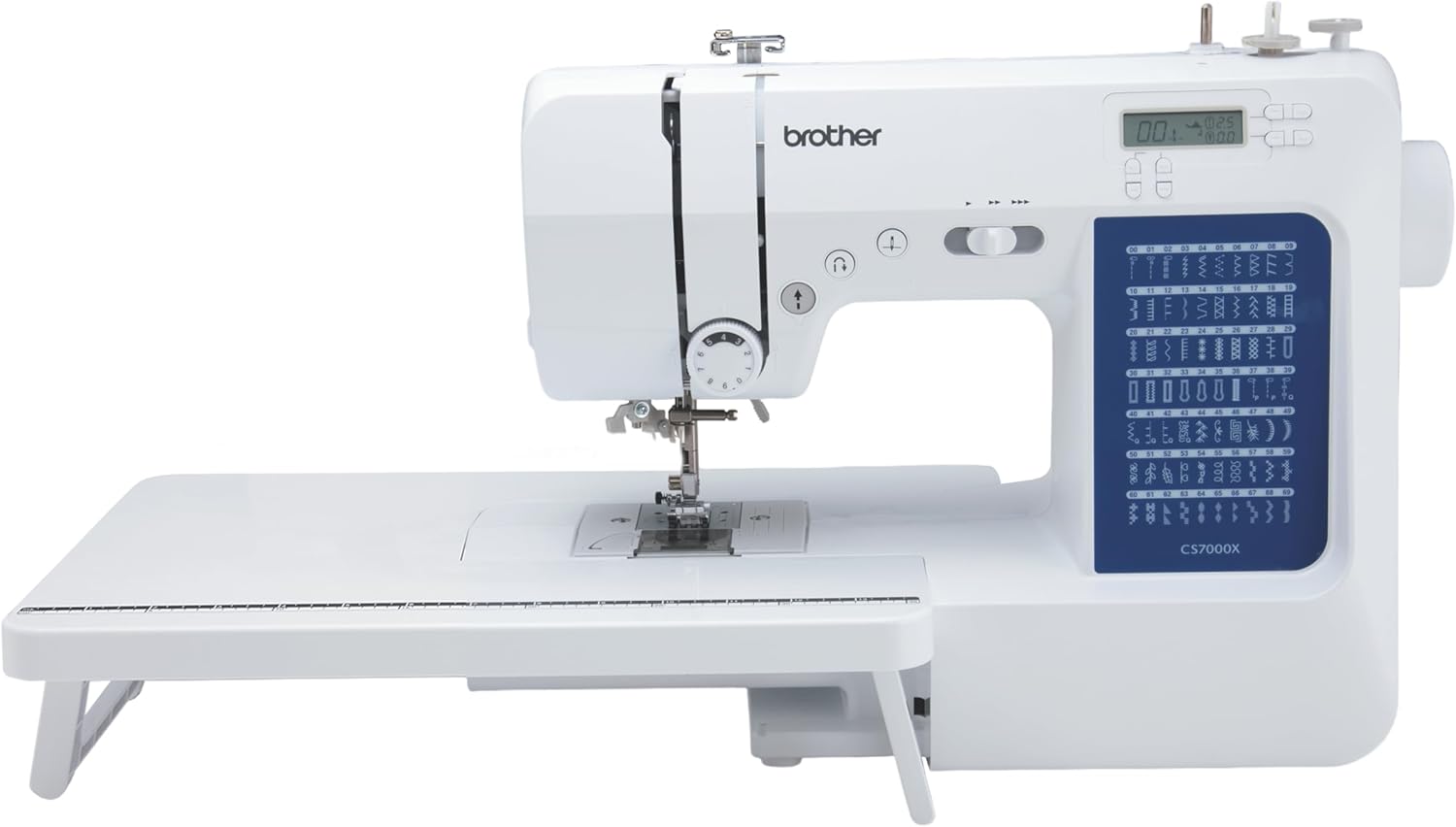
The Brother CS7000X is a computerized sewing and quilting machine with 70 built-in stitches and an LCD screen. Its controls include start and stop, reverse, and a variable speed control slider. It also includes 10 sewing feet and a wide table, giving buyers several documented features to compare against their own control and project requirements.
Check On AmazonIf you click this link and buy, we earn a commission at no additional cost to you.
Record workspace, storage, and transport constraints
A machine that stays on a dedicated table has different constraints from one lifted from a closet before every session. Measure the work surface and storage space, record what must be packed away with the machine, and note stairs, shelves, or frequent transport before shortlisting. Add movement frequency as its own field in the buyer brief: a machine carried to every class or sewing session creates a different handling requirement from one moved only a few times a year.
Published weight and dimensions are useful evidence, but they are not a complete handling judgment. Brother lists the CS7000X at 10.5 pounds, while Janome lists the New Home 2030DC at 12.3 pounds. Those numbers can eliminate a machine that exceeds a buyer’s stated limit, but they do not prove that one machine is easier for a particular person to carry because grip points, case shape, balance, movement frequency, and the actual route also matter.
Record learning, manual, dealer, and service support
Support becomes part of machine fit when the buyer expects help learning controls, finding documentation, or arranging service. Check the current manual, manufacturer support channels, local service if needed, and warranty requirements. A feature list cannot compensate for a support path the owner cannot realistically use.
Janome’s current US support information, for example, directs owners to manuals and authorized dealers and explains that warranty service depends on purchase and dealer conditions. Brother’s CS7000X support page provides manuals, warranty statements, contact options, and service-center routing. These examples show why “support available” should be broken into concrete requirements instead of treated as a vague brand benefit.
Separate essential utility functions from decorative abundance
Feature count is easy to compare because it produces a number. Relevance is harder because the buyer has to connect each feature to the job description. A machine with dozens of decorative stitches can still fail a shortlist if a required control, support path, workspace limit, or routine utility function is missing.
Sort features into three groups before looking at the next model. This prevents a long specification page from turning optional extras into accidental requirements.
| Feature status | Meaning | Example question |
|---|---|---|
| Must-have | The buyer’s recorded work or operating requirement fails without it. | Does the exact machine provide the required operating method or utility function? |
| Useful | It saves steps or supports likely growth but is not required for the next 12 months. | Would this feature remove a repeated inconvenience that is already understood? |
| Irrelevant for now | It has no current job in the buyer brief. | Would anything in the planned work change if this feature disappeared? |
Revisit the sorter only when the job description changes. More stitches, more buttons, a heavier frame, a higher price, or a familiar brand name should never move a machine upward by themselves.
Mark every important claim as verified, observed, or unknown
Choosing a sewing machine becomes more disciplined when every important statement has an evidence status. “Has adjustable speed control” can be verified on a current manufacturer page or manual. “The buyer can read the display from the sewing position” is something that buyer may directly observe during an audition. “Will handle my repeated bulky seam without hesitation” remains unknown unless a relevant, well-described test actually supports it.
Do not convert a retailer phrase, star rating, community comment, or brief showroom impression into a universal performance claim. Use the ledger to preserve uncertainty instead of filling it with confidence.
| Status | What belongs here | Acceptable evidence |
|---|---|---|
| Verified | Controls, dimensions, weight, included items, warranty terms, documented functions. | Exact current manufacturer page, manual, warranty document, or another appropriate primary source. |
| Observed | What the buyer personally checked on the exact machine during a bounded audition. | Exact model, date, task attempted, and what was not tested. |
| Unknown | Material performance, long-term durability, ease of use for this buyer, or any untested requirement. | Leave unresolved until suitable evidence exists. |
An honest unknown is useful because it tells the buyer what to test or research next. A guessed answer only hides the remaining decision.
Run a control audition without turning it into a performance claim
If the buyer can try the exact machine, use the session to answer fit questions from the brief. Follow the manual and seller instructions, keep all safety controls intact, and use only permitted operating conditions. The goal is to check interaction, not to infer power, durability, or broad project suitability from a brief trial.
A short audition can eliminate a candidate when a must-have control clearly fails the buyer’s requirement. It cannot prove long-term reliability, broad material capacity, or future comfort in every sewing situation, so those claims should stay in the unknown column unless stronger evidence exists.
Decide how much room to leave for growth
Growth should mean a foreseeable expansion of work, not the largest specification sheet the budget allows. If the buyer expects to learn buttonholes, sew more garments, or use a wider set of utility stitches within the next year, record those as useful or soon-to-be-required functions. If decorative stitches or advanced controls have no planned job, they do not represent meaningful growth simply because there are more of them.
The same rule prevents underbuying. An intermediate sewist with a repeated, documented limit on the owned machine should not pretend that the next purchase is still a generic beginner decision. Growth room is most defensible when it is attached to a specific next task, a known control need, or a recurring limitation.

The Brother HC1850 is a computerized sewing and quilting machine with 185 built-in stitches, including eight auto-size buttonhole styles. It uses an LCD screen for stitch selection and includes eight sewing feet plus a wide table. Those features can provide meaningful room for growth when the buyer already expects projects that will use the additional stitch, buttonhole, or workspace options.
Check On AmazonIf you click this link and buy, we earn a commission at no additional cost to you.
Use the beginner route for a first independent machine
A first independent machine starts with learning conditions, not the assumption that beginners always need a mechanical model. Record how the person will learn, which controls must be obvious, whether speed limitation matters, how often the machine moves, and what support they expect. Either control type can survive the brief when the exact interface fits.
When the buyer’s situation is specifically a first independent purchase, continue to the first sewing machine selection process. That page can evaluate beginner-specific candidates without turning every general domestic-machine buyer into a beginner.

The Brother XM2701 has 27 built-in stitches, an automatic needle threader, and a drop-in top bobbin. It comes with six sewing feet, a needle set, bobbins, and operating documentation. Brother also lists technical support for the machine, making it a practical candidate for a first-machine shortlist where setup, included essentials, and learning support matter.
Check On AmazonIf you click this link and buy, we earn a commission at no additional cost to you.
Use the kids route when supervision and product class change the decision
A child or teen using a real sewing machine creates requirements around supervision, instruction, control predictability, and product class. Do not assume a smaller or simpler-looking machine is automatically safer. The supervising adult should review the exact manual and keep all guards, pedals, interlocks, and safety controls in their intended configuration.
For that situation, use the supervised sewing machine selection criteria. The general brief still helps, but the supervision requirement is important enough to control the next comparison.
Use the intermediate route after a repeatable owned-machine limit appears
An intermediate buyer often already knows how to operate a machine, which makes the existing machine a valuable source of requirements. Write down the limitation that repeats: a missing control, insufficient workspace, an inconvenient workflow, a support problem, or another clearly observed boundary. Do not upgrade merely because the current machine feels “basic” or because a newer model advertises more stitches.
When the purchase begins from a specific owned-machine limit, move to intermediate sewing machine upgrade criteria. That route can distinguish a real capability or workflow gap from feature envy.
Use the seniors route when stated control or handling needs change the shortlist
Age alone does not tell you which controls, lighting, display, threading method, machine weight, or support arrangement will work for a person. Start from user-stated functional requirements such as readable settings, a preferred operating method, an acceptable lifting limit, a specific reach requirement, or access to help. Do not diagnose vision, dexterity, mobility, or cognitive conditions, and do not label a machine medically suitable.
When those stated needs drive the shortlist, use the sewing machine criteria for seniors. The comparison should remain requirement-led rather than assuming that every older sewist wants the same interface.
Use the fashion-design-student route when a course requirement controls the purchase
A student purchase should start with current course requirements, studio access, assignments, and school machine rules. A personal-project feature may be irrelevant if the course expects another machine class or provides specialist equipment, while portability may matter more when the machine travels between home and school.
When enrollment requirements materially shape the job description, continue to sewing machines for fashion design students. Verify current course expectations directly rather than assuming one machine fits every program.
Return to the broad shortlist with the completed brief
The completed brief should contain pass-fail requirements, useful extras, support needs, workspace limits, and unknowns. Broad model comparison can now begin. A candidate that fails one true non-negotiable can be removed even if its stitch count, accessories, reviews, or marketing look stronger.
Use the brief alongside the broad current sewing machine shortlist. That broader comparison can examine current machines while this page remains the qualification method that explains why a particular buyer keeps or rejects them.
See More in This Section
Not every buyer needs the same follow-up. Choose the route that matches the condition controlling the purchase rather than opening every comparison and rebuilding the same shortlist five times.
| Buyer situation | Continue when this is the deciding condition |
|---|---|
| First sewing machine selection | Refine the brief around learning sequence, control clarity, speed management, and first-machine support. |
| Supervised machine selection for kids | Add supervision, instruction, product-class, and intact-safety-control requirements before comparing candidates. |
| Intermediate machine upgrade decisions | Carry forward the exact repeated limitation the owned machine can no longer meet. |
| Machine selection criteria for seniors | Turn stated control, visibility, handling, or support needs into explicit pass-fail requirements. |
| Machines for fashion design students | Anchor the brief to current course rules, studio access, assignment needs, and transport demands. |
Whichever route applies, carry the same buyer brief forward. The situation-specific page should refine the requirements, not erase the evidence already collected.
Final Thoughts: Buy against requirements, not feature count
The answer to “what sewing machine should I buy?” should begin with a written description of the work and the person doing it. Define the next 12 months, separate current skill from future interest, record control and support requirements, measure the workspace, and preserve every important unknown. That turns a crowded market into a series of pass-fail checks.
A machine does not become a better fit because it has more stitches, weighs more, costs more, carries a familiar brand, or receives enthusiastic reviews. Keep the candidate only when the evidence matches the brief, and move unresolved performance questions into further research or a bounded audition instead of guessing.
Frequently Asked Questions
🧵 What sewing machine should I buy as a beginner?
Start by defining the first year’s projects, operating controls, workspace, learning support, and storage needs. Do not assume a mechanical or computerized machine is automatically better for every beginner; compare the exact controls against the buyer brief.
🎛️ How many stitches do I actually need?
There is no universal number. Mark the utility stitches required by planned work, treat likely next-step functions as useful, and leave decorative stitches irrelevant until they have a defined job.
🦶 Should I choose a foot pedal or start-stop button?
Choose from the user’s preferred operating method and the exact model behavior. If the distinction matters, verify how the foot controller, speed limiter, and start-stop control interact on that machine before purchase.
💡 Does a computerized machine make sewing easier?
Not automatically. Computerized controls can add functions or change how settings are selected, but ease of use depends on the exact interface and the person operating it.
🧳 How important is sewing machine weight?
Weight matters when the buyer has a stated transport or storage limit. Use the published number as one requirement, then check the actual lifting route, grip, case, and storage situation rather than treating lighter or heavier as a quality score.
📖 Should dealer and service support affect my choice?
Yes, when the buyer expects local help, demonstrations, warranty service, or assistance obtaining parts and documentation. Verify the current support and warranty route for the exact brand and purchase channel instead of assuming it will be available later.
References and Sources
- Brother CS7000X product specifications: Verifies the current model’s display, speed control, weight, stitch count, included items, and support-linked specifications used as a neutral control example.
- Janome New Home 2030DC specifications: Verifies the current model’s control layout, start-stop function, speed slider, display, weight, and other documented features used for comparison of published controls.
- Janome US support and service FAQ: Supports the discussion of manuals, authorized dealer help, demonstrations, and service routing as ownership requirements.
- Tilly and the Buttons buying factors: Provides independent context for common machine-selection factors such as skill stage, workspace, portability, and future use.