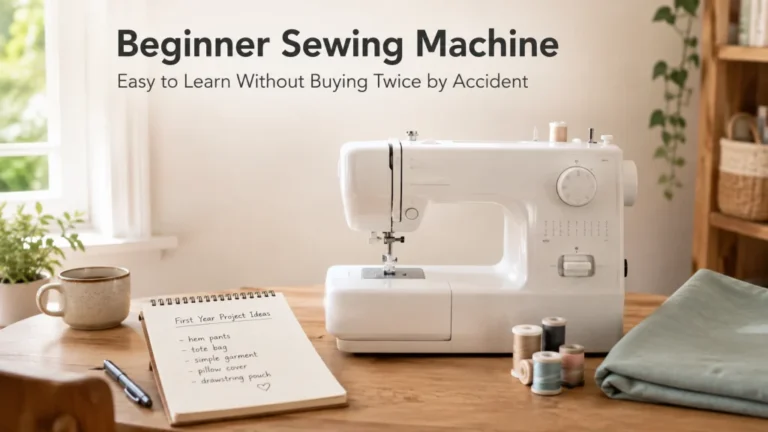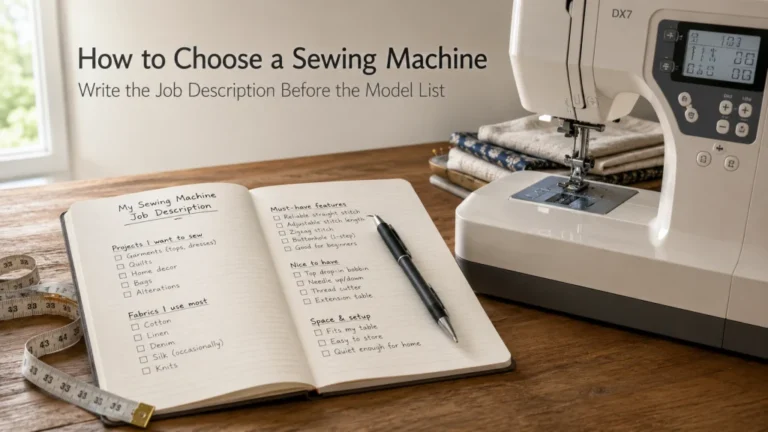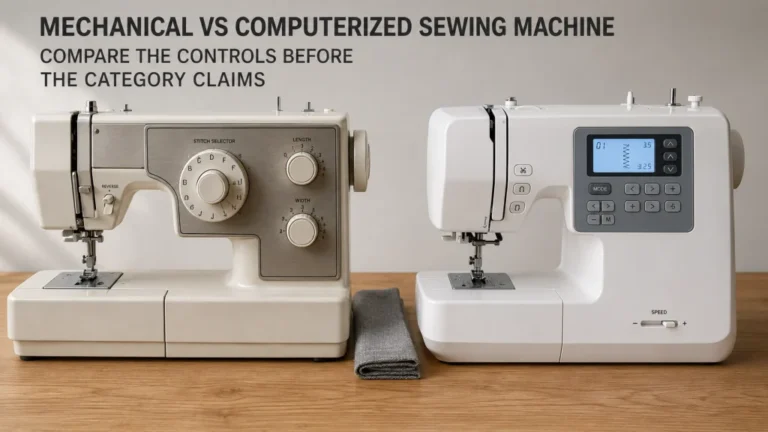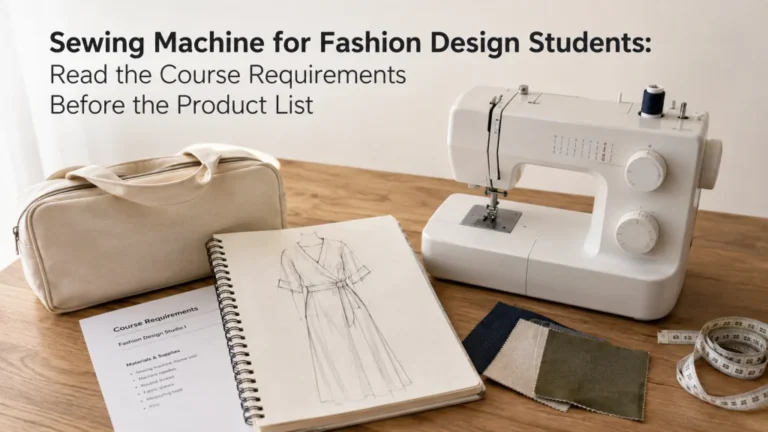
The best sewing machine for seniors is not a machine chosen from an age label. It is a domestic machine whose controls, threading path, bobbin access, lighting, pedal or button operation, handling weight, and support route match the person who will actually use it. Two older sewists can reasonably prefer opposite interfaces, especially when one wants familiar direct dials and another wants a preset maximum speed with button operation. The practical goal is to turn personal requirements into observable checks, then reject any candidate that still depends on an untested assumption.
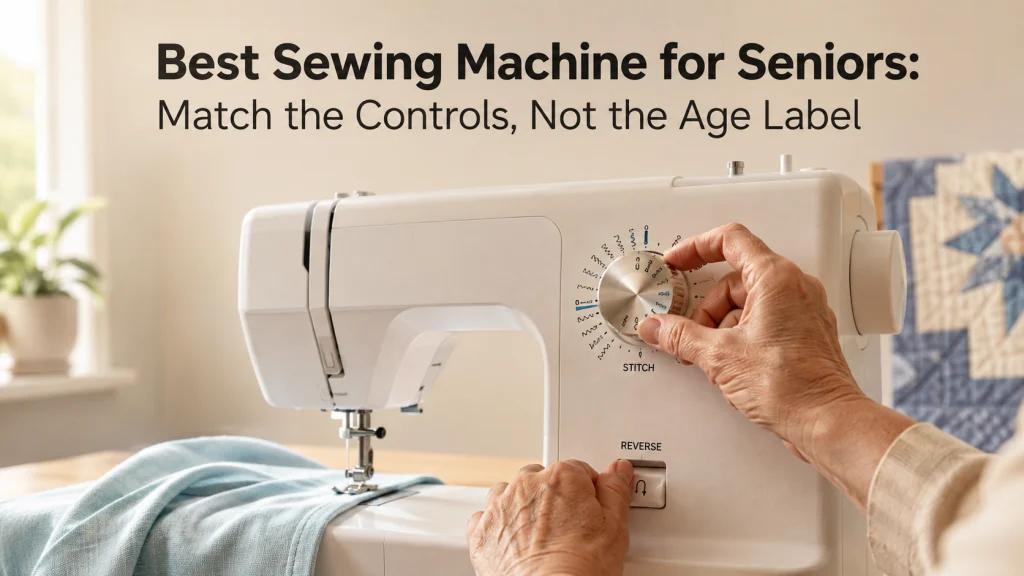
The same age can produce opposite machine requirements
The best sewing machine for seniors cannot be chosen by age alone. One returning sewist may want familiar dials and a foot pedal, while another may prefer a computerized machine that caps maximum speed and sews from a Start/Stop button. Neither preference is automatically more appropriate because of age.
For someone searching for an easy sewing machine for seniors, the useful question is what “easy” means for the person in front of the machine. Start with the exact task that feels comfortable or awkward now, such as reading a stitch chart, following the upper thread path, positioning a bobbin, reaching reverse, pressing a pedal steadily, moving the machine from a closet, or finding help when setup is forgotten. Once those requirements are written down, how to choose a sewing machine becomes a much more concrete process instead of a search for a generic age-based recommendation.
Replace the senior-friendly label with an observable requirement list
Words such as simple, intuitive, lightweight, and easy to thread are not measurements. A buyer can verify button visibility, dial markings, bobbin access, pedal-free operation, and machine weight. Those checks are stronger buying inputs because another person can repeat them.
Write the requirement before looking at models. A sewing machine for seniors should survive this worksheet without turning a vague age assumption into a feature after the fact.
| User-stated requirement | Observable machine check | Evidence to record |
|---|---|---|
| Wants direct stitch selection | Can intended stitches be selected without a menu? | Manual plus audition |
| Does not want to depend on pedal pressure | Can ordinary sewing start and stop from machine controls? | Manual plus audition |
| Needs a lower maximum speed | What does the speed limiter control? | Manual behavior |
| Stores the machine after each session | Can the user complete the real lift and carry route? | Weight plus handling trial |
| Needs setup help to remain available | Are manual, support, warranty, and service routes clear? | Current US support information |
Do not add requirements the person did not state. A needle threader, display, or lighter machine should earn its place by solving a described task rather than by being associated with older buyers.
Record current sewing experience and the last machine used
A returning sewist who used one mechanical machine for thirty years is not the same buyer as someone choosing a first machine at seventy. Familiarity can make a control layout efficient even when it looks old-fashioned on paper. Moving to a screen, mode keys, or a different bobbin path can add learning work that has nothing to do with the buyer’s age.
Record the last machine model if possible, then note what should stay familiar and what the user actually wants changed. If the old machine used a front-loading bobbin, for example, do not assume a top-loading bobbin is automatically preferable. The useful question is whether the new loading sequence is easier for this person to see, reach, remember, and complete correctly.
- Last machine model or control style used regularly
- How recently the person sewed with it
- Controls they can operate without referring to instructions
- Setup steps they want to simplify or keep familiar
- Projects they genuinely expect to sew on the new machine
This also prevents the page from collapsing into beginner advice. If the real problem is learning a first machine from zero, the buying decision should be framed around first ownership and learning rather than age.
Separate operation, setup, lifting, and support tasks
A machine can feel comfortable while sewing and still be a poor ownership fit because setup or handling is difficult. Treat operation, setup, storage movement, and support as separate jobs. A label such as easy to use hides which job is actually being judged.
- Operation: Stitch selection, reverse, speed changes, starting, stopping, and needle position.
- Setup: Upper threading, bobbin winding and insertion, needle insertion, and presser foot changes.
- Handling: Lifting, carrying, placement, cover removal, and cord or pedal connection.
- Support: Manual clarity, dealer or manufacturer help, warranty process, and service access.
A person who leaves the machine permanently on a table may not care much about a few extra pounds. Someone who stores it on a shelf may care more about the real carry route than the number of stitch choices. Separating the tasks shows which requirement should control the shortlist.
Audit the exact interface before ranking models
Current domestic machines can place similar functions behind very different controls. Use the manufacturer page and manual first, then an in-person check whenever reach, readability, force, or familiarity is subjective. A product photo cannot prove scale, button travel, screen contrast, or control sequence.
Brother documents the CS7000X with an LCD, mode and shift key stitch selection, speed control, and Start/Stop, while the XM2701 uses dial selection with no display or Start/Stop button. Janome provides another contrast: the 1522SP uses dial selection and a front-loading bobbin, while the 2030DC-G uses navigation buttons, a backlit LCD, Start/Stop, and a speed slider. These are interface examples, not age-based recommendations.
| Control area | Exact check | Evidence |
|---|---|---|
| Stitch selection | Select straight and zigzag stitches while seated | Control layout plus audition |
| Start and stop | Confirm behavior with and without the pedal when both modes exist | Manual plus audition |
| Speed control | Confirm what the limiter controls | Manual or support page |
| Needle and bobbin area | Check lighting, marks, access, and hand clearance | Documentation plus audition |
Dial, button, and control reach
Operate the controls from the normal seated position. Reverse, speed control, Start/Stop, needle position, stitch selection, and presser foot lifting can require different hand positions. Record any control that requires unwanted repositioning or extra steps.
Label, screen, and stitch chart readability
Feature count does not prove readability. Check character size, contrast, labels, stitch chart location, pointer alignment, and whether the active setting is clear from the normal viewing distance. Test the actual screen or dial instead of assuming one format is easier.
Needle area lighting and bobbin visibility
Built-in lighting needs a real trial because placement matters. Check the needle entry point, presser foot, seam guide, and bobbin area under normal room lighting. Verify that hands do not hide the marks needed during setup.
The brand comparison also shows why one control label is not enough. Two dial-based machines can differ in bobbin access, while two computerized machines can hide similar features behind different sequences. Keep only the candidates whose exact interface matches the stated requirement.

The Brother XM2701 uses dial stitch selection and does not include a display or Start/Stop button. Brother documents a Quick-Set top drop-in bobbin, LED work area, automatic needle threading system, and a 12.6 lb unit weight. It provides a concrete candidate to test when direct controls, bobbin access, and the real storage route are part of the buyer's requirements.
Check On AmazonIf you click this link and buy, we earn a commission at no additional cost to you.
Compare foot pedal control with Start/Stop operation
Do not assume pedal control is either preferable or undesirable for an older sewist. Some users have decades of pedal muscle memory and want the machine to behave exactly that way. Others may explicitly want to sew from a button, so the candidate needs a documented Start/Stop mode that works for the ordinary stitches they use.
The interaction between these controls can be model-specific. Brother’s CS7000X support instructions state that the Start/Stop button cannot be used while the foot controller is connected, so a shopper who wants to switch between the two methods needs to understand that sequence before purchase. That is a better evidence standard than a comparison table that simply puts a check mark beside both features.
Key point: Test the preferred control method from a seated sewing position. Confirm how sewing starts, how it stops, what happens when the pedal is connected, and whether changing modes requires unplugging anything.
A family helper should not choose this for the user by assumption. The control method belongs on the requirements sheet, then the exact machine has to prove it can meet that requirement.
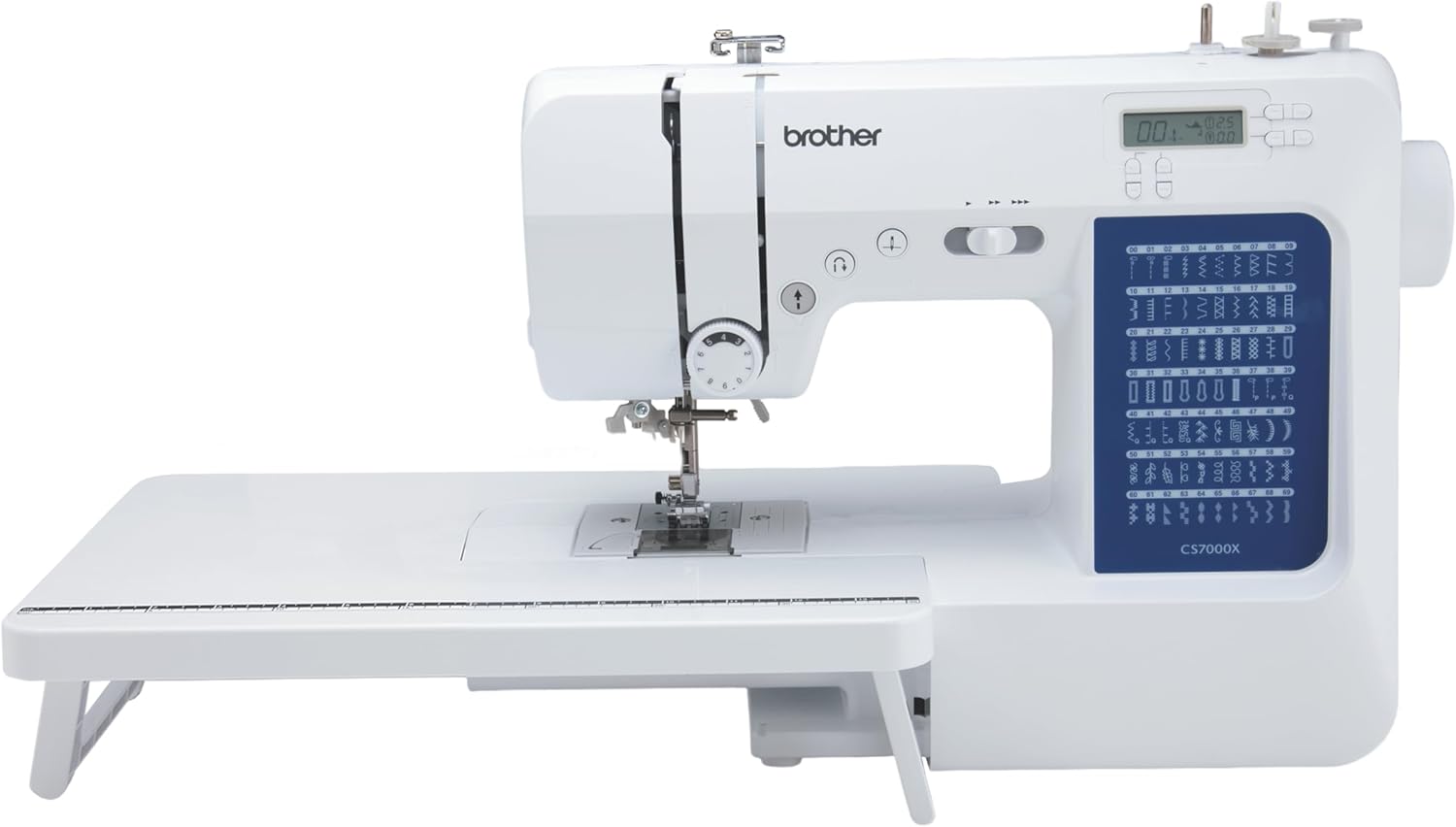
The Brother CS7000X combines an LCD interface, Start/Stop operation, adjustable sewing speed control, automatic needle threading, and a Quick-Set bobbin system. Brother specifies that the Start/Stop button cannot be used while the foot controller is connected. The sewing speed controller also sets the maximum speed available through the foot controller, making the operating sequence an important part of an in-person fit check.
Check On AmazonIf you click this link and buy, we earn a commission at no additional cost to you.
Verify maximum speed control and stopping behavior on the exact model
A speed slider matters only if it limits the machine in the intended operating mode. The manual or support documentation should show whether it affects button operation, pedal operation, or both.
Brother documents that on the CS7000X the sewing speed controller sets the maximum speed available through the foot controller. That is a concrete behavior a buyer can verify. It does not prove the machine is the right choice, but it shows what evidence should look like when a speed-limiting requirement is important.
During an audition, set the machine to the intended lower maximum, sew a straight line on ordinary woven fabric, stop several times, and restart. The user should judge whether the response is predictable enough for their own sewing, while the researcher records only what was actually observed rather than turning one trial into a universal ease claim.
Audit threading, needle insertion, bobbin loading, and presser foot handling
Automatic needle threading handles only one part of setup. The user may still need to follow the upper thread path, wind and insert a bobbin, position the needle correctly, and use the threader in a specific sequence. Evaluate each step separately.
Use the exact manual and the exact machine. Ask the person to thread from the spool to the needle, remove and reinstall the bobbin, insert a new needle in the correct orientation, and change the presser foot used most often. A helper can observe where the sequence breaks without converting that observation into a diagnosis.
If the user has no problem with needle threading but repeatedly loses sight of a guide earlier in the path, choosing between machines based on the needle threader alone misses the actual requirement.
Record the real move from storage to the sewing surface
Machine weight is only one part of handling. Storage height, carry distance, handle position, cover, cords, and table height all affect the real move. A lighter machine can still be awkward on a poor storage route.
Record the manufacturer’s unit weight, then reproduce the actual ownership route when practical. If the machine will stay permanently on a sewing table, note that and stop treating portability as a major ranking factor. If it will be stored after every session, the setup should include carrying it, placing it safely, connecting the power cord and pedal if used, and reversing the process at the end.
Warning: Do not use a damaged cord, a machine that overheats, produces smoke or a burning odor, sparks, exposes wiring, moves uncontrollably, or has a hard mechanical lock. Stop the trial and follow the exact model’s service instructions or use qualified service.
The ownership decision should reflect the route the user will repeat, not an abstract preference for low weight.
Verify the manual, setup help, phone support, warranty, and service route
Support can matter more than another decorative stitch. Before buying, confirm that the exact model has a current manual, that the instructions cover the setup tasks the user will repeat, and that the US support route is still active. If dealer setup is expected, ask what the dealer actually includes rather than assuming every sale comes with the same instruction.
The support path can also differ by brand. Brother provides model-specific support pages that collect manuals, warranty statements, contact options, and service information. Janome makes manuals available online but routes purchase help and service through its authorized dealer network, with its warranty page explaining how warranty service is handled. Neither structure is automatically better, but one may fit a buyer who wants direct manufacturer contact while another may fit someone who values a local dealer relationship.
The warranty should also be read rather than reduced to a headline number. Coverage can vary by component and service route, and those conditions may not be visible in a short retailer listing. Record the current terms that materially affect ownership, then keep the support path beside the control requirements when comparing candidates.
Set the evidence threshold for every recommendation
A recommendation needs the requirement, evidence for the relevant behavior, and a clear note about what still needs a personal trial. Brand reputation, stitch count, star rating, or an ease-of-use badge cannot replace those three pieces.
- A speed limiter needs exact documentation, then a trial for preferred response.
- Pedal-free sewing needs exact Start/Stop instructions, then a reach and control trial.
- Readability requires the intended user to view the controls under realistic conditions.
- Storage fit needs verified weight plus the real lift, carry, placement, and cord routine.
- Support needs a current manual, warranty path, contact route, and service option.
This keeps medical assumptions out of the buying process. The article can describe a requested control, reach, lighting condition, or handling task, but it should not decide what somebody needs from a diagnosis or age alone. Documentation narrows the candidates, and the audition resolves subjective fit.
Build the current shortlist by stated requirement, not diagnosis
A useful shortlist does not need a universal winner, but it does need real machines. These current US models represent meaningfully different documented control systems. They are reference candidates, not recommendations for older users as a group.
| Current reference candidate | Documented control profile | Required fit check | Unsupported claim to reject |
|---|---|---|---|
| Brother XM2701 | Dial selector, no display or Start/Stop, top drop-in bobbin, 12.6 lb | Dial and reverse reach, pedal response, bobbin routine, storage route | Mechanical is automatically easier |
| Janome 1522SP | Dial selection, front-loading bobbin, needle threader, LED light, 14.3 lb | Bobbin access, dial reach, pedal response, lighting, storage route | All dial machines feel the same |
| Brother CS7000X | LCD, mode and shift keys, Start/Stop, speed control, 10.5 lb | Screen, button sequence, Start/Stop behavior, speed response | Computerized is automatically easier |
| Janome 2030DC-G | Backlit LCD, navigation buttons, Start/Stop, speed slider, needle up/down | Screen, button reach, speed response, bobbin and threading sequence | Similar features mean identical control fit |
The comparison stays concrete without forcing a winner. The XM2701 and 1522SP show that dial-based machines can differ in bobbin access and handling, while the CS7000X and 2030DC-G show that computerized machines with similar headline controls still need separate auditions.
Use compare general-purpose sewing machine options for the wider market check, then keep only candidates that pass the personal requirement list. A strong general-purpose model can still be the wrong fit for the person in front of it.

The Janome 2030DC-G has a backlit LCD with navigation keys, a Start/Stop button, a speed control slider, and memorized needle up and down. It also uses a top-loading full rotary hook bobbin and includes a one-hand needle threader. These documented controls make it a useful shortlist candidate when the buyer specifically wants button operation, adjustable maximum speed, or a computerized interface to audition.
Check On AmazonIf you click this link and buy, we earn a commission at no additional cost to you.
List the control audition each candidate still needs
Specifications can eliminate obvious mismatches, but they cannot prove subjective fit. Keep the final audition short and built around the user’s actual tasks, using ordinary woven fabric and the normal presser foot unless regular work requires something else.
Note: Record the exact model, date, user-stated requirement, room lighting, whether a helper participated, and every unresolved item. Do not convert a single person’s control trial into a claim that the machine is easier for all older users.
- Identify the intended stitch and select it from the normal seated position.
- Thread the upper path and complete the needle threading step.
- Remove, load, and reinstall the bobbin using the normal instructions.
- Start, stop, reverse, and change speed using the preferred control method.
- Change the needle and the most commonly used presser foot.
- Read the setting display, dial pointer, or stitch chart from the normal position.
- If storage matters, lift, carry, place, connect, disconnect, and store the machine through the real route.
A candidate that fails a required audition does not need to be rescued by a longer feature list. The correct next move is usually to remove it from the shortlist or identify exactly what help would be required every time it is used.
Use beginner buying criteria only when first machine learning is the main issue
An older first-time buyer may need the same learning basics as any other new machine owner: a clear manual, manageable stitch selection, predictable setup, common presser feet, and enough support to correct early mistakes. In that situation, the age-specific requirement list should sit on top of beginner criteria rather than replace them. The article should not assume decades of sewing knowledge simply because the buyer is older.
A returning sewist may need the opposite approach. If the person already understands tension, needle changes, seam allowances, and routine setup, spend less time on beginner simplification and more time on the differences between the old and new interfaces. That distinction keeps a search for a sewing machine for elderly users from becoming a disguised beginner page.
The practical boundary is simple: use first ownership criteria when learning is the main problem, and use the observable control audit when the main problem is matching a known user to a new machine.
Final Thoughts: Match the machine to the person in front of it
The useful answer is not that seniors need mechanical controls, computerized controls, a lighter machine, a larger screen, or a particular threading feature. The answer is to write down the user’s control, visibility, setup, handling, and support requirements, then make each candidate prove that it meets them. Exact documentation can verify functions, while an audition verifies the parts that depend on the person.
That process can end with a purchase, a decision to keep using a familiar machine, a request for setup help, or a decision not to buy yet. Any of those outcomes is better than choosing from an age label and discovering afterward that the supposedly easy feature solved the wrong problem.
Frequently Asked Questions
🎛️ Are mechanical sewing machines easier for seniors?
Not automatically. A mechanical machine may suit someone who wants familiar direct dials, while another user may prefer speed-limiting or button operation on a computerized model. Compare the exact controls with the user’s stated requirements.
🦶 Is a Start/Stop button better than a foot pedal?
Only when the user prefers that control method. Check the exact manual because some machines change Start/Stop behavior when a foot controller is connected, then test the preferred method from the normal sewing position.
🧵 Does an automatic needle threader make the whole machine easy to thread?
No. It usually addresses the final needle threading step, while the upper thread path, bobbin winding, bobbin insertion, and required lever positions still need to be completed correctly. Audit the full setup sequence.
💡 Should I choose the machine with the biggest screen?
Screen size alone does not prove readability. Check character size, contrast, the information shown, viewing angle, and whether the user can read it from the normal seated position under realistic room lighting.
⚖️ Is the lightest sewing machine always the easiest to handle?
No. Weight is only one part of handling. Test the handle, cover, carry distance, storage height, cord setup, and the actual move between storage and the sewing surface.
📖 What should I check before buying a machine for an older family member?
Start with the person’s own requirements, last machine experience, preferred start and stop method, threading and bobbin tasks, storage route, and desired support. Then verify each candidate in the current manual and let the intended user audition the controls whenever possible.
References and Sources
- Brother CS7000X specifications: Verifies the current US display, stitch selection, speed control, unit weight, included documentation, warranty listing, and other control details used in the comparison.
- Brother XM2701 specifications: Verifies the current dial interface, absence of a display and Start/Stop button, top drop-in bobbin system, work light, and unit weight.
- Brother foot controller instructions: Verifies how the CS7000X foot controller interacts with the Start/Stop button and sewing speed controller.
- Janome 1522SP specifications: Verifies the current dial selection, front-loading bobbin, needle threader, LED work light, unit weight, and related interface details.
- Janome 2030DC-G specifications: Verifies the current backlit LCD, navigation buttons, Start/Stop control, speed control slider, needle position function, and bobbin system.
- Janome warranty and service route: Verifies the authorized dealer-based warranty and service process used in the ownership support comparison.