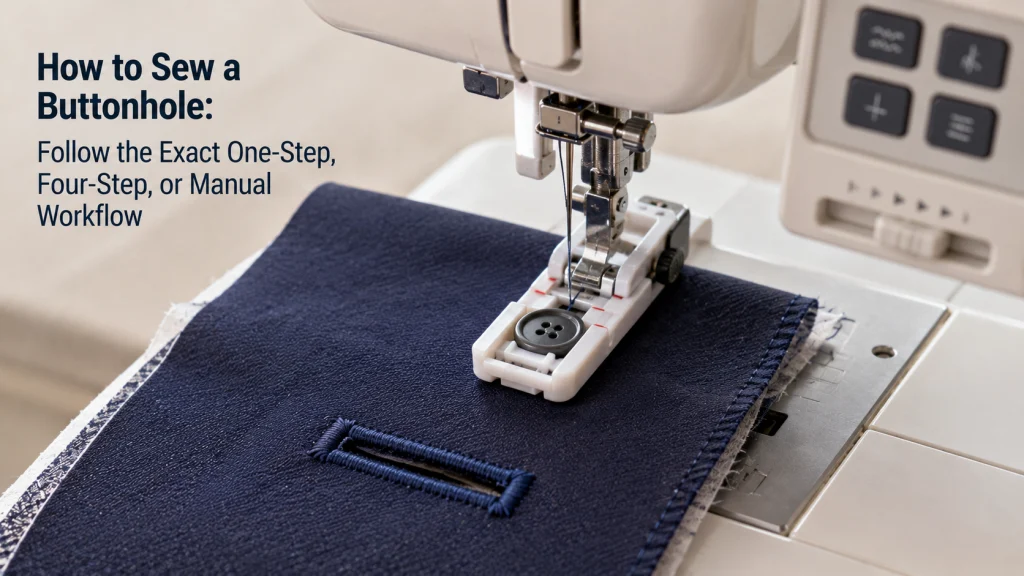
How to sew a buttonhole depends first on the buttonhole system built into the exact sewing machine. A one-step system may use a button-guided foot and lever, a four-step system requires deliberate stage changes, and some machines document a more manual zigzag sequence. The safest workflow is to identify that system in the manual, prepare a representative fabric sample, sew a complete test buttonhole, and verify it before cutting the project opening. If the test is incomplete, uneven, or mechanically abnormal, stop the normal sewing workflow instead of stacking random setting changes.
Identify the Buttonhole System Before Touching the Selector
The first decision is not stitch length, tension, or speed. It is whether the machine uses a one-step cycle, a four-step sequence, or a documented manual zigzag method. These systems may look similar near the needle but use different controls and foot interactions. Starting with the wrong procedure can create confusion before the first test is complete.
Check the stitch panel, then confirm the symbols in the exact instruction manual. A one-step machine may use one buttonhole selection plus a special foot and lever, while a four-step machine requires separate stages. A manual method may require the operator to control zigzag stages in a defined order. If the symbols are unfamiliar, how sewing machine stitches are organized can clarify the terminology without replacing the machine’s own instructions.
| What the machine shows | Workflow to verify | What the manual must confirm |
|---|---|---|
| One buttonhole selection with a long foot and lever or sensor | One-step | Foot, sizing method, lever position, starting point, and completion behavior |
| Several numbered or staged buttonhole selector positions | Four-step | Stage order, selector changes, foot, and fabric marks |
| No automatic cycle, but the manual gives zigzag-based stages | Manual | Stitch sequence, settings, movement method, and bartacks |
The table helps identify a likely system but does not prove how a particular machine operates. Similar-looking machines can use different lever positions, feet, stage labels, or stopping behavior. Once the system is confirmed, stay inside that workflow for the test. Do not borrow a step from another machine just because its controls look familiar.

The Brother XR9550 is a computerized sewing and quilting machine with 165 built-in stitches, including eight auto-size buttonhole styles. Its LCD screen is used to select stitches and settings, and the machine includes eight sewing and quilting feet. The package also includes a wide table and protective hard cover.
Check On AmazonIf you click this link and buy, we earn a commission at no additional cost to you.
Do Not Turn One-Step Versus Four-Step Into a Buying Decision Here
If the machine is already on the table, the useful question is how its buttonhole function is meant to be operated. One-step and four-step describe different control workflows, but neither label tells you that the owned machine is automatically better, more accurate, or more suitable for every fabric. A one-step cycle can still depend on a correctly positioned foot, lever, fabric stack, and button reference. A four-step system can work well when the stages are followed in the documented order and the operator stops each side where the manual expects.
That distinction matters because shopping comparisons can distract from the immediate sewing task. The buttonhole feature has already been chosen with the machine, so the next useful move is to identify its controls and reproduce the documented procedure on scrap fabric. Do not change machines, buy an attachment, or hunt for a different foot simply because another tutorial uses a different system. This article stays with normal execution on a functioning domestic machine and treats a failed cycle as a separate problem rather than a reason to improvise a new setup.
Find the Exact Machine’s Buttonhole Instructions and Required Foot
Use the full model number to locate the matching manual or manufacturer support page. In the buttonhole section, note the required foot, stitch selection, starting position, sizing method, and any lever or sensor instruction. Brother support for covered machines, for example, specifies buttonhole foot A, a button guide plate, fabric alignment marks, and a lowered lever. That evidence applies to the listed machines, not automatically to every Brother model or another brand.
Treat the required foot as part of the machine’s system, not as a generic accessory. If the documented foot is present, attach it exactly as instructed and check needle clearance as the manual directs. If it is missing, unmarked, or came from another machine, verify compatibility before sewing. The broader machine setup and operating basics can help with normal presser-foot installation and control terminology before you return to the buttonhole procedure.
Verify Buttonhole Foot Compatibility Separately When Fit Is Uncertain
A buttonhole foot can look correct and still be wrong for the holder, lever, sensor, or needle swing. Visual similarity is weak evidence, especially when a used machine came with mixed accessories. Confirm the exact foot designation in the machine documentation, then check manufacturer compatibility information when available. Do not modify a foot or rely only on the fact that it snaps onto the holder.
Needle clearance also needs verification before powered sewing. Attach the foot exactly as directed and make only the safe owner-level checks allowed for that model. If the foot sits crooked, interferes with the needle path, or cannot engage the documented lever or sensor, stop until fit is resolved. Once compatibility is proven, return to the sewing workflow instead of continuing an accessory experiment.
Key point: A generic “buttonhole foot” label does not prove fit. The exact machine documentation or a verified compatibility listing should connect the foot to the machine.

The SINGER 00220 is a 6-inch sewing gauge with a movable slider for holding a measurement during repeated marking. It can be used to measure buttonhole spacing as well as hems, tucks, and pleats. The ruler includes both inch and centimeter markings.
Check On AmazonIf you click this link and buy, we earn a commission at no additional cost to you.
Prepare Representative Fabric Layers and Stabilization Before Testing
A buttonhole test should resemble the project area closely enough to expose feed or support problems. Use the same fabric type, relevant layer count, and planned interfacing or stabilization. Both Brother and SINGER treat fabric preparation as part of the buttonhole process rather than an afterthought. A single flat scrap may tell you little about a reinforced placket or layered waistband.
Stabilization matters when fabric can stretch, shift, pucker, or sink under dense stitching. Follow the machine manual and the needs of the fabric without turning this step into a product recommendation. If a bulky seam crosses the planned buttonhole, reproduce that thickness on the test only when it can be done safely. The sample should be realistic enough to show whether the documented workflow behaves normally on the project stack.
- Match the project fabric and relevant layer count.
- Use the same interfacing or stabilization approach.
- Use the intended needle and thread if they already sew the fabric normally.
- Mark the buttonhole reference exactly as the workflow requires.
- Keep the sample large enough to feed freely.
If normal stitching has not been confirmed on the sample, test that first. This separates a general threading, feed, or fabric problem from the buttonhole cycle. Once ordinary stitches form and feed normally, move to the documented buttonhole setup. That gives the buttonhole test one clear job instead of several.

Pellon SF101 Shape-Flex is a 100 percent cotton woven fusible interfacing for light- to medium-weight fabrics. It is sold by the yard and multiple quantities can be supplied as continuous yardage. The interfacing is machine washable in cold water and can be tumble dried on low.
Check On AmazonIf you click this link and buy, we earn a commission at no additional cost to you.
Follow the One-Step Button Guide and Lever Sequence Only When the Machine Uses It
On a documented one-step system, set the button reference and attach the specified foot exactly as the manual shows. Select the buttonhole stitch, place the marked fabric at the prescribed starting point, and lower the foot without distorting its sliding parts. If the machine uses a buttonhole lever, position it exactly as directed before sewing. Brother’s instructions for covered models place the lowered lever behind the bracket on the buttonhole foot, showing why lever position should never be guessed.
Start sewing while keeping the fabric free to feed as the foot travels. Do not pull the fabric or push on a sliding foot unless the manual explicitly tells you to do so. Let the machine complete its documented cycle and stopping behavior before changing controls or raising the foot. Then remove the sample and inspect the stitching before reaching for a seam ripper.
Note: SINGER describes a button-guided one-step feature but still directs owners to the manual for model-specific details. Treat repeatability claims as manufacturer claims, not proof that every fabric or machine will behave identically.
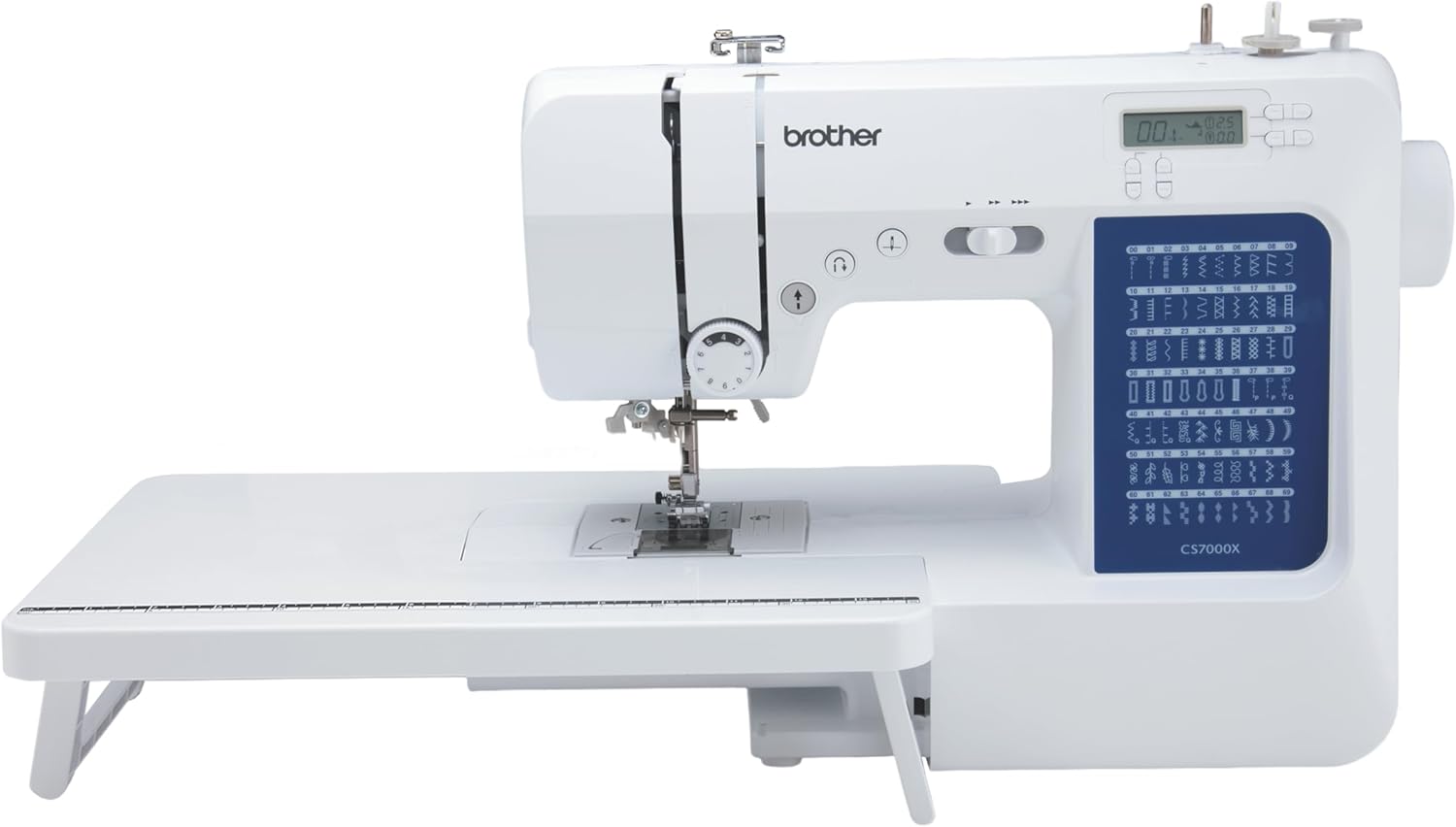
The Brother CS7000X is a computerized sewing and quilting machine with 70 built-in stitches. Seven built-in one-step auto-size buttonhole styles are included along with a buttonhole foot and button sewing foot. The machine also uses an LCD screen and computerized controls for stitch selection.
Check On AmazonIf you click this link and buy, we earn a commission at no additional cost to you.
Follow the Four-Step Selector Stages Only When the Machine Uses Them
A four-step buttonhole asks the operator to advance through separate portions of the buttonhole rather than letting one automatic cycle control the whole sequence. SINGER’s current support description frames the method as marking the fabric and using the machine’s stitch selector to sew the four sides. Your machine may label those stages with numbers, symbols, or grouped selector positions, so the exact manual should determine both the order and when each change is made. Do not assume that a stage arrangement seen on another machine maps to yours simply because both are called four-step.
Begin at the documented starting point and sew the first stage only to the marked limit. Move to the next selector stage when the manual tells you to, then continue through the remaining side and bartack stages without dragging the fabric or turning controls at random. The operator’s job is to follow the sequence and stop at the correct marks, not to make a one-step tutorial fit a four-step machine. If one side refuses to feed, a bartack never forms, or the stages no longer produce the expected geometry, end the execution test and treat that as a fault rather than continuing through repeated selector changes.
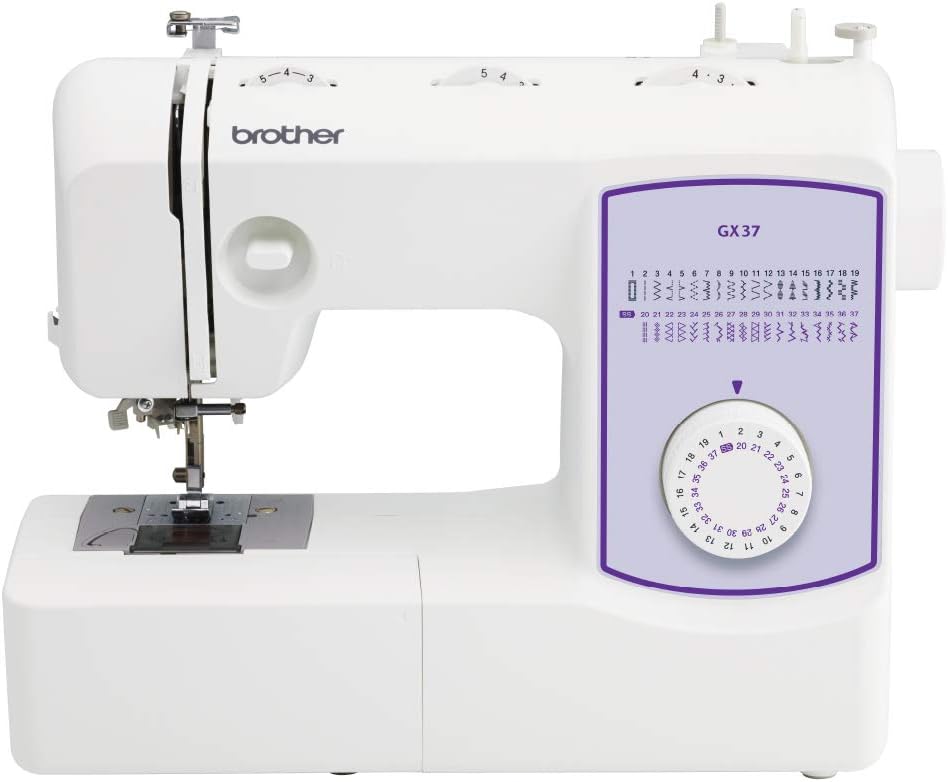
The Brother GX37 is a compact mechanical home sewing machine offering thirty-seven built-in stitches, an automatic needle threader, a top drop-in bobbin, and a free arm for sleeves and cuffs. Its stitch options can cover everyday garment repairs, simple hems, lightweight craft projects, and decorative work without relying on a computerized touchscreen. Six sewing feet are included for varied sewing operations. It is a broader-feature alternative to the ten-stitch Brother XM1010, not the same model. Confirm the machine dimensions, included accessories, available workspace, and 120-volt US power requirements before selecting this replacement.
Check On AmazonIf you click this link and buy, we earn a commission at no additional cost to you.
Use a Manual Zigzag Buttonhole Workflow Only When the Machine Documents It
Some machines do not provide a one-step cycle or a four-stage buttonhole selector but still document a buttonhole method based on controlled zigzag stitching. In that case, the manual should define the stitch changes, side order, bartacks, fabric movement, and any turning or reverse-sewing steps that belong to that machine. Follow those instructions as a complete workflow rather than assembling a method from several generic tutorials. A manual zigzag buttonhole requires more operator control, which makes the documented sequence more important, not less.
Do not invent universal width, length, density, or tension numbers for a manual method. Those settings interact with the machine, needle, thread, fabric, and the geometry of the buttonhole being made. If the manual provides a starting range, use that information on the representative test and evaluate the stitched result before cutting anything. If the machine does not document a manual buttonhole procedure at all, this article is not a reason to create one from scratch.

This Coats & Clark set contains two spools of white all-purpose sewing thread. Each spool provides 400 yards of polyester thread for general sewing applications. The thread is machine washable and the two-pack supplies 800 yards in total.
Check On AmazonIf you click this link and buy, we earn a commission at no additional cost to you.
Verify Size and Completion Before Cutting the Project Opening
Do not cut a buttonhole merely because the machine stopped. First confirm that the stitched rectangle or documented buttonhole shape is complete, that both ends are secured as expected, and that the intended button size matches the opening plan. If the workflow used a button guide, make sure the stitched length reflects the reference you set rather than assuming the foot measured correctly. If the workflow used marks, compare the completed stitching with those marks before transferring the process to the project.
When you do open a successful test buttonhole, use the cutting method and safety precautions described in the machine or project instructions. Brother’s support instructions for covered machines use a pin as a stop and warn against placing hands in the seam ripper’s cutting path, which is a sensible example of why cutting deserves deliberate hand placement. Keep fingers clear of the blade path and cut only after the test confirms the opening will serve the button as intended. If you cannot open the test safely or the stitched ends are unclear, stop and resolve that question before cutting the project.
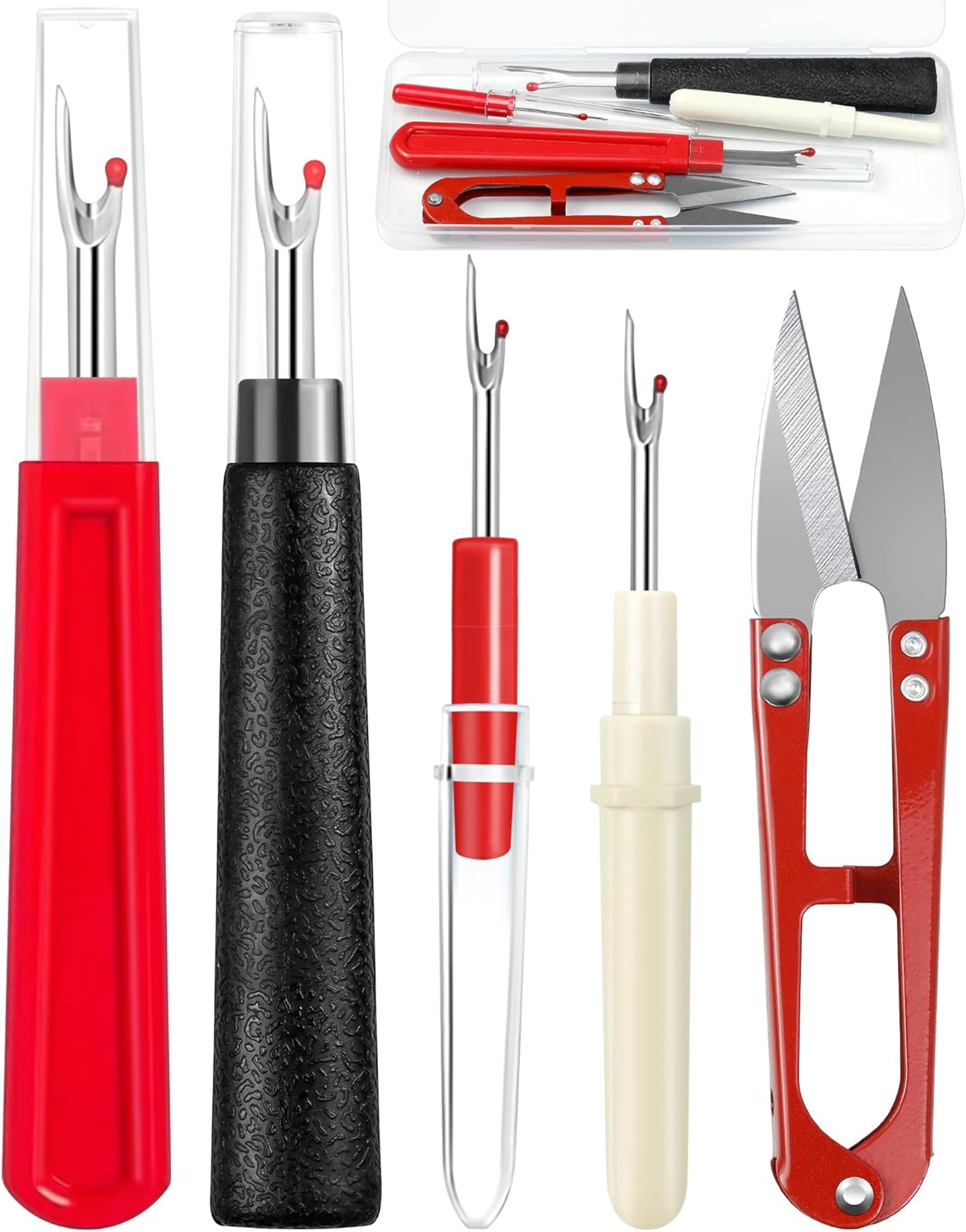
The FIVEIZERO set includes two large and two small seam rippers along with a pair of thread snips. The large rippers measure about 5.5 inches while the smaller tools measure about 3.5 inches for more detailed work. Each seam ripper uses a protective ball at the forked end to help guard the fabric during stitch removal.
Check On AmazonIf you click this link and buy, we earn a commission at no additional cost to you.
Stop When One Side Fails or the Buttonhole Becomes Visibly Malformed
Normal execution ends when the machine stops behaving like the documented workflow. Examples include one side not forming, fabric failing to advance, the automatic cycle stopping in the wrong place, repeated hard needle strikes, or a clearly incomplete result. Community sewing questions repeatedly show owners confusing lever position, foot behavior, stage progression, and actual faults. A malformed test therefore signals that the task has moved from routine sewing into diagnosis.
Do not force a lever, push the foot through resistance, alter a foot, or keep rerunning a failed cycle with random changes. Recheck only the normal setup items the manual tells the owner to verify, such as threading, foot installation, selector position, lever position, and fabric preparation. Stop using the machine for a hard mechanical lock, uncontrolled motion, overheating, smoke, burning odor, sparks, exposed wiring, or other conditions reserved for service. Protecting the machine and project matters more than finishing the buttonhole immediately.
Warning: Do not cut open a failed or incomplete test just to inspect it. Keep the sample intact until the setup or fault is understood.
Final Thoughts: Copy the Exact Buttonhole System, Then Test Before Cutting
A reliable buttonhole workflow starts by copying the machine’s documented system rather than copying another sewist’s controls. Identify whether the machine uses one-step, four-step, or a documented manual method, confirm the required foot, set the button or marked length as instructed, and prepare a representative fabric sample. Then sew one complete test without mixing procedures or overriding special buttonhole defaults with generic settings. That sequence keeps the task understandable even when two machines handle the same basic buttonhole very differently.
| Buttonhole system | How the workflow starts | Operator role while sewing | Normal completion to verify |
|---|---|---|---|
| One-step | Set the documented button reference, attach the specified foot, select the buttonhole, and position any required lever or sensor. | Keep the fabric free to feed while the machine runs the documented cycle. | The machine completes the programmed sides and bartacks and reaches its documented stopping point. |
| Four-step | Mark the buttonhole, attach the specified foot, select the first documented stage, and position the fabric at the starting mark. | Advance through the selector stages in the documented order and stop each section at the marked limit. | Both sides and both end sections are present in the expected sequence and align with the marked length. |
| Documented manual method | Mark the buttonhole and set the stitch controls exactly as the machine manual specifies for the first stage. | Control the documented zigzag, bartack, turning, or reverse stages rather than relying on an automatic cycle. | The full sequence is complete, both sides are secured as instructed, and the stitched opening matches the planned reference. |
The final gate is simple: inspect before cutting. If the test completes normally and the size works for the button, repeat that proven setup on the project while keeping the same relevant fabric, stabilization, needle, thread, and workflow conditions. If the test is incomplete or the machine behaves abnormally, stop normal execution and diagnose the fault separately instead of stacking guesses. Buttonholes are much less mysterious when the machine manual, the test sample, and the finished stitching all agree before the seam ripper comes out.
FAQs
Buttonhole questions can sound universal even when the answer depends on the machine’s mechanism. A long foot, lever, selector symbol, or button reference may work differently on another model. Check which system the machine uses before applying any instruction. The exact manual should settle questions about controls, stage order, and required accessories.
These answers cover normal execution on a functioning domestic machine. They do not replace compatibility checks or diagnosis of a cycle that still fails after correct setup. Preserve a malformed test and avoid random adjustments when the documented workflow does not complete normally. Keeping setup separate from troubleshooting makes the next step easier to identify.
🧵 How do I know if my machine has a one-step or four-step buttonhole?
Check the stitch selector or screen, then confirm the symbols in the exact manual. One-step systems usually use a single cycle, while four-step systems require stage changes, but the manual is the proof.
🦶 Do I need a special presser foot to sew a buttonhole?
Use the foot specified by the machine’s buttonhole instructions. If its compatibility is uncertain, verify the machine-to-foot relationship before sewing instead of substituting a similar-looking foot.
🔘 How does a one-step buttonhole know the button size?
Some systems use the button in a guide section of the foot. Follow the model-specific sizing method because not every one-step system measures the button in the same way.
🎛️ Do I change the selector while sewing a four-step buttonhole?
Yes, when the machine’s instructions tell you to advance to the next stage. Use the documented order and marked stopping points rather than copying another model’s sequence.
✂️ When should I cut open the buttonhole?
Cut only after the stitched buttonhole is complete, correctly sized, and verified on a representative test. Keep your hands out of the seam ripper or cutter path.
⚠️ What should I do if the machine sews only one side?
Stop and recheck only the model-specific setup items in the manual. If the correct foot, lever, selector stage, threading, and fabric preparation are confirmed but the cycle still fails, treat it as a troubleshooting problem.
References and Sources
Manufacturer instructions are necessary here because buttonhole controls, sizing methods, feet, and selector stages vary by machine. The references below support details that should not be generalized from memory or from another model. They document examples of one-step, four-step, lever, foot, and cutting procedures. When the exact machine manual differs, its instructions take priority.
Brother provides a detailed button-guided workflow for the machines covered by its support page. SINGER separately documents the general one-step and four-step methods while directing owners back to model-specific manuals. These pages show why the system must be identified before sewing begins. They do not prove that every machine from either brand behaves identically.
- Brother buttonhole instructions: Documents foot A, button sizing, alignment, lever position, sewing sequence, and seam-ripper safety for listed models.
- SINGER one-step buttonholes: Confirms the button-guided concept, stabilization guidance, and need for model-specific instructions.
- SINGER four-step buttonholes: Confirms the marked-fabric and selector-stage workflow and directs owners to model-specific instructions.
Use these references to understand the workflow distinctions, then return to the documentation for the machine in front of you. A manufacturer example is strongest when the exact model is explicitly covered. Similar-looking controls do not prove that another model uses the same sequence. Foot, lever, stage, and cutting instructions should stay model-specific.