A sewing embroidery combo machine can save table and storage space, but it still gives you only one working chassis. The better setup depends on whether sewing and embroidery need to happen independently, the largest embroidery field your projects require, and how often you are willing to change the machine between roles. A combo can work well when the jobs are mostly sequential, while separate machines become more useful when embroidery regularly blocks sewing work that still needs to continue. Decide that architecture first, then compare exact models, accessories, transfer methods, support, and ownership costs.
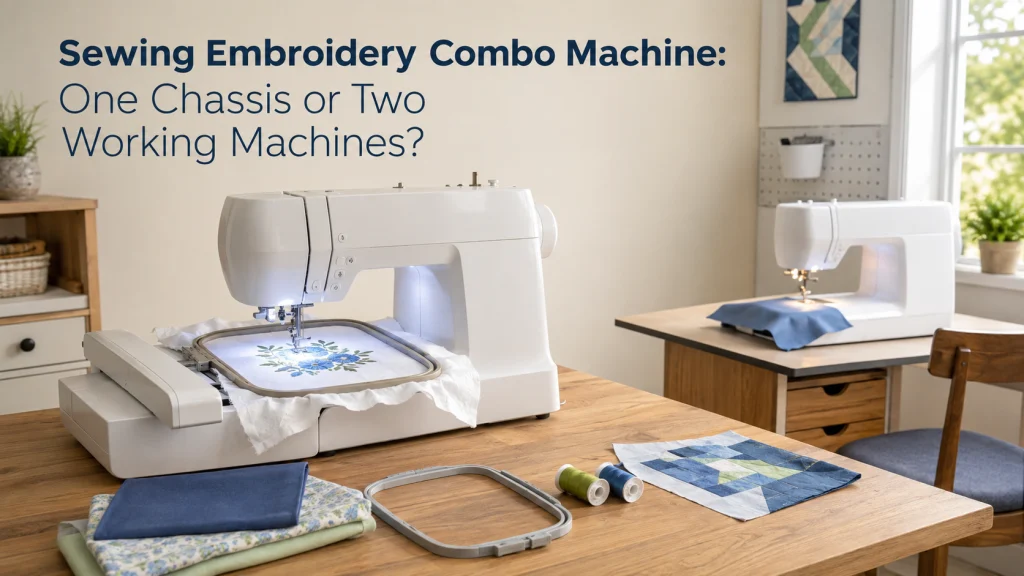
One Chassis Means One Active Machine Job at a Time
A sewing embroidery combo machine can perform ordinary sewing and computerized embroidery, but both functions share the same physical machine. If a framed design is being stitched, that chassis is not available for sewing a seam, making a buttonhole, or running a test sample. Product pages can make the two feature sets look independent because sewing and embroidery specifications are listed side by side. The ownership decision is whether your projects can tolerate both jobs competing for one machine.
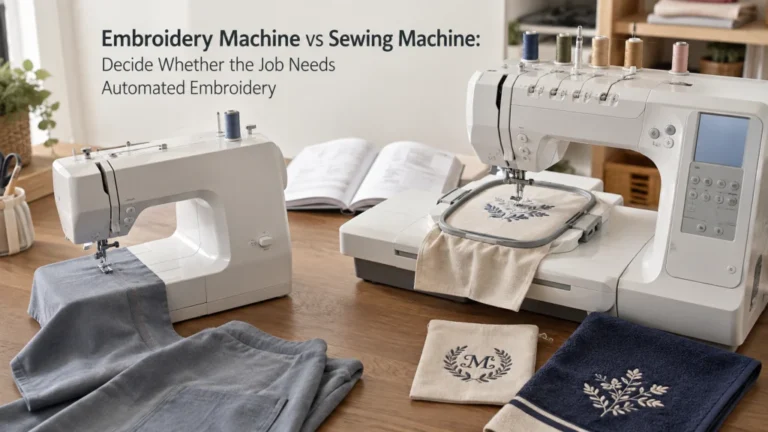
Imagine constructing a jacket that needs embroidered panels before final assembly. With separate machines, the embroidery setup can remain in place while another machine handles seams or topstitching, but a combo requires the shared chassis to change roles. If that change happens once and the rest of the project is ordinary sewing, the limitation may barely matter. If you are not yet sure that automated embroidery is a real requirement, compare machine embroidery and ordinary sewing before deciding how many machines you need.
Confirm That Both Ordinary Sewing and Machine Embroidery Are Real Requirements
A combination sewing and embroidery machine makes sense only when both sides of the machine solve jobs you actually expect to do. Ordinary sewing may include garment construction, alterations, bags, quilting, buttonholes, and general utility stitching, while embroidery adds framed designs that require different preparation and machine setup. A buyer who wants an occasional monogram has a different need from a small maker who personalizes most finished pieces. Write down the projects first instead of beginning with a machine’s feature list.
- List the ordinary sewing jobs you expect to perform regularly.
- List the embroidery jobs you expect to perform regularly.
- Mark which projects require both functions before they are finished.
- Note whether either job would be delayed while the other occupies the machine.
- Separate definite requirements from features that merely sound interesting.
This exercise often catches a first-time buying mistake: treating an embroidery function as automatically useful because it is bundled with sewing. A tote-bag maker may discover that construction occupies almost all machine time and embroidery is an occasional personalization step that can be scheduled separately. Another sewist may alternate between embroidered components and construction often enough that independent access changes the entire workflow. If one capability is still hypothetical, postponing it can be more sensible than paying for a shared system before the requirement is clear.
Count How Often Sewing and Embroidery Compete During the Same Project
Frequency matters more than simply saying that you enjoy both sewing and embroidery. Walk through a normal project and count each point where the machine would need to change from sewing to embroidery or back again. If embroidery happens once near the beginning and construction follows afterward, one chassis may fit naturally because the work is already sequential. If you repeatedly embroider a piece, return to construction, then prepare another embroidered piece, shared-machine setup becomes a recurring part of the project.
| Workflow question | What to record | What it reveals |
|---|---|---|
| How often do roles change? | Count sewing-to-embroidery and embroidery-to-sewing changes. | Frequent changes make setup burden more important. |
| Does sewing wait? | Mark ordinary sewing that cannot continue during embroidery. | Waiting exposes a real concurrency problem. |
| Can embroidery be batched? | See whether all embroidered parts can be completed together. | Batching can make one chassis much easier to use. |
| Is other work available? | Note cutting, pressing, trimming, or preparation that can happen off-machine. | Useful off-machine work can reduce the cost of machine occupancy. |
Use the table as a concurrency worksheet rather than a one-time checklist. Run it for a typical solo project and, if the machine is shared, run it again for each person’s normal sewing or embroidery session. Two people can create a concurrency problem even when each person’s own project is sequential, because one person’s stitchout can block the other’s sewing access. In that household, the useful measure is how often two people need the chassis at the same time, not only how often one project changes modes.
Do not invent a universal switching time because the steps vary by exact machine, attachment state, presser foot, frame, thread, and project. Count role changes and blocked work instead, since those are visible in your own process. A bag maker who embroiders one exterior panel and then sews the complete bag has little overlap, while a small maker producing personalized items in batches may need ordinary sewing throughout the stitchout period. A second machine earns its space only when that independent access solves a problem you repeatedly encounter.
Record the Maximum Embroidery Field Before Comparing Sewing Features
The embroidery field creates a physical limit that a larger stitch library or better screen cannot erase. Identify the largest designs you realistically expect to stitch, then compare that need with the documented maximum embroidery area of any machine under consideration. Compact names, labels, patches, and motifs may fit a smaller field, while larger garment panels or decorative layouts can require more room. Choose from project requirements rather than assuming that the biggest available field is automatically the best value.
Exact verification matters because combo machines that look similar can have different limits. Brother lists the SE700 with a 4 by 4 inch maximum embroidery area and the SE2000 with a 5 by 7 inch maximum embroidery area, which is useful evidence of how much this specification can vary within one brand’s combined-machine range. Those models are examples for checking architecture and specifications, not purchase recommendations. Once the field is large enough for your work, you can compare sewing functions without letting an attractive feature count distract from an embroidery limit that cannot meet the project.
Record the largest recurring design you expect to use as a width-and-height requirement before opening a model comparison. Keep occasional wish-list projects separate from work you actually expect to repeat, because an unusual oversized idea can distort the entire machine decision. If two common project types require different fields, use the larger recurring requirement as the hard filter. That turns embroidery area into a pass-or-fail condition instead of another number to admire on a specification sheet.

The Brother SE700 combines computerized sewing and embroidery in one machine with a 4 x 4 inch embroidery field and included hoop. It supports wireless LAN and USB design transfer and includes a 3.7 inch color touchscreen for design preview and editing. The machine includes 135 embroidery designs, 10 embroidery fonts, 103 sewing stitches, and eight sewing feet.
Check On AmazonIf you click this link and buy, we earn a commission at no additional cost to you.
Audit the Exact Embroidery Unit and Switching Workflow
Check switching from the exact model manual rather than assuming that a combo changes roles with one button. Brother’s SE2000 support instructions require the machine to be turned off before the embroidery unit is attached, then the flat-bed attachment is removed, the embroidery unit is connected, and the carriage is allowed to initialize with the area clear. The same support material states that utility stitches cannot be selected while the embroidery unit is attached. That makes attachment state part of ordinary sewing access, not merely an accessory-storage detail.
| Switching item | Verify on the exact model |
|---|---|
| Embroidery unit | How it attaches, initializes, detaches, and must be stored. |
| Presser foot | Whether embroidery requires a different foot or holder setup. |
| Frame | Which sizes fit and how the frame locks into the carriage. |
| Utility sewing | Whether normal stitches remain available with the unit attached. |
| Thread and bobbin | What changes your design, material, and manual require. |
Thread and bobbin setup belongs in the same audit, but the exact changes depend on the design, material, and machine instructions. Record whether a normal role change also requires different thread, a different bobbin setup, a needle or presser-foot change, or another documented adjustment before the next task can begin. Do not assume that embroidery and construction will use the same setup simply because they share one chassis. If those changes repeat several times in the same working session, count them as part of the transition burden instead of measuring only the attachment step.
The point is not to make the conversion sound difficult, but to count every step you will actually repeat. A process that feels minor when performed occasionally can become irritating when a project calls for several role changes. Follow the manufacturer’s attachment and removal sequence instead of improvising a faster powered conversion, especially around moving carriage parts and electrical connectors. The better architecture is the one whose documented workflow still feels reasonable at the frequency your projects demand.
Count Machine Occupancy During Long Stitchouts
Embroidery can occupy a machine for a meaningful part of a project even when the machine is performing the stitch sequence automatically. Thread changes, bobbin attention, monitoring, trimming, and design-specific pauses can still require the operator to stay involved. During that period, a combo chassis cannot become the ordinary sewing machine for the next seam or construction step. The cost is therefore not only setup effort but also the loss of sewing access while the embroidery job owns the machine.
Owner discussions repeatedly identify this as a practical reason some people keep or add a separate sewing machine, while other owners are satisfied with one combo because they do not need to sew during stitchouts. Those reports show that the question is real, but they do not prove one universal answer. If you can use embroidery time for cutting, pressing, stabilizer preparation, trimming, or other off-machine work, one chassis may remain efficient. If the next required task is ordinary machine sewing, separate equipment solves an actual scheduling conflict instead of merely adding redundancy.
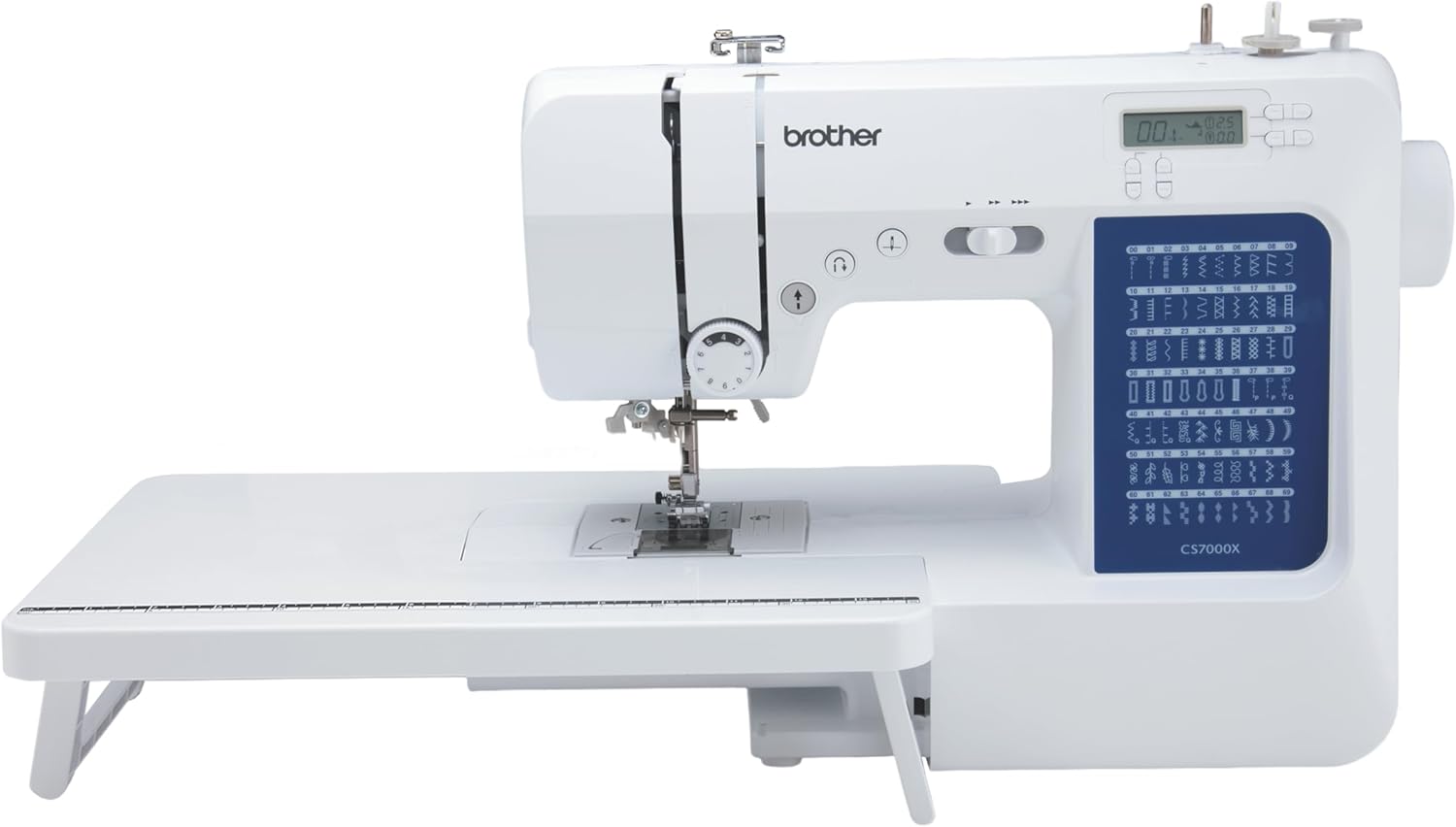
The Brother CS7000X is a computerized sewing and quilting machine with 70 built-in stitches and seven one-step auto-size buttonholes. It includes a wide table, 10 sewing feet, a quilt guide, and a protective hard case. The machine also has an automatic needle threader, drop-in top bobbin, fixed needle bar, free arm, LCD controls, and variable speed control.
Check On AmazonIf you click this link and buy, we earn a commission at no additional cost to you.
Compare One-Machine Footprint With Two-Machine Working Space
A combo reduces the number of machine bodies you need to store, but stored size and operating space are different measurements. Embroidery needs clearance for the carriage and frame to move without striking a wall, shelf, thread stand, fabric pile, or another object. A machine that looks compact when parked can occupy a much wider working zone once the embroidery unit and frame are installed. Measure the table in the configuration you will actually use rather than relying only on the machine’s base dimensions.
Two machines require another stable surface, power access, and accessory storage, but they can also remain configured for separate jobs. A narrow desk may make a second working station unrealistic, which can give the combo architecture a genuine advantage even if switching is less convenient. A dedicated sewing room may make two independent stations easy to maintain, especially when embroidery and construction overlap regularly. Whatever the layout, leave the travel clearance required by the manufacturer and do not use nearby objects as informal stops for the embroidery carriage.
The detached embroidery unit and hoops also need a real storage location when the machine returns to ordinary sewing. Measure that storage space instead of treating the removable unit as if it disappears from the room, and keep its connector and moving parts protected according to the manufacturer’s handling instructions. A shelf or cabinet that works for folded fabric may not automatically be a practical place for machine attachments that need to stay organized and ready for the next changeover. For a small room, the useful comparison is therefore total operating and storage space, not simply one machine body versus two.
Verify Design Transfer, Hoops, and Sewing Utility Functions on the Exact Machine
After one chassis still looks workable, verify the features that control how the machine fits your files and projects. Design transfer may use wireless networking, computer software, USB media, an app, or another model-specific path, so the word wireless does not describe the complete workflow. Brother lists wireless LAN on the SE700 and SE2000 and supports Design Database Transfer for sending embroidery data from a compatible Windows computer to supported machines. That confirms a transfer path exists, but your own devices, file workflow, and software expectations still need to match it.
Hoops require the same exactness because a familiar frame name or similar appearance does not prove compatibility with a particular machine. Verify the supported frame system, distinguish included hoops from optional compatible hoops, and confirm any accessory against the exact model before buying it. On the sewing side, a sewing machine with embroidery still needs the utility functions you already rely on, such as buttonholes, needle positioning, speed control, presser-foot options, and usable workspace to the right of the needle. A combined domestic system still belongs among machine types for different sewing jobs, so more functions on one chassis do not automatically replace every specialist machine.
Count Service Concentration and Downtime
One shared chassis concentrates downtime as well as features. If a combo machine is unavailable for service, both ordinary sewing and embroidery are unavailable unless another machine is already available. Separate machines may leave one function usable while the other is being serviced, although that does not prove that two machines are more reliable or durable. The issue is operational exposure, not a prediction that one architecture will fail more often.
Downtime check: If this chassis were unavailable, write down which active jobs would stop. Mark which jobs could continue with equipment you already own. If both sewing and embroidery stop, treat that concentration as part of the ownership decision. Do not turn this exercise into a reliability prediction, because it measures how much work depends on one machine.
Ask what happens to your real projects if the only chassis cannot be used and whether you have a backup plan for time-sensitive work. A hobby sewist may be comfortable pausing both functions, while a small maker may value keeping at least ordinary sewing available. Service access, warranty handling, local support, parts availability, and transport requirements can therefore matter alongside purchase price. Follow the exact manual for owner maintenance, and use qualified service for electrical damage, overheating, smoke, burning odor, sparks, uncontrolled motion, a hard mechanical lock, repeated hard needle strikes, or work the manufacturer reserves for service personnel.
Decide Between a Combo, Two Machines, or Postponing One Capability
A combo makes the strongest case when both functions are definite needs, the required embroidery field fits available machines, sewing and embroidery rarely need independent access, and the room cannot comfortably support two working stations. Separate machines make a stronger case when projects repeatedly alternate between functions, ordinary sewing must continue during embroidery, or losing one chassis would interrupt too much work. Postponing embroidery can be reasonable when it is still a vague future interest rather than a planned task. None of these outcomes is universally better because each solves a different ownership condition.
| If this describes your work | Architecture to investigate first |
|---|---|
| Both functions are definite, usually sequential, and space is tight. | One combo chassis |
| Sewing regularly needs to continue while embroidery occupies a machine. | Separate sewing and embroidery machines |
| Your existing sewing machine already meets construction needs. | Compare adding embroidery separately with replacing the sewing machine |
| Embroidery is still hypothetical. | Postpone the second capability until the need is clearer |
Compare budget at the system level rather than assuming one machine must be cheaper than two. Include the equipment your workflow actually needs, such as compatible frames, stabilizer, embroidery thread, bobbin supplies, storage, software when required, service, and any machine you already own. An existing sewing machine can make a separate embroidery system far more practical than the same decision would be for a first-time buyer starting with no equipment. Use the table as a filter, then verify whether your room, workload, and existing setup support the result.

The New brothread tear-away stabilizer is a 12 inch by 50 yard roll of medium-weight 1.8 oz polyester backing for machine embroidery. The roll can be cut to different sizes for a range of embroidery hoops and is intended for light to medium stitch density. It provides temporary support during embroidery and is designed to tear away around the completed stitching.
Check On AmazonIf you click this link and buy, we earn a commission at no additional cost to you.
Build a Candidate Shortlist Only After the Architecture Decision Is Settled
Model comparison should come after you know whether one shared chassis fits your workflow. At that point, embroidery field, compatible frames, transfer method, sewing controls, included accessories, workspace, support, and warranty terms have a clear purpose. Before that decision, a long feature list can make an unsuitable architecture look attractive simply because one machine contains many functions. Features can refine a workable setup, but they cannot make one chassis perform two machine jobs at the same time.
- Remove any candidate that cannot meet your recurring embroidery-field requirement.
- Remove any candidate whose documented switching workflow conflicts with how often you change roles.
- Verify design transfer, compatible hoops, ordinary sewing controls, and required accessories on the exact model.
- Check operating space, storage space, warranty terms, service access, and parts or support information that matter to ownership.
Apply those requirements as elimination filters rather than scoring bonuses. A machine that misses a hard field, workflow, compatibility, or workspace requirement should leave the candidate list even if other features look attractive. Once only workable candidates remain, the site’s embroidery machine comparison criteria can organize a broader evaluation, while first embroidery machine decision factors can help when learning needs still matter. The shortlist should be the output of the architecture audit, not a substitute for it.
Final Thoughts: Save Space Only If the Workflow Still Works
The strongest reason to choose a combo is not that two functions on one machine sound efficient. It is that your real sewing and embroidery work can share one chassis without creating a repeated conflict, while the field, frames, transfer method, sewing functions, and workspace still fit. If embroidery is usually a separate stage and room is limited, one machine can be a sensible ownership system. If ordinary sewing regularly needs to continue while embroidery occupies the chassis, the saved footprint may cost more workflow flexibility than expected.
Make the architecture choice before the model choice. Count overlap, check the largest embroidery area you need, audit the manufacturer’s switching procedure, measure the operating footprint, and consider how much downtime one shared chassis would concentrate. Then verify exact machines against those requirements without assuming that a generic feature name proves compatibility or capability. That sequence gives you a decision based on how the equipment will actually be used rather than how impressive its combined specification list appears.
FAQs
🧵 Can a combo machine sew while it is embroidering?
No. Both functions share the same chassis, so ordinary sewing is unavailable while that chassis is occupied by an embroidery stitchout. If you need both jobs available independently, that is a strong reason to compare two-machine setups.
🪡 Is a sewing and embroidery machine a good choice for a beginner?
It can be when both functions are genuine near-term needs and the switching workflow fits the buyer’s projects. A beginner who mainly needs ordinary sewing should not assume that adding embroidery automatically improves the first-machine decision.
📐 What embroidery field size should I choose?
Start with the largest designs you realistically plan to stitch, then verify the exact machine’s documented maximum embroidery area and compatible frames. Do not choose a field only because a larger number appears more capable.
⚙️ Do I have to remove the embroidery unit to sew normally?
That depends on the exact machine, so check its manual. For the Brother SE700 and SE2000 support instructions discussed here, utility stitches cannot be selected while the embroidery unit is attached.
🖥️ Does wireless transfer mean I can send any embroidery file directly to the machine?
No. Wireless capability still depends on the exact machine, supported transfer method, compatible software or app, network setup, and accepted embroidery data. Verify the entire transfer workflow for the model you are considering.
🧰 Is it better to keep my current sewing machine and add embroidery separately?
It can be when your current machine already meets your construction needs and you have room for another working station. Keeping it also preserves ordinary sewing access while embroidery occupies the second machine.
References and Sources
- Brother SE2000 specifications: Verifies the documented embroidery area, sewing functions, wireless capability, included frame, and other model details used as examples.
- Brother SE700 specifications: Verifies the documented embroidery area, sewing functions, and wireless capability used for comparison.
- Brother embroidery unit instructions: Verifies the attachment and removal workflow, carriage safety instructions, and utility-stitch limitation used in the switching audit.
- Brother Design Database Transfer support: Verifies the wireless computer-to-machine embroidery transfer method for supported machines.
- Combo ownership discussion: Supports the recurring owner concern about switching functions and losing independent sewing access while one chassis is occupied.