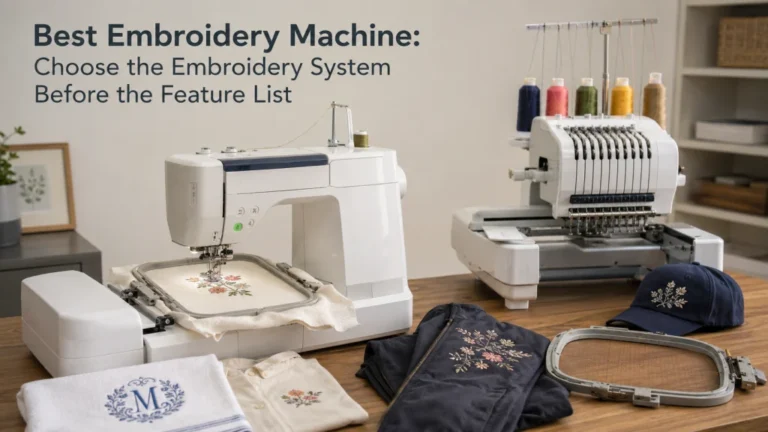
The best embroidery machine for beginners is not automatically the cheapest machine or the one with the longest feature list. A first machine should match the embroidery field your planned designs actually need, the choice between embroidery-only and sewing-plus-embroidery, the way you expect to transfer files, and the support you can realistically use. A 4 x 4 field can be completely adequate for small work, while a larger field becomes important when your first-year project list already includes designs that will not fit inside that boundary. The useful goal is to buy a system whose first limitation you can name before you pay for it.
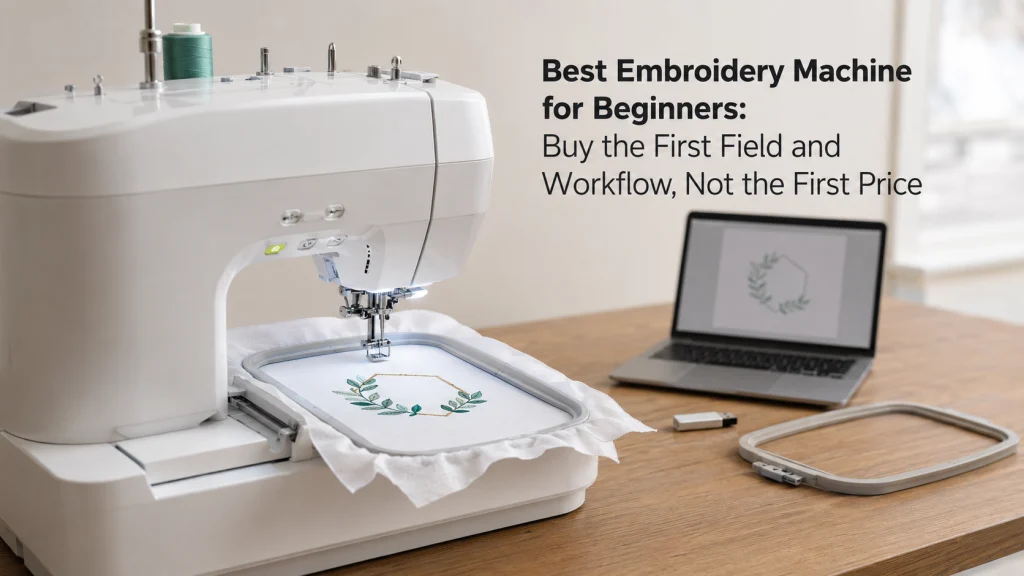
Beginner-friendly means little if your first design does not fit
A shopper can compare two machines, see one labeled beginner-friendly, and still have no idea which one fits the work they actually want to do. That is the central problem with shopping for the best embroidery machine for beginners: ease-of-use claims matter less when the maximum embroidery field, machine format, or file workflow blocks the first real project.
Start with the project, not the price tag. If one machine has a lower cost but its field excludes the design size you already intend to stitch, the lower purchase price does not make it a better first machine. If another machine has a larger field but adds cost and complexity you have no current use for, more capability is not automatically the smarter choice either.
Define beginner as first machine-embroidery ownership
For this decision, a beginner is someone choosing a first meaningful machine-embroidery system, not someone who must buy the simplest-looking machine available. You may already know how to sew, understand fabric handling, or own a conventional sewing machine. If the broader machine category is still unresolved, start with the machine types guide before narrowing to embroidery. Those skills can reduce some friction, but they do not answer embroidery-specific questions about design files, hooping, field limits, stabilizer use, placement, and color changes.
That distinction matters because “beginner embroidery machine” is often treated as a price tier. It is more useful to treat it as an ownership stage. A first machine should let you learn the workflow you actually plan to use while avoiding a limitation that is already obvious on paper.
Write the first-year item and design list
Before comparing screens, built-in designs, or threading aids, write down the items you expect to embroider and the approximate finished size of the designs you want on them. Do not write only “shirts” or “bags.” A small left-chest name and a wide front graphic are very different machine requirements even though both can be stitched on a shirt.
A simple worksheet forces the buying decision into physical dimensions. Use actual design files when you already have them. When you do not, record the largest design envelope you realistically expect rather than guessing from the product name alone.
| First-year job | Design information to record | Why it changes the purchase |
|---|---|---|
| Small name or monogram | Finished width and height | May fit comfortably inside a compact field |
| Patch | Finished design dimensions and shape | Lets you compare the actual design envelope with the machine limit |
| Sweatshirt or shirt graphic | Planned design width, height, and placement | Can expose a small field as the first limiting factor |
| Tote or home item | Design size plus access to the stitching area | Reminds you that field size and physical item handling are separate questions |
The table is not a promise that a certain item always requires a certain field. It is a way to stop shopping by vague project labels. The design dimensions, item construction, placement, and exact machine limit are what turn a project idea into a useful buying requirement.
Decide embroidery-only or combo before comparing interfaces
An embroidery-only machine makes sense when regular sewing is already covered or when you want a dedicated station for embroidery. A sewing-and-embroidery combo makes more sense when one machine must also handle ordinary sewing jobs. Neither format is inherently more beginner-friendly.
For example, someone who already owns a reliable sewing machine may gain little from paying for another full sewing function just to get embroidery. Someone starting with no machine at all may value one system that can both construct a simple project and embroider it. If that second situation describes you, compare the architecture in the sewing and embroidery combo machine comparison before treating screen size or built-in designs as the deciding factor.
Set the minimum embroidery field from actual design dimensions
The maximum embroidery field is a hard capability boundary for a single design unless the exact machine and workflow provide another documented method. That makes field size one of the first specifications to check against your project sheet. A design that exceeds the machine’s supported embroidery area does not become compatible because the machine is easy to thread or has a better screen.
Use the largest design you genuinely expect to stitch as the starting point, then check the exact machine documentation. If your planned work fits inside a smaller field with useful margin, a compact machine may be enough. If several planned designs already exceed that boundary, saving for a larger field can be more rational than buying small and immediately planning around the limitation.
Key point: Choose the field from the design dimensions you intend to stitch, not from a generic label such as beginner, home, or entry-level.
This is also where the broader embroidery machine buying comparison becomes useful. It lets you compare the overall system after you have established the minimum field your own project list requires.

The Brother PE545 is an embroidery-only machine with a 4 x 4 inch embroidery field and an included hoop. It supports wireless design transfer through Design Database Transfer, includes a built-in USB port, and works with the Artspira mobile app for wireless pattern transfer. Its 3.7 inch color touchscreen supports design positioning, editing, and preview, and the machine includes 135 built-in embroidery designs and 10 fonts.
Check On AmazonIf you click this link and buy, we earn a commission at no additional cost to you.
Treat 4 x 4 and 5 x 7 as capability boundaries, not beginner grades
A 4 x 4 maximum field is not automatically a mistake, and a 5 x 7 field is not automatically the better beginner purchase. The useful question is whether your designs fit. A person planning only compact names, small patches, and small decorative motifs can use a smaller field intentionally rather than as a compromise.
The problem appears when a buyer chooses the smaller field only because it is marketed as easy or affordable, then discovers that the planned artwork is physically larger. Community discussions repeatedly show beginners worrying about exactly this problem: buying a small field first, then wanting a larger one soon afterward. That is useful evidence of buyer confusion, but it does not prove that every beginner needs the same field size.
| Field decision | Reasonable when | Likely first limitation |
|---|---|---|
| Compact field | Your planned designs stay inside the documented maximum area | Larger single designs may require a different machine or workflow |
| Larger home field | Your first-year list already includes designs beyond a compact field | Higher cost, larger footprint, or another workflow limit may become the next constraint |
Do not turn those rows into a universal shopping rule. The right field is the smallest one that comfortably supports the work you have actually identified, with enough margin that you are not planning an upgrade before the machine arrives.
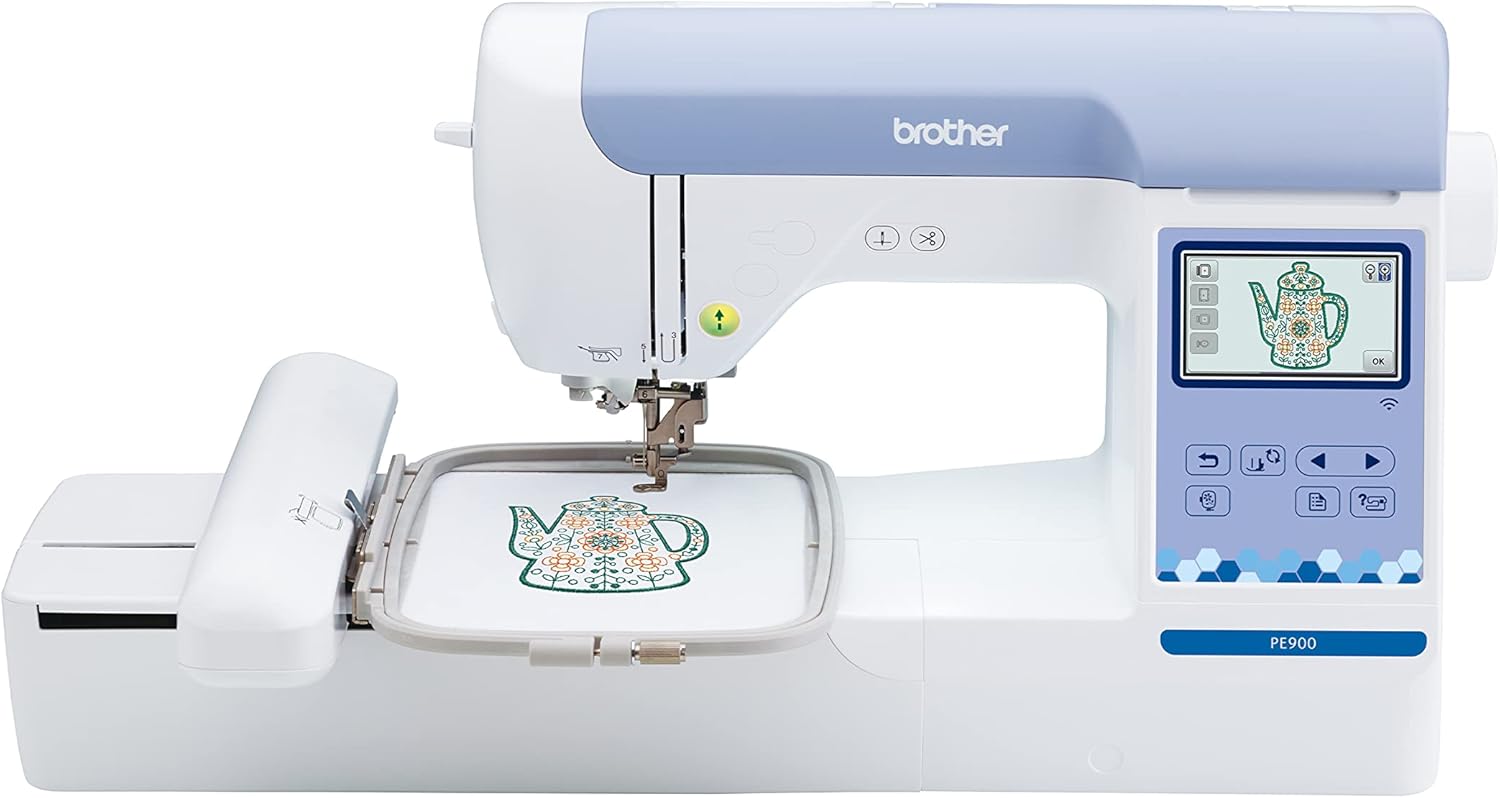
The Brother PE900 is an embroidery-only machine with a 5 x 7 inch maximum embroidery area and 7.4 inches of space from needle to arm. It supports wireless transfer through Design Database Transfer, a built-in USB port, and Artspira mobile app transfers. The machine includes 193 built-in embroidery designs, 13 lettering fonts, a 3.7 inch touchscreen with on-screen editing, Advanced Color Sort, and automatic jump stitch trimming.
Check On AmazonIf you click this link and buy, we earn a commission at no additional cost to you.
Audit design transfer, on-screen positioning, and file access
Machine embroidery begins before the needle moves. You need a workable path from a design file to the machine, and that path can differ by model. Depending on the exact system, transfer may use USB media, a computer connection, wireless transfer, a mobile app, built-in memory, or a combination of those methods.
Do not assume that “wireless” means every file source works the same way. Brother’s support documentation, for example, distinguishes wireless app transfer from USB workflows on non-wireless machines. That is a useful reminder to verify the entire file path you expect to use rather than checking only whether a machine has Wi-Fi.
- Confirm the embroidery file formats the exact machine accepts.
- Confirm how files move from your computer or phone to the machine.
- Check whether the workflow depends on a specific app or account.
- Check what positioning, rotation, resizing, and preview controls exist on the machine itself.
- Verify whether your normal file source can be used without adding a separate paid workflow.
A beginner does not need the most elaborate screen. The better question is whether you can import a valid file, identify it correctly, position it within the supported field, and start the design without adding avoidable steps every time.
Check the included hoop set without confusing hoop size with maximum field
Hoops are easy to misunderstand because the physical frame and the machine’s maximum embroidery area are related but not interchangeable. A larger or multi-position hoop can give you more fabric-holding or repositioning flexibility on some systems, but it does not automatically increase the maximum area the machine can stitch as one design.
Brother’s support documentation gives a concrete example: a larger multi-position frame can be used while the machine’s single-design embroidery limit remains 4 x 4. That is exactly why a beginner should verify maximum embroidery area separately from included hoop dimensions or optional hoop listings.
Note: Treat the machine’s documented maximum embroidery area as the capability limit. Treat hoop dimensions as accessory and workflow information unless the exact manual states otherwise.
When comparing packages, record which hoops are included, which compatible hoops are optional, and what each one actually changes. Do not pay extra for a larger-looking frame under the assumption that it changes the machine’s native design field.

The Sew Tech SA443 is a 4 x 4 inch embroidery hoop made for a range of Brother and Baby Lock embroidery machines. It has clear reference markings and an adjustable screw for securing different fabric thicknesses. The listed compatible machines include Brother PE900, PE800, SE2000, SE1900, PE770, PE700, and several Innov-is models.
Check On AmazonIf you click this link and buy, we earn a commission at no additional cost to you.
Verify manuals, support, and local service
A beginner machine is easier to own when the exact manual, support documentation, accessories, and service path are easy to identify. Before buying, find the manual for the exact model and confirm that it explains basic embroidery setup, hoop attachment, needle and bobbin requirements, thread handling, design loading, cleaning, and any owner-level maintenance the manufacturer allows.
This check also protects against a common buying mistake: assuming two machines with similar names share the same accessories, instructions, or service options. Embroidery hoops, file workflows, needles, bobbins, and support procedures should be verified against the exact model rather than inferred from a similar-looking machine.
- Confirm that the current manual is available before purchase.
- Check the supported hoops, accessories, and replacement items listed for the exact model.
- Verify where owner support, troubleshooting information, and service options are provided.
- Check whether the machine’s documentation matches the way you expect to use it.
Service access matters too, especially if the machine becomes your regular hobby tool. A low purchase price is less attractive if parts, compatible hoops, documentation, or qualified service are difficult to locate. This is an ownership question rather than a performance claim, so check what exists for the exact model and your area.
Set the evidence threshold for beginner-friendly claims
“Easy to use” is one of the weakest claims on an embroidery-machine listing unless the source explains what was tested and by whom. A manufacturer can document an automatic thread cutter, a screen function, a threading aid, or a transfer method. It cannot prove that every first-time owner will find the machine easy.
For a meaningful beginner claim, look for disclosed evidence: prior experience, the exact machine, the design used, the field size, what assistance was required, and what errors occurred. Without that information, treat beginner-friendly as marketing language or personal opinion, not as a verified capability.
Pick the machine labeled easiest for beginners without checking what the claim actually refers to.
Verify the objective features first, then decide whether the workflow looks manageable for your own first projects.
The same standard applies to claims about stitch quality, material handling, and long-term growth. A larger field proves a larger supported design area. It does not, by itself, prove better stitch quality or greater durability.
Build a shortlist from your first-year brief
You do not need a product roundup to narrow the market. Once the first-year project sheet is complete, sort candidate machines into a few system types and eliminate any type that fails a known requirement. This keeps the shortlist tied to your actual work rather than to whichever models appear most often in shopping lists.
The matrix below is deliberately model-neutral. Use it to decide which class deserves further comparison, then verify specifications on the exact machines you are considering.
| First-year brief | System type to compare | What must be verified |
|---|---|---|
| Small designs, embroidery only, tight budget | Compact single-needle embroidery-only machine | Maximum field, file transfer, included hoop, manual, support |
| Regular sewing plus small embroidery | Compact sewing-and-embroidery combo | Both sewing capability and embroidery field, not one at the expense of the other |
| Larger first-year designs, embroidery only | Larger-field single-needle embroidery-only machine | Exact field dimensions, footprint, transfer workflow, compatible hoops |
| Larger embroidery plus regular sewing | Larger-field combo system | Field, sewing features, workspace, storage, support, total ownership fit |
Once only one or two system types remain, compare exact machines on documentation rather than on generic “best for beginners” labels. That is the point where model-level shopping becomes useful.
State each finalist’s first likely limitation
A useful finalist is not a machine with no weaknesses. It is a machine whose first limitation is acceptable for the work you plan to do. Write that limitation beside every candidate before you compare price.
For one finalist, the first limit may be field size. For another, it may be embroidery-only operation when you also need normal sewing. Another may have the right field but a file-transfer workflow you dislike, a larger footprint than your table can support, or optional hoops that raise the real ownership cost.
Note: If you cannot name the first likely limitation of a finalist, you probably have not compared the exact documentation closely enough.
This exercise also prevents feature-count shopping. Built-in designs, decorative fonts, screen effects, and automatic functions can be useful, but none of them should hide the first constraint that will stop a planned project.
Keep multi-needle and commercial systems outside the default beginner shortlist
A multi-needle or commercial-style system solves a different ownership problem from a first home embroidery purchase. These systems become relevant when the controlling requirement is repeated production, reduced manual color changes, a consistent paid-order workflow, or handling a higher number of similar embroidered items. A person making occasional gifts, learning embroidery files, or decorating a few personal items may not need that architecture at all.
The difference is not simply beginner versus advanced. It is a difference in the job the machine is expected to perform. A home user making several unique designs may benefit more from choosing the correct field size and workflow, while someone producing the same logo repeatedly may value a different setup.
| Ownership situation | Question to answer first | Why the machine type differs |
|---|---|---|
| Learning embroidery at home | Will the first-year projects fit the supported field? | Field, transfer workflow, support, and ease of ownership usually control the decision |
| Making repeated items | Is production repetition the main problem to solve? | Workflow efficiency may matter more than a beginner feature label |
| Taking paid orders | Does the expected workload justify a specialist system? | Ownership cost, service, and production needs become part of the decision |
Do not buy into a multi-needle or commercial category only because you are worried about “outgrowing” a home machine. Growth can mean needing a larger field, a different format, faster repeated production, or another workflow change. Identify the actual bottleneck first, then compare the system that solves that specific problem.
If design size controls the purchase, move to a large-field comparison
Once you already know the required design dimensions, “beginner” stops being the most useful search filter. The purchase becomes a field-size decision. That is especially true when your first-year sheet includes several designs that exceed the smaller home-machine boundaries you are comparing.
At that point, use the large hoop embroidery machine comparison to compare systems where design size is the controlling requirement. Keep field size separate from stitch-quality claims, and verify every maximum area against the exact manufacturer documentation.
If you need both sewing and embroidery, compare combo systems directly
A buyer who needs garment construction, repairs, ordinary stitching, and embroidery from one machine has a different decision from a buyer adding embroidery beside an existing sewing machine. In that situation, the sewing side cannot be treated as a bonus feature.
Compare the sewing and embroidery combo machine options on both jobs. Verify the embroidery field and transfer workflow, then check whether the regular sewing controls, workspace, included feet, and maintenance expectations also fit the work you intend to do.

The Brother SE700 combines regular sewing and machine embroidery in one computerized system. It has a 4 x 4 inch embroidery field, a 3.7 inch color touchscreen, wireless LAN and USB design transfer, 135 built-in embroidery designs, and 10 embroidery fonts. The sewing side includes 103 built-in stitches, 10 one-step buttonhole styles, an automatic needle threader, and a drop-in top bobbin.
Check On AmazonIf you click this link and buy, we earn a commission at no additional cost to you.
Include ownership costs before deciding whether to buy now or save for a larger field
The machine price is only one part of the first embroidery purchase. A realistic comparison also includes the supplies and accessories needed to use the system the way you planned: embroidery-specific needles, stabilizers, thread, compatible hoops, and any additional items required by the exact workflow.
A smaller machine can still be the correct choice when those ongoing costs and the supported field match your projects. A larger-field machine may be the better long-term decision when buying smaller would require replacing the machine soon after learning the basics.
Buy-now versus save-for-larger-field check: Buy now when the current system supports your named projects and the first limitation is acceptable. Save for a larger field when your project list already proves that the smaller machine will block the work you intend to do.
The goal is not to maximize features. It is to choose the first system whose purchase price, ongoing ownership needs, and first limitation all make sense together.

The New brothread tear-away stabilizer provides temporary support for machine embroidery and is sold here as 100 precut 8 x 8 inch sheets. The medium-weight 1.8 oz polyester backing is intended for light to medium stitch density and is listed for 4 x 4 and 6 x 6 hoops. It is designed to be hooped with the fabric, stitched, and then torn away around the finished stitches.
Check On AmazonIf you click this link and buy, we earn a commission at no additional cost to you.
Final Thoughts: buy the first field you can name
The best first embroidery machine is the one that clears the requirements you can already identify without making you pay for an entirely different workflow. Write the first-year project list, record the design dimensions, decide whether you need regular sewing in the same machine, and verify the file-transfer path before comparing convenience features.
Then write down the first likely limitation of each finalist. If a smaller field covers your real work, buying it intentionally is sensible. If your planned designs already exceed it, the better move is to save for the field you can justify rather than hoping an accessory hoop will change the machine’s documented maximum embroidery area.
FAQs
🧵 What embroidery field size should a beginner start with?
Start with the largest design you realistically plan to stitch, then choose a machine whose documented maximum embroidery area fits it. A smaller field is fine when your projects fit; a larger field is justified when your planned designs already require it.
🪡 Is a 4 x 4 embroidery machine too small for a beginner?
Not automatically. It can be a sensible first machine for genuinely small designs, but it becomes the wrong fit if the designs on your project list exceed that maximum area.
📐 Does buying a larger hoop increase the machine’s embroidery area?
Not necessarily. A larger or multi-position hoop can change fabric handling or repositioning options, but the machine’s documented maximum embroidery area still controls what it can stitch as one supported design.
🖥️ Do I need wireless design transfer on my first embroidery machine?
No. You need a transfer method that works with your normal design source and computer or phone workflow. USB, wireless, app-based, and other methods can all be workable when the exact machine supports the path you intend to use.
🧰 Should a beginner buy embroidery-only or a sewing-and-embroidery combo?
Choose embroidery-only when regular sewing is already covered or not needed. Choose a combo when the same machine must also handle your ordinary sewing jobs, and evaluate both functions rather than treating one as a free extra.
📖 What should I verify in the manual before buying?
Check the maximum embroidery area, compatible hoops, accepted design-file workflow, basic setup, needle and bobbin requirements, cleaning instructions, and any service limits. Use the manual for the exact model rather than assuming related machines work the same way.
References and Sources
- Brother maximum embroidery area support: Documents the maximum embroidery area for the listed 4 x 4-class machines.
- Brother larger hoop frame support: Explains that a multi-position larger frame does not increase the machine’s 4 x 4 maximum area for a single design.
- Brother Artspira transfer support: Shows why design-transfer methods must be checked against the exact machine and workflow.