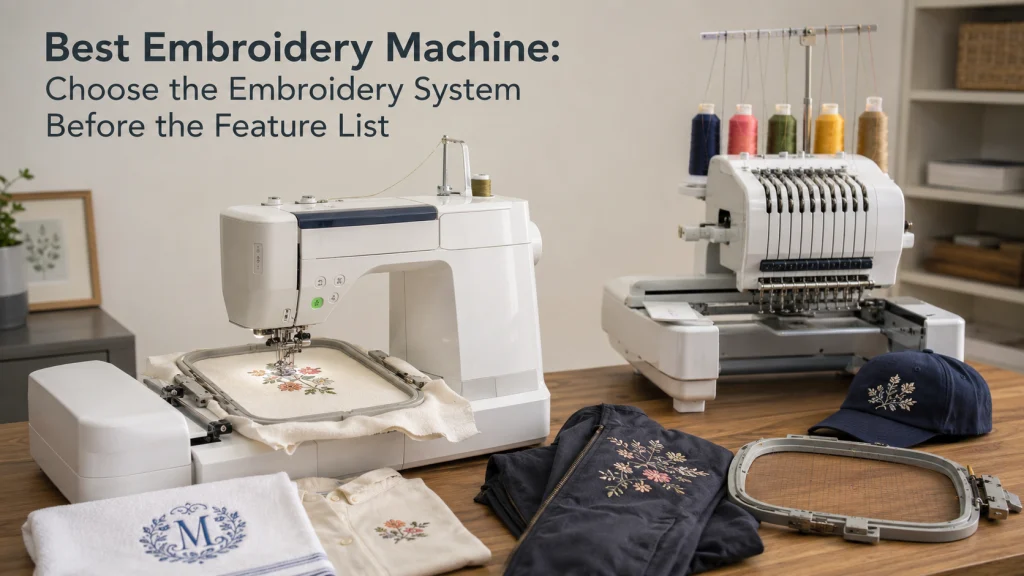
The best embroidery machine is not one universal machine because monograms, large jacket designs, repeated multicolor work, and hats can require different machine architectures. Start by defining the items, design dimensions, color-change workload, access around the embroidery area, and file workflow before comparing features. A home embroidery machine can be a good fit for personal projects, but a buyer with repeated paid work or difficult item access may need a different system. The goal is to eliminate the wrong machine class first, then compare only machines that meet the written job brief.
One best-embroidery query hides several machine classes
Three people can search for the best embroidery machine and need very different equipment. One may want small names on towels, another may want artwork that is roughly ten inches across on jacket backs, while a third may want to repeat multicolor designs on customer hats. Those jobs do not create the same field-size, item-access, thread-change, or ownership requirements.
That is why feature-first shopping is risky. A long list of built-in designs, a large screen, or a higher stated speed can look impressive without answering whether the machine can physically accept the intended design and item. The useful first question is not which machine has the most features, but which machine architecture fits the work.
Define the machine-embroidery scope
This article is about choosing a computerized embroidery machine for a US home sewist or small maker. It covers embroidery-only machines, sewing-and-embroidery combination machines, single-needle systems, and multi-needle systems at the buying-decision level. It also covers embroidery field, design transfer, included hoops, service access, and the practical cost of living with the machine.
It does not teach digitizing, stabilizer selection, thread selection, embroidery technique, accessory fit, or troubleshooting. It also does not assume that a machine labeled professional, heavy-duty, or business-ready will automatically produce better embroidery. Those claims need evidence tied to the exact machine, design, material, setup, and workload.
Use an architecture decision flow before comparing features
The fastest way to narrow the market is to eliminate machine classes that cannot satisfy the job brief. This is not a ranking. It is a sequence of gates that keeps sewing capability, field size, item access, and color-change workload from being mixed into one feature score.
| If this is true | Then check this next |
|---|---|
| You still need normal sewing in the same machine | Keep combination machines in the shortlist and remove embroidery-only systems. |
| Your recurring design exceeds the supported field of a candidate | Remove that candidate before comparing screens, built-in designs, or speed. |
| The item is shaped or difficult to place flat | Verify the machine architecture, work access, and documented frame support. |
| Manual color changes repeat often enough to interrupt the workload | Compare whether multi-needle architecture is justified by the actual repetition. |
| None of those constraints force a specialist architecture | Stay with the simpler qualifying class and compare support, workflow, footprint, and cost. |
Once a candidate fails one of these gates, adding more features does not bring it back into contention. The remaining machines are the ones worth comparing in detail.
Write the recurring embroidery jobs before comparing machines
Make the buying brief from the work you expect to repeat, not from the feature page. List the item, the largest design you realistically expect to stitch in one placement, the usual number of thread colors, whether the item lies flat, and whether the work is personal or repeated for customers. This turns a vague wish for a better machine into requirements that can eliminate unsuitable systems.
| Job question | What to record | Why it changes the choice |
|---|---|---|
| What will be embroidered? | Flat fabric, finished garment, bag, towel, cap, or other item | Item shape affects hooping and access around the needle area. |
| How large is the design? | Actual design width and height | The design must fit the machine’s supported embroidery field. |
| How many colors recur? | Typical color count for repeated designs | Frequent manual thread changes can become a workflow burden. |
| How often is the job repeated? | Occasional, frequent, or paid repeat work | Throughput and service access matter more as repetition rises. |
A first-time buyer often begins with the machine instead of the job. Reverse that order. If the same three or four projects keep appearing in the worksheet, those projects should control the shortlist.
Separate regular sewing from automated machine embroidery
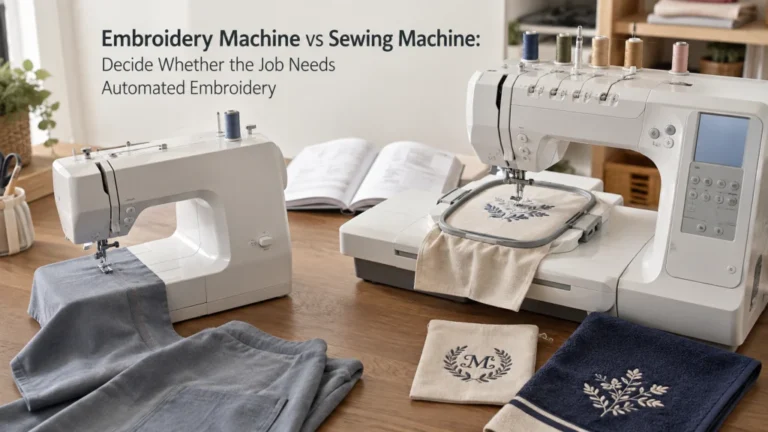
A regular sewing machine moves fabric through stitches under the operator’s control. An embroidery system instead uses a hoop or frame and a motorized embroidery mechanism to move the work through a programmed design. That difference matters because wanting decorative stitches on a sewing machine is not the same as wanting automated machine embroidery.
If you are still deciding whether machine embroidery belongs in your setup at all, resolve that question before shopping. The comparison of embroidery machines versus sewing machines separates automated embroidery from ordinary sewing so the purchase starts from the right machine family.
Choose embroidery-only versus sewing-and-embroidery combo
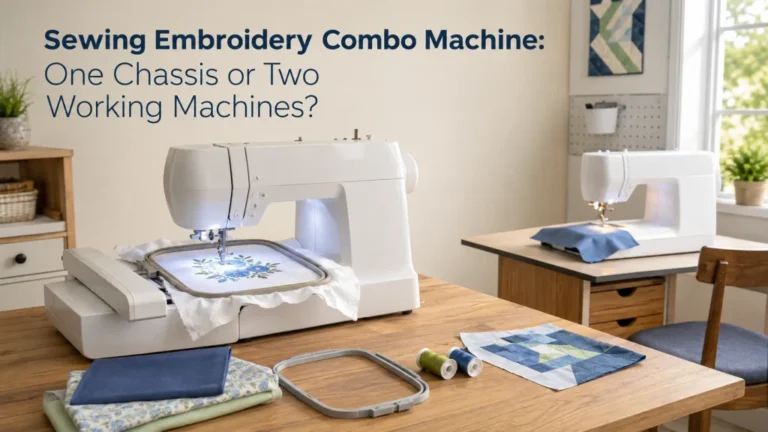
An embroidery-only machine makes sense when regular sewing is already covered and the new machine has one clear job. A combination machine can make more sense when space is limited or one machine genuinely needs to handle both normal sewing and embroidery. Neither architecture is automatically the better value because the answer depends on what equipment you already own and how often each function will be used.
For example, a sewist with a dependable everyday sewing machine may gain little from paying for duplicated sewing functions. Someone building a first machine setup may value a combined system more, but should still check whether the embroidery field and workflow meet the intended projects. If that tradeoff controls the purchase, the separate sewing and embroidery combo decision deserves its own comparison.

The Brother SE2000 combines computerized sewing and embroidery in one machine with a 5 by 7 inch embroidery field. Its listing includes 241 built-in sewing stitches, 193 built-in embroidery designs, and a 3.7-inch color touchscreen. Wireless LAN supports embroidery design transfer, and the machine also works with Brother's Artspira mobile app.
Check On AmazonIf you click this link and buy, we earn a commission at no additional cost to you.
Set the minimum embroidery field from real design dimensions
Measure the largest recurring design you actually expect to stitch, then treat those dimensions as a minimum requirement. A buyer planning a small chest monogram has a different field requirement from someone planning broad jacket artwork. Buying more field than you need can add cost and footprint, but buying less than you need can force redesign, splitting, or repeated repositioning.
Maximum-field requirement: Write the largest recurring design as width by height, then reject any candidate whose documented maximum embroidery area cannot contain it in the required orientation.
Do not assume that a larger accessory hoop expands the machine’s native embroidery field. A hoop can be physically larger or repositionable without allowing one uninterrupted design across that entire area. When field size becomes the deciding constraint, move to large embroidery field buying criteria instead of repeating the broad comparison.

The Brother NQ1700E is an embroidery machine with a 6 by 10 inch embroidery field. Its listing includes 258 built-in embroidery designs, 140 frame pattern combinations, 13 embroidery lettering fonts, and a 4.85-inch color touchscreen. When connected to a wireless network, designs can be sent to the machine through Brother Design Database Transfer.
Check On AmazonIf you click this link and buy, we earn a commission at no additional cost to you.
Decide whether a single needle still fits the color-change and item-access workflow
A single-needle computerized embroidery machine can be entirely appropriate for hobby work, monograms, patches, flat garments, and other jobs where manual thread changes are acceptable. The machine can still produce multicolor designs, but the operator may need to stop and change thread as the design advances through colors. The inconvenience is not the number of colors by itself, but how often that interruption repeats in the actual workload.
Consider a six-color design stitched once for a gift versus the same design repeated across a batch of customer items. The first job may make manual changes trivial, while the second can turn those stops into a recurring production burden. That is the point where single-needle and multi-needle embroidery becomes a separate architecture question rather than another feature comparison.

The Brother PE800 is a dedicated embroidery machine with a 5 by 7 inch embroidery field. It includes 138 built-in embroidery designs, 11 lettering fonts, and a 3.2-inch color LCD touchscreen for previewing and editing designs. A built-in USB port allows compatible embroidery files to be imported into the machine's memory.
Check On AmazonIf you click this link and buy, we earn a commission at no additional cost to you.
Keep multi-needle systems separate until the ownership burden is justified
Multi-needle architecture can reduce repeated manual thread changes and may provide a different physical approach to finished items, but it comes with a larger ownership decision. Footprint, setup, service availability, training, accessories, and replacement costs can matter as much as needle count. A higher needle count alone is not proof of better embroidery quality or a better fit for a home workspace.
A home sewist doing occasional personalization should not be pushed toward a larger system simply because it looks more capable. A small maker repeating multicolor work may have a stronger case, but only after the job brief shows where the current workflow is losing time or access. Once multi-needle architecture is already justified, model comparison can happen inside that class instead of against unrelated home machines.

The Brother Entrepreneur PR680W is a six-needle embroidery machine with an 8 by 12 inch maximum embroidery area. Its listing includes a 10.1-inch HD touchscreen, 100 built-in embroidery designs, and 50 embroidery lettering fonts. The machine supports wireless data transfer and sewing speeds up to 1,000 stitches per minute.
Check On AmazonIf you click this link and buy, we earn a commission at no additional cost to you.
Record design-transfer and file-workflow requirements
Design transfer is part of the machine workflow, not a decorative technology checkbox. Depending on the exact machine, designs may move by USB media, direct computer connection, wireless transfer, or a manufacturer application. The supported embroidery file formats and transfer steps also vary, so a familiar connection method does not guarantee that your existing design library will drop straight into a new machine.
Write down where your designs come from, what file formats you already use, what computer or mobile device you work from, and whether you are comfortable relying on an application or network connection. Manufacturer support documentation shows that transfer methods can be model-specific, which is a useful evidence anchor before purchase. The correct machine should fit the workflow you will actually use after the excitement of setup day is over.
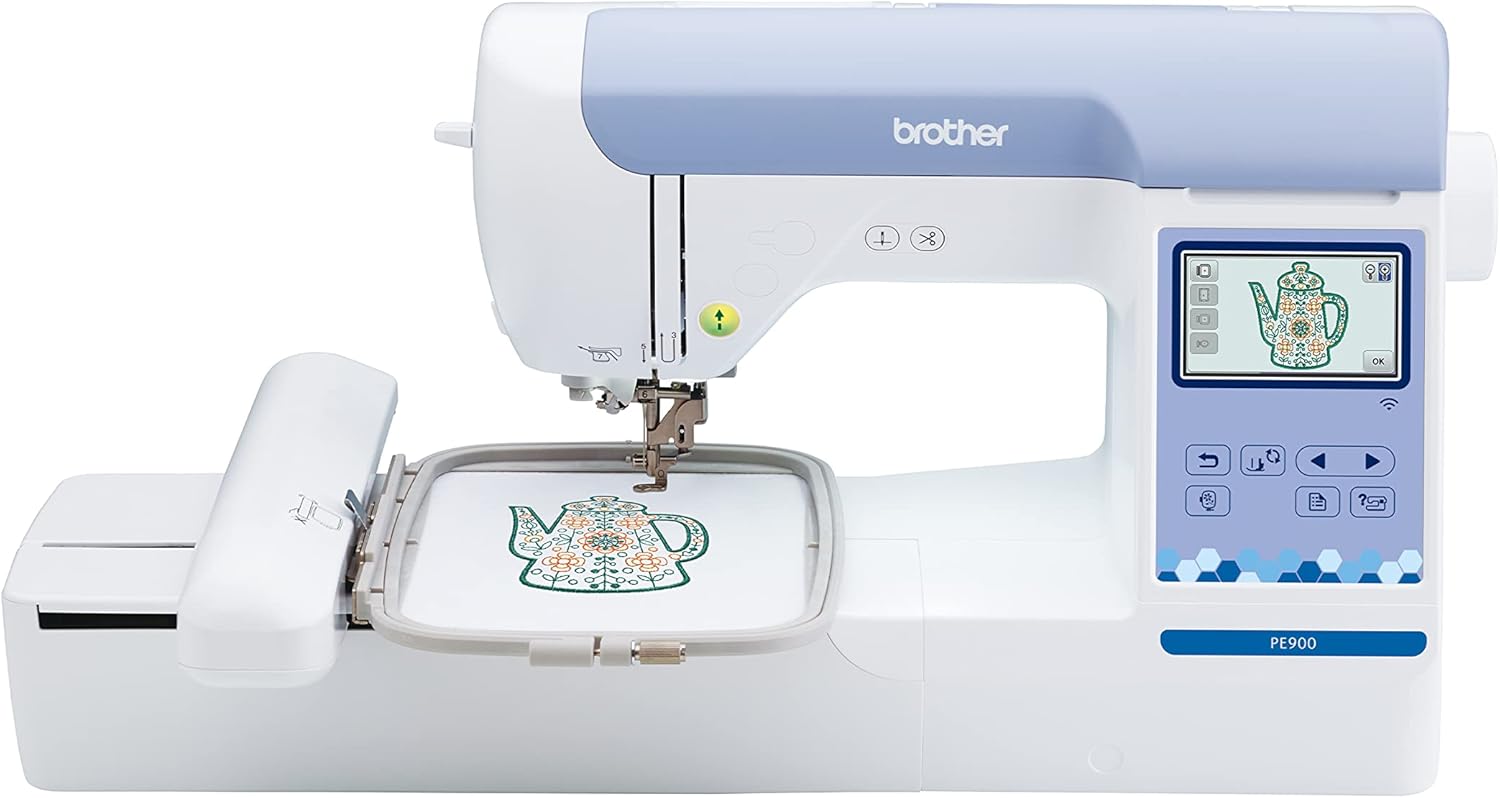
The Brother PE900 is an embroidery-only machine with a 5 by 7 inch embroidery field and a 3.7-inch color touchscreen. Its listing supports wireless file transfer from a computer through Brother Design Database Transfer and also provides a built-in USB port. The machine works with the Artspira mobile app and includes 193 built-in embroidery designs.
Check On AmazonIf you click this link and buy, we earn a commission at no additional cost to you.
Verify included hoops and maximum field without confusing the two
Maximum embroidery field and included hoop size are separate specifications. Manufacturer comparison data lists them separately because a machine can support a field that is not represented by every hoop included in the box. That distinction also matters when a larger compatible hoop is optional rather than standard equipment.
Check three things independently: the machine’s maximum supported embroidery area, the dimensions of each included hoop or frame, and the documented compatible optional hoops. Do not infer compatibility from a hoop that looks similar or from a marketplace listing that uses a generic size label. A first-time owner who misses this distinction can buy a machine expecting a certain design area and discover that another frame purchase, or a different machine, is required.

The Brother PE545 is an embroidery machine with a 4 by 4 inch embroidery area. Its Amazon package includes a 4 by 4 inch embroidery frame set, while the machine provides 135 built-in embroidery designs and 10 lettering font styles. It also includes a 3.7-inch color touchscreen, wireless LAN connectivity, and a USB port.
Check On AmazonIf you click this link and buy, we earn a commission at no additional cost to you.
Record service, dealer, software, and update dependencies
The purchase price is only one part of ownership. Check where the machine can be serviced, whether support exists, what software the workflow requires, and whether optional frames are easy to source. A feature is less useful when the support path does not fit your location or computer setup.
This matters more as the machine becomes specialized. Personal projects may tolerate some downtime, while paid repeat work makes service access and parts availability more important. Record those dependencies beside the feature list before purchase.
Check budget and operating footprint after architecture is chosen
Budget is most useful after the wrong machine classes are gone. Comparing price too early can make an unsuitable machine look like a bargain or a specialized system look excessive. Set a spending ceiling, then judge it only against machines that meet the job brief.
Physical space deserves the same treatment. The machine needs a stable surface plus clearance for the embroidery unit, moving hoop, and safe item handling. A machine can fit on a table yet still be a poor setup if the hoop reaches a wall, shelf, monitor, or other obstruction.
- Measure the usable table depth and width, not just the empty room.
- Allow working clearance around the embroidery unit and moving hoop.
- Account for storage of hoops, frames, stabilizing materials, thread, and design-transfer tools.
- Keep service access and the practical difficulty of moving a heavier system in the ownership calculation.
These checks do not select a machine by themselves. They prevent a technically capable system from becoming inconvenient enough that its advantages are rarely used.
Set the evidence threshold for every recommendation
Use the exact manufacturer product page, manual, comparison chart, support page, and accessory list for claims about field size, sewing capability, needle count, included hoops, transfer methods, file support, warranty, and service. Independent tests can add useful workflow observations when the machine, design, material, and method are disclosed. Community discussions are useful for finding recurring questions, but they are not proof that a machine has a particular capability.
| Claim | Evidence to require | Status if missing |
|---|---|---|
| Maximum embroidery area | Exact machine specification or manual | Unknown |
| Included hoops | Current in-box list or manual | Unknown |
| Design-transfer method | Model support page or manual | Unknown |
| Repeated-work productivity | Disclosed test or documented workflow evidence | Do not infer from speed alone |
This threshold protects the shortlist from marketing shorthand. If a claim cannot be verified for the exact machine being considered, leave it unknown rather than filling the gap with assumptions.
Build the shortlist by machine architecture and written brief
A useful shortlist can be built without naming a universal winner. Start with the machine class that survives the job worksheet, then compare only machines inside that class. This keeps an inexpensive flatbed hobby machine from being judged against a multi-needle system designed around a different workflow.
| Machine class | Qualifies when | Exclude when | Keep unknown until verified |
|---|---|---|---|
| Embroidery-only single needle | Regular sewing is already covered and embroidery is the dedicated job | You need one machine to handle ordinary sewing too | Exact field, hoops, transfer method, service |
| Sewing-and-embroidery combo | One machine genuinely needs to perform both functions | You already own suitable sewing equipment and do not need duplicated capability | Embroidery field, included hoops, file workflow |
| Single-needle free-arm or specialist access system | Finished-item access matters more than a basic flatbed layout provides | Your work is primarily flat and the added architecture solves no real problem | Supported frames, item clearance, service burden |
| Multi-needle system | Repeated color changes or paid workload justify the added system burden | Needle count is the only reason for upgrading | Real throughput, support, accessories, total ownership cost |
The winner is therefore the machine that qualifies against the written brief with the fewest unresolved requirements. That is a more useful definition of best than a score built from unrelated feature counts.
Mark unsupported stitch-quality and productivity claims as unknown
Do not assume a larger field, more needles, a higher top speed, or a higher price produces better-looking embroidery. Stitch quality also depends on the design file, thread path, needle, stabilization, material, hooping, settings, and machine condition. A product page can document specifications, but it cannot by itself prove how every design will stitch on every material.
Productivity claims need the same discipline. Maximum speed does not tell you how much time is spent hooping, changing colors, trimming, loading designs, correcting placement, or handling finished items. Unless a test discloses those conditions, treat the productivity advantage as unverified rather than converting a specification into a business promise.
First-machine buyers need a simpler decision path
A first embroidery purchase adds new concepts at once: hooping, design files, placement, thread changes, and machine-specific controls. That makes it especially easy to overbuy based on features that are difficult to evaluate before the basic workflow is familiar. The first machine should still meet the planned field and project requirements, but it does not need every advanced function available.
For a first purchase, the shortlist should favor a manageable workflow without shrinking the project requirements. The beginner embroidery machine buying criteria keeps learning load, project size, and support needs together without treating beginner-friendly as a synonym for smallest or cheapest.

The Brother SE700 combines computerized sewing and embroidery with a 4 by 4 inch embroidery area. Its listing includes 135 built-in embroidery designs, 103 built-in sewing stitches, eight sewing feet, and a 3.7-inch color touchscreen. Wireless LAN supports design transfer, and the package includes a 4 by 4 inch embroidery frame set.
Check On AmazonIf you click this link and buy, we earn a commission at no additional cost to you.
Paid embroidery work changes the ownership calculation
Once embroidery is tied to customer orders, downtime, repeatability, color-change labor, item access, and service availability become purchasing factors rather than conveniences. The machine still needs to fit the design and item first, but the consequences of a slow or fragile workflow are higher. That does not automatically mean a commercial-style system is required.
Write down the real repeat workload before upgrading. For a purchase driven mainly by customer orders, the embroidery machine for small-business work criteria can test workload, downtime, and ownership burden without mixing them into a general home-machine comparison.
Hat-led buying starts with item geometry and access
Caps and other shaped finished items create a different problem from flat fabric. The key questions are how the item can be held, what part of it can reach the embroidery position, and which frames or attachments are documented for the exact machine. A large flat embroidery field does not by itself prove convenient hat access.
If hats are one of the main recurring products, move that requirement to the top of the brief rather than treating it as an accessory question at the end. Cap geometry and supported framing can eliminate otherwise attractive machines before general convenience features matter.

The Brother Persona PRS100 is a single-needle embroidery machine built around a tubular free-arm design for access to shaped and difficult-to-reach items. Its listing includes compact embroidery frames, an 8 by 8 inch tubular frame, a 7-inch LCD display, and a four-spool thread stand. The machine also provides vertical bobbin access and side bobbin winding.
Check On AmazonIf you click this link and buy, we earn a commission at no additional cost to you.
Keep setup and service inside the exact machine manual
Embroidery machines move a hoop or frame automatically, so hands, fabric, and loose objects need to stay clear of the moving area during operation. Follow the exact manual for installing hoops, changing needles, threading, cleaning, updating software, and any owner-serviceable maintenance. Do not restrain a moving hoop by hand or bypass a guard or safety feature.
Stop using the machine after repeated hard strikes, a hard mechanical lock, abnormal heat, smoke, a burning odor, sparks, or damaged wiring. Those conditions belong with qualified service rather than continued experimentation. The same boundary applies to internal timing, electrical work, motor work, and other repairs the manual does not assign to the owner.
Final Thoughts: Choose the embroidery system before the feature list
The best machine is the one that fits the recurring items, design dimensions, color-change workload, access needs, file workflow, workspace, and support conditions you can document before purchase. Start by excluding architectures that fail those requirements. Only then compare screens, built-in designs, convenience features, speed claims, and price within the surviving class.
Keep unknowns visible instead of guessing. Verify the exact maximum embroidery area, included hoops, optional frame compatibility, transfer method, supported file workflow, service path, and warranty for the machine you are considering. That approach is less exciting than picking a winner from a feature table, but it is much more likely to produce a machine you can actually use for the work you bought it to do.
Choose the next embroidery decision
After the broad system choice is clear, use the directory below only for the decision that still remains unresolved. Each topic narrows one requirement without turning the main comparison back into a feature roundup.
| Topic | What it helps you decide |
|---|---|
| Compare Sewing Machine Types | Place machine embroidery among other sewing systems before committing to a specialist setup. |
| Embroidery Versus Regular Sewing | Decide whether automated embroidery is the capability you actually need. |
| First Embroidery Machine Criteria | Balance field, usability, learning load, and support for a first purchase. |
| Sewing-and-Embroidery Combo Decision | Choose between one combined machine and separate sewing and embroidery equipment. |
| Large Embroidery Field Buying | Set a native field requirement from actual design dimensions. |
| Single-Needle Versus Multi-Needle | Compare thread-change burden, access, footprint, and ownership complexity. |
| Multi-Needle Machine Comparison | Compare machines only after multi-needle architecture is already justified. |
| Embroidery for Paid Work | Connect machine choice to repeat workload, downtime, service, and ownership cost. |
| Embroidery Machine for Hats | Start from cap geometry, item access, and documented frame support. |
Use the narrowest relevant path next. That keeps the final purchase tied to a specific requirement instead of reopening the entire market.
FAQs
🧵 What should I look for in an embroidery machine first?
Start with the items you will embroider, the largest recurring design dimensions, the normal color count, and whether the work is occasional or repeated. Those requirements determine which machine class is worth comparing before convenience features enter the decision.
🪡 Is a bigger hoop always better for machine embroidery?
No. Check the machine’s documented maximum embroidery area separately from the hoops included in the box. A physically larger or repositionable hoop does not automatically increase the native field available for one uninterrupted design.
🖥️ Do all computerized embroidery machines transfer designs wirelessly?
No. Transfer methods are model-specific and may include USB media, a direct connection, wireless transfer, or a manufacturer application. Verify both the transfer method and supported file formats for the exact machine.
🎨 Do I need a multi-needle machine for multicolor designs?
Not necessarily. A single-needle machine can stitch multicolor designs with manual thread changes. Multi-needle architecture becomes more relevant when repeated color changes, finished-item access, or workload make those interruptions a real constraint.
🧢 Can any embroidery machine handle hats?
No. Hat work depends on item geometry, access around the embroidery area, and documented hoop or frame support for the exact machine. Do not infer hat capability from a large flat embroidery field alone.
🔧 How important is local service for an embroidery machine?
It becomes more important as the machine is more specialized or the workload is tied to paid orders. Check the manufacturer’s support path, local service options, parts availability, and what maintenance the manual actually assigns to the owner.
References and Sources
- Baby Lock embroidery comparison charts: Shows that maximum hoop size, included hoops, file formats, transfer technology, and other embroidery specifications are separate comparison fields.
- Brother USB design transfer support: Documents a model-specific USB-media workflow for moving embroidery designs from a computer to compatible machines.
- Brother professional embroidery systems: Provides manufacturer evidence that single-needle and multi-needle embroidery architectures are distinct product classes.
- Janome software and machine support: Shows that embroidery connectivity support is tied to the machine model, operating system, and method of design transfer.