Sewing in reverse is not always the same operation on every domestic machine or every selected stitch. On some stitches, the reverse or reverse/reinforcement control makes the machine sew backward; on others, the same control can place reinforcement stitches in the same area instead. The safe method is to identify the exact control, select the stitch, check the stitch chart or manual, then use only the documented control sequence. If the machine stays in reverse, ignores the control, or moves abnormally, stop normal operation and treat that as a troubleshooting problem instead.
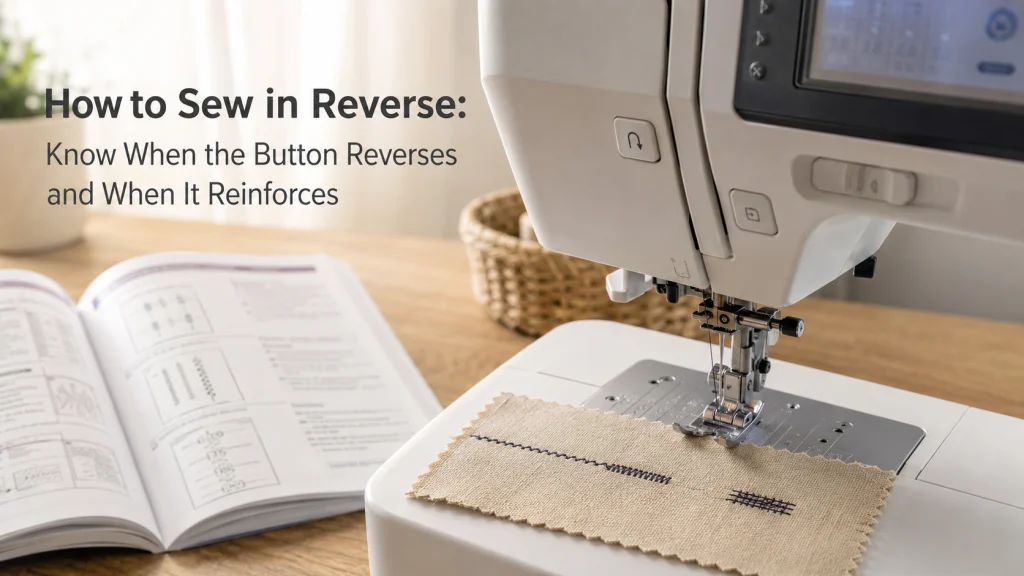
The reverse button does not always produce the same stitch behavior
How to sew in reverse sounds like a one-button lesson until the selected stitch changes what that button does. Brother documentation provides a clear example: with designated reverse-stitch patterns, pressing the reverse/reinforcement control makes the machine sew in the opposite direction, while other stitch selections can make the same control sew reinforcement stitches in place. That means the first question is not simply, “Where is reverse?” It is, “What does this control do with the stitch I selected?”
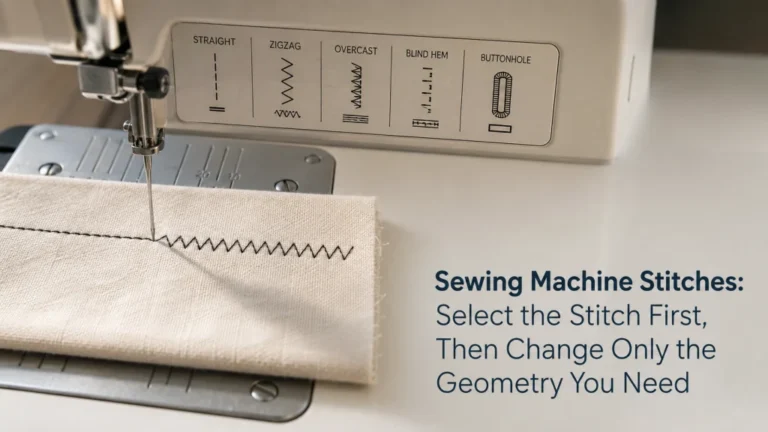
This matters most for beginners moving between a straight stitch, a zigzag stitch, and a decorative or utility pattern. A control labeled with a curved arrow may look like a universal backward command, but the model’s stitch chart can assign different behavior to different patterns. If stitch selection itself is still uncertain, first review straight stitch and zigzag stitch differences before deciding what the reverse control should do.
The visible result can therefore be different even though the same physical button is pressed. That selected-stitch dependence is the central rule to carry through the rest of the process.
Identify the exact reverse or reverse-reinforcement control
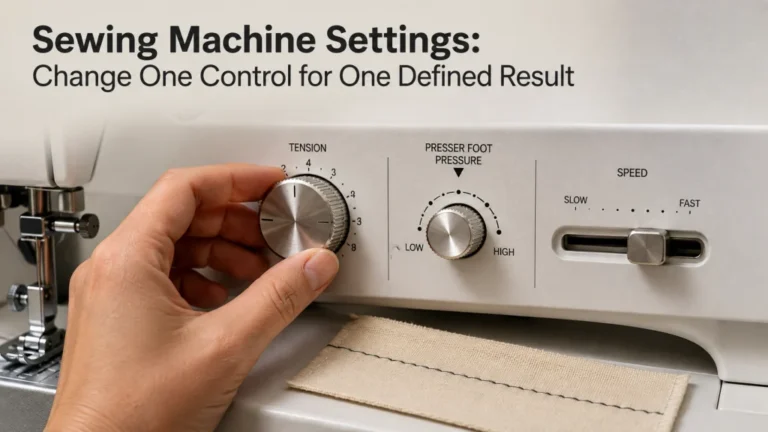
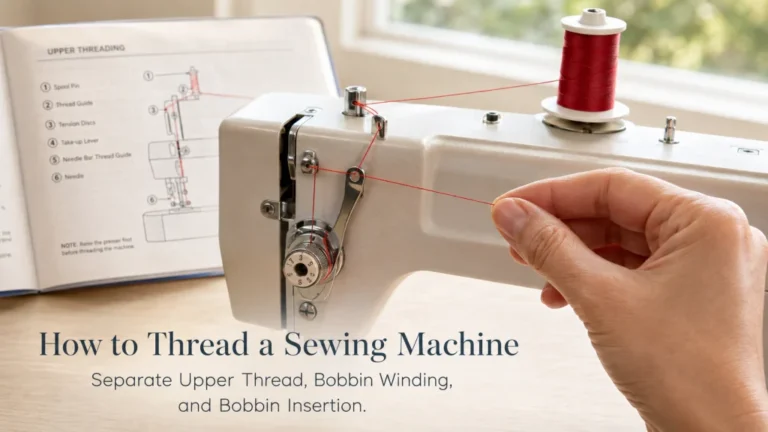
Start with the exact machine manual, not a generic video or a familiar-looking button on another model. Domestic machines may use a mechanical lever, a momentary push button, a combined reverse/reinforcement button, or a computerized control that changes behavior according to stitch selection. The symbol and location are useful clues, but the manual is what establishes the control’s job.
A basic machine may require the lever to be held while the foot controller runs the machine, then return to forward sewing when the lever is released. A computerized machine can use a push button that shares reverse and reinforcement duties. Those examples are not interchangeable instructions, so note the exact operating instruction for your model before sewing.
Control example: A hold-down reverse lever and a momentary reverse/reinforcement button can both be used during normal sewing, but the required press, hold, release, or automatic sequence depends on the exact machine.
| Common control style | Typical interaction | What to confirm in the manual |
|---|---|---|
| Hold-down lever | Hold while reverse sewing is wanted | Whether release returns the machine to forward sewing |
| Momentary button | Press or hold according to the selected stitch | Whether the button commands reverse, reinforcement, or another sequence |
| Computerized multifunction button | Behavior can change with stitch selection or an automatic setting | What the selected pattern and active settings assign to the control |
If you are still learning the surrounding controls, the broader sewing machine operating sequence provides the setup context. The reverse control should be one documented step inside normal operation, not a reason to guess at machine behavior.
Select the stitch before deciding what the control should do
The selected stitch is part of the control logic. Brother’s reverse-versus-reinforcement documentation explicitly directs users to the stitch settings chart because some patterns reverse while others reinforce. A Brother stitch chart for a specific computerized model family also marks designated reverse-stitch patterns and states that other selected stitches use reinforcement when the same reverse/reinforcement control is pressed. If you are not yet sure which pattern is selected, review the sewing machine stitch selection basics before interpreting the control.
That is why reverse stitching should be checked after stitch selection, not before it. Changing from a straight stitch to another pattern can change the expected behavior without anything being wrong with the machine. If the model has a screen or stitch-number display, verify the selected pattern before pressing the control.
- Confirm the exact machine model and open its manual or stitch chart.
- Select the stitch you actually intend to use.
- Find that stitch in the chart and note whether reverse or reinforcement is assigned.
- Identify whether the control must be pressed, held, released, or used with another sewing control.
- Check whether an automatic reverse or reinforcement setting is active.
- Test the documented behavior on a normal practice sample before relying on memory from another machine.
This checklist prevents a common beginner mistake: assuming that a familiar button must behave exactly as it did with the last stitch or on the last machine. The selected pattern is evidence, not a minor detail. Before using the control on the actual project, run the selected stitch on a scrap made from the same or a similar fabric stack and observe whether the machine reverses, reinforces in place, and returns to forward sewing as the manual describes.

AK TRADING CO. Muslin Fabric is natural unbleached fabric made from 100% cotton. This listing provides a one-yard medium-weight cut with a smooth finish for sewing, quilting, draping, and related fabric work. The fabric can be cut into small practice samples for repeated machine-control and stitch tests.
Check On AmazonIf you click this link and buy, we earn a commission at no additional cost to you.
Distinguish backward reverse stitches from in-place reinforcement stitches
A true reverse stitch changes the direction in which the fabric advances under the needle. The stitching travels back over a short part of the path while the control is engaged on a model and stitch that support reverse sewing. When the control is released or the documented sequence finishes, normal forward sewing should resume.
Reinforcement behaves differently. Brother describes reinforcement as several stitches sewn in the same place rather than a line that travels backward. That means a user can press the same reverse/reinforcement button, see the fabric remain near the same position, and still be seeing normal documented behavior for that selected stitch.
| Observed behavior | What it may mean | What to verify |
|---|---|---|
| Fabric travels backward while stitching | The selected pattern supports reverse stitches | Stitch chart and control instructions |
| Stitches stack in the same small area | The selected pattern uses reinforcement stitches | Stitch chart and reinforcement description |
| Machine returns to forward sewing after release or completion | The control sequence may have completed normally | Exact manual sequence for that control |
| Machine remains in reverse or ignores release | Normal operation cannot be assumed | Stop and move to model-specific troubleshooting or service guidance |
The table is a behavior check, not a diagnosis. It tells you when the result matches documented reverse or reinforcement behavior and when the machine has crossed out of normal use.
Check the stitch chart for the selected pattern
The stitch chart is more useful here than a generic definition of backstitching. It can show which exact stitch numbers are reverse-stitch patterns, which ones reinforce, what presser foot is specified, and whether another limitation applies. Because stitch numbers vary by model, a chart from a similar machine is not a substitute for the chart that belongs to yours.
One official Brother chart makes the distinction explicit by marking certain patterns as reverse-stitch patterns and assigning reinforcement to other selected stitches. That is a stronger instruction than assuming every straight-looking or utility-looking pattern will travel backward. The chart also illustrates why reverse behavior belongs to the combination of model, selected stitch, and control rather than to the button alone.
Key point: If the manual or stitch chart says the selected pattern reinforces instead of reversing, in-place stitches are expected behavior. Do not keep pressing the control in an attempt to force backward motion.
Once the expected behavior is known, the next step becomes simple: use only the press, hold, release, or automatic action specified for that model.

The JINUPHION Sewing Machine Pedal Mat is a non-slip pad designed to keep a sewing-machine foot controller from sliding during use. Its surface is waterproof and made for easy cleaning. The mat provides a stable base beneath the pedal without replacing or modifying the machine's existing foot controller.
Check On AmazonIf you click this link and buy, we earn a commission at no additional cost to you.
Keep automatic reinforcement as a model-specific feature
Some computerized machines can add reverse or reinforcement behavior automatically at the beginning or end of sewing. Brother manuals show that the automatic function can still depend on the selected stitch pattern, so turning on an automatic setting does not erase the reverse-versus-reinforcement distinction. The machine may automatically perform one behavior for one pattern and the other behavior for another.
Treat automatic reinforcement as a routing decision rather than a universal method. If your machine offers it, confirm how the setting is enabled, what the selected stitch triggers, what button completes the end sequence, and whether the setting remains active after another operation. If the manual does not describe an automatic function for your model, do not borrow a sequence from a computerized machine that has one.
Use a seam start or end as a bounded example
A normal seam start or end is a useful place to understand the control because it keeps the example narrow: sew forward as the project calls for, use the documented reverse or reinforcement behavior when that construction calls for securing the stitching, then continue or stop as appropriate. The machine-control lesson ends there. It does not establish a universal number of backstitches or a universal distance to sew backward.
The correct seam-finishing choice depends on the construction, fabric, stitch, and instructions for the project. Some constructions are secured in other ways, and some delicate or specialized situations may not use a conventional backstitch at all. This article is about operating the reverse or reinforcement control normally, not prescribing one seam-building rule for every project.
Release or complete the sequence and confirm forward sewing returns
After the expected reverse action, release the lever or finish the button action in the way the manual specifies. On a simple hold-to-reverse design, forward feeding should return when the lever is released. On a computerized design, the control may complete a reinforcement sequence and then continue, stop, or wait for the next command according to the selected stitch and settings.
Watch the fabric movement rather than relying only on the control symbol. If forward feed returns as expected and the machine continues normally, the control has completed its intended action. If the machine keeps traveling backward after release, repeatedly reinforces when the chart says it should reverse, or ignores the control state, do not reinterpret that as a sewing technique problem.

The Dritz Dual Purpose Marking Pen combines a blue Mark-B-Gone tip with a purple disappearing-ink tip. The blue ink is water soluble, while the purple ink is both air and water soluble. The pen is designed for temporary sewing marks including seam allowances, alterations, quilting designs, and other washable-fabric references.
Check On AmazonIf you click this link and buy, we earn a commission at no additional cost to you.
Stop if the machine remains in reverse, ignores the control, or behaves abnormally
Normal-use instructions end when the machine no longer responds the way its manual says it should. A lever that remains engaged, a button that does not release the expected behavior, uncontrolled motion, repeated hard needle strikes, or a machine that continues in reverse when the manual says it should return forward belongs to a troubleshooting or service path. Do not keep forcing the control or opening the machine to reach the reverse mechanism.
The same boundary applies if abnormal movement appears only after a control is pressed. Stop sewing, remove power if the manual instructs you to do so safely, and use the exact model’s troubleshooting information or qualified service when required. The purpose is to separate a stitch-selection misunderstanding from a real control or feed-direction fault without turning a normal-use lesson into internal repair advice.
That boundary protects the machine and keeps the diagnosis honest. A different stitch behavior can be normal; a control that no longer follows its documented state is a different problem.
Final Thoughts: selected stitch first, reverse behavior second
Sewing in reverse is easiest to understand when the button is treated as a conditional control instead of a universal backward command. The exact model and selected stitch determine whether the machine should travel backward, reinforce in place, or use an automatic sequence. A stitch chart or manual can answer that before you guess from the symbol on the machine.
Use the model-specific press, hold, release, or automatic action and confirm that normal forward sewing returns when it should. Do not prescribe a fixed number of backstitches for every seam, and do not force a control that fails to behave normally. Selected stitch first, expected behavior second, and troubleshooting only if the machine no longer follows that normal operating path.
FAQs
Reverse controls are simple once the selected stitch and model-specific behavior are known, but similar-looking buttons can still create confusion. These answers keep normal operation separate from seam-construction rules and from faults that need troubleshooting.
↩️ Why does my reverse button sometimes sew in place instead of backward?
Some machines use the same reverse/reinforcement control for two different behaviors. If the selected stitch is assigned reinforcement in the stitch chart, several stitches in the same area can be normal instead of backward travel.
🧵 Do I have to hold the reverse button while sewing?
Only if the exact model manual says to hold that control. Some machines use a hold-down lever, while computerized models may use a momentary button or an automatic sequence.
🪡 How many reverse stitches should I sew at the start of a seam?
There is no universal number that applies to every seam, fabric, stitch, and machine. Follow the construction instructions for the project and the exact machine manual rather than using one fixed count everywhere.
⚙️ Can a zigzag stitch use the reverse control?
It can on models and stitch settings that document reverse behavior for that zigzag pattern. Check the exact stitch chart because another zigzag or utility pattern may use reinforcement instead.
🛑 What should I do if the machine stays in reverse after I release the control?
Stop normal sewing and check the exact model’s troubleshooting information. Do not force the lever or button, open the machine to reach the mechanism, or keep sewing if the motion is abnormal.
If the answer changes when you change stitches, that can be normal model behavior. If the machine no longer responds according to its manual, the question is no longer how to operate reverse normally.
References and Sources
This topic needs manufacturer documentation because reverse and reinforcement behavior can change by machine and selected stitch. The sources below support the normal-use distinctions and control boundaries used in the article.
- Brother reverse and reinforcement explanation: distinguishes backward reverse stitches from reinforcement stitches and directs users to the stitch chart.
- Brother reverse sewing instructions: documents a hold-to-reverse lever workflow for supported domestic models.
- Brother reverse and reinforcement procedure: shows selected-stitch dependence and automatic reverse/reinforcement behavior on supported computerized models.
- Brother stitch chart: marks which stitch patterns use reverse and which use reinforcement for the documented model family.
These references establish normal operation for the models and stitch systems they cover. They do not justify applying one reverse sequence, one stitch count, or one automatic-setting behavior to every domestic sewing machine.