Imagine one project that needs three operations: construct a seam, add a simple decorative stitch, and stitch an uploaded multi-color logo. The first task belongs to ordinary sewing, the second depends on the type of decoration, and the third introduces a different question because it may require programmed embroidery. The right choice is not which machine is better, but which operation actually needs a different system.
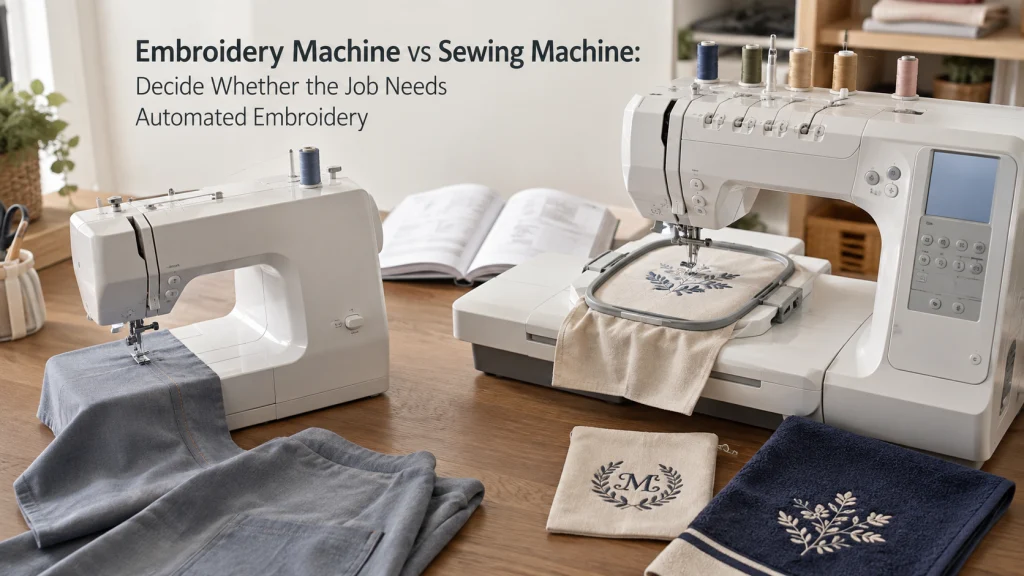
Define construction sewing and programmed machine embroidery
Construction sewing and programmed machine embroidery both put thread into fabric, but the machine is solving a different job in each case. Construction sewing is the ordinary work of joining, shaping, finishing, altering, or repairing fabric while the sewist controls how the material moves through the machine. Programmed embroidery is built around a stored design and a hoop-based workflow in which the machine follows the design instructions to place decorative stitches. That distinction matters because a buyer can easily compare two machines that are not intended to solve the same recurring operation.
Start with the work rather than the feature list. A garment seam, a hem, or a repair remains a construction problem even if the finished project also includes decoration, while an uploaded name, logo, or detailed repeated motif may create a separate programmed-embroidery requirement. Built-in decorative stitches on a regular machine do not by themselves turn that machine into a file-driven embroidery system. The useful question is therefore whether the project needs ordinary controlled sewing, automated design reproduction, or both, because that answer determines which machine category deserves attention next.
List the operations in the real project
Write down the actual operations before comparing machines, because one project can contain several jobs that belong to different systems. A personalized tote, for example, may need ordinary seams for construction, a built-in decorative stitch for a border, and a repeated logo made from a design file. Treating all three as one vague need for “more features” makes the buying decision harder than it needs to be. Breaking the project into operations shows which tasks a normal sewing machine already covers and which task, if any, changes the required system.
| Operation | System question |
|---|---|
| Seams, hems, repairs, garment construction | Is normal sewing the main requirement? |
| Built-in decorative stitches | Is a separate embroidery workflow actually needed? |
| Uploaded names, logos, detailed artwork | Does the project require programmed hoop embroidery? |
Use the ledger to identify the first operation that a regular sewing workflow cannot satisfy in the way the project requires. If every recurring task is construction, repair, hemming, or simple machine-controlled decoration, the project has not yet justified a separate embroidery system. If the repeated requirement is to reproduce stored artwork or lettering through a hoop workflow, the decision changes because that operation belongs to programmed machine embroidery. This keeps the comparison tied to a real task instead of allowing the longest specification sheet to define what the buyer supposedly needs.
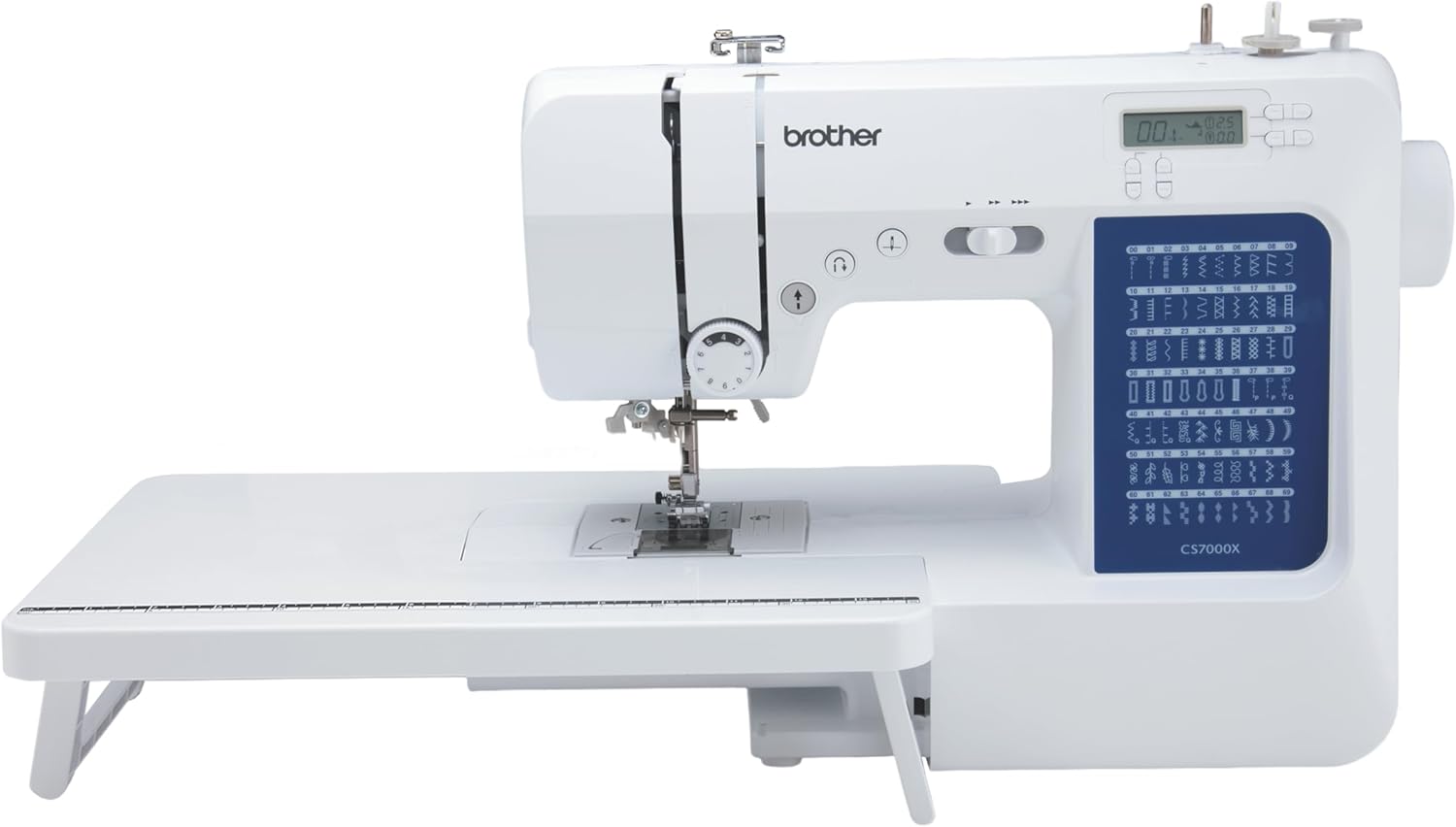
The Brother CS7000X is a computerized sewing and quilting machine with 70 built-in stitches, including utility, decorative, quilting, and seven one-step buttonhole styles. It includes an automatic needle threader, a drop-in top bobbin, a free arm, and an expanded needle-to-arm workspace. The package also includes a wide table, 10 presser feet, a quilt guide, and a protective hard case.
Check On AmazonIf you click this link and buy, we earn a commission at no additional cost to you.
Keep garment construction and repairs on the sewing-machine side
Construction work and repairs solve a different problem from programmed embroidery. The machine must form controlled structural stitches while the sewist positions and guides the fabric through seams, hems, alterations, and repair areas. Those jobs can involve curves, seam allowances, changing layer stacks, backstitching, edge control, or stopping at an exact point, all of which belong to the ordinary sewing workflow. Adding embroidery capability does not automatically make those construction operations easier or more appropriate for the project.
Consider a garment that needs a split seam repaired and a personalized name added afterward. The seam repair still belongs on the sewing-machine side because its purpose is to restore the construction, while the name may introduce a separate embroidery operation if it must be reproduced from a design file. Keeping those functions separate prevents a common category mistake in which decorative capability is treated as a replacement for general sewing capability. If the repeated need is primarily garments, alterations, hems, and repairs, construction sewing should remain the priority unless a separate programmed-decoration requirement is clearly present.
Mark what a normal sewing machine already covers
A regular sewing machine remains the correct starting point for many projects involving seams, hems, repairs, alterations, and everyday garment construction. It can also provide decorative stitches when the exact model includes them, which matters because visible decoration does not automatically mean the buyer needs a computerized embroidery system. The relevant boundary is the workflow: ordinary sewing keeps the sewist in direct control of fabric movement and stitch placement rather than asking the machine to reproduce a stored embroidery design through a hoop. That distinction can eliminate an unnecessary specialist purchase before model comparisons even begin.
If the main requirement is still general sewing, compare the broader sewing machine types before adding specialist embroidery capability to the decision. A buyer who mostly makes garments but occasionally wants a decorative border may need a suitable domestic sewing machine, not a second system simply because the finished project includes visible decoration. The point is not that a normal sewing machine can reproduce every embroidery task. It is that the buyer should first identify which recurring operations are already covered, then isolate the specific operation that would justify moving beyond the normal sewing-machine side.
Mark what programmed hoop embroidery changes
Programmed embroidery changes the workflow when the project depends on a stored design rather than only on stitches selected and guided during normal sewing. Names, logos, repeated motifs, and detailed artwork can create this requirement when the desired result is meant to be reproduced through a design file and hoop-based movement. At that point the buyer is no longer asking only whether a machine can sew decorative stitches. The question becomes whether a dedicated embroidery workflow is needed often enough to justify the added machine functions, setup, and ownership footprint.
This distinction is especially useful when the same artwork must be repeated consistently across several items. A regular sewing machine may still handle all construction operations for those items, while the programmed design becomes a separate production step performed by the embroidery system. That does not make embroidery universally better, and it does not make ordinary sewing unnecessary. It simply identifies the operation that changes the equipment category, which is the point at which hoop size, design transfer, embroidery-only versus combination systems, and other specialist buying criteria become relevant.
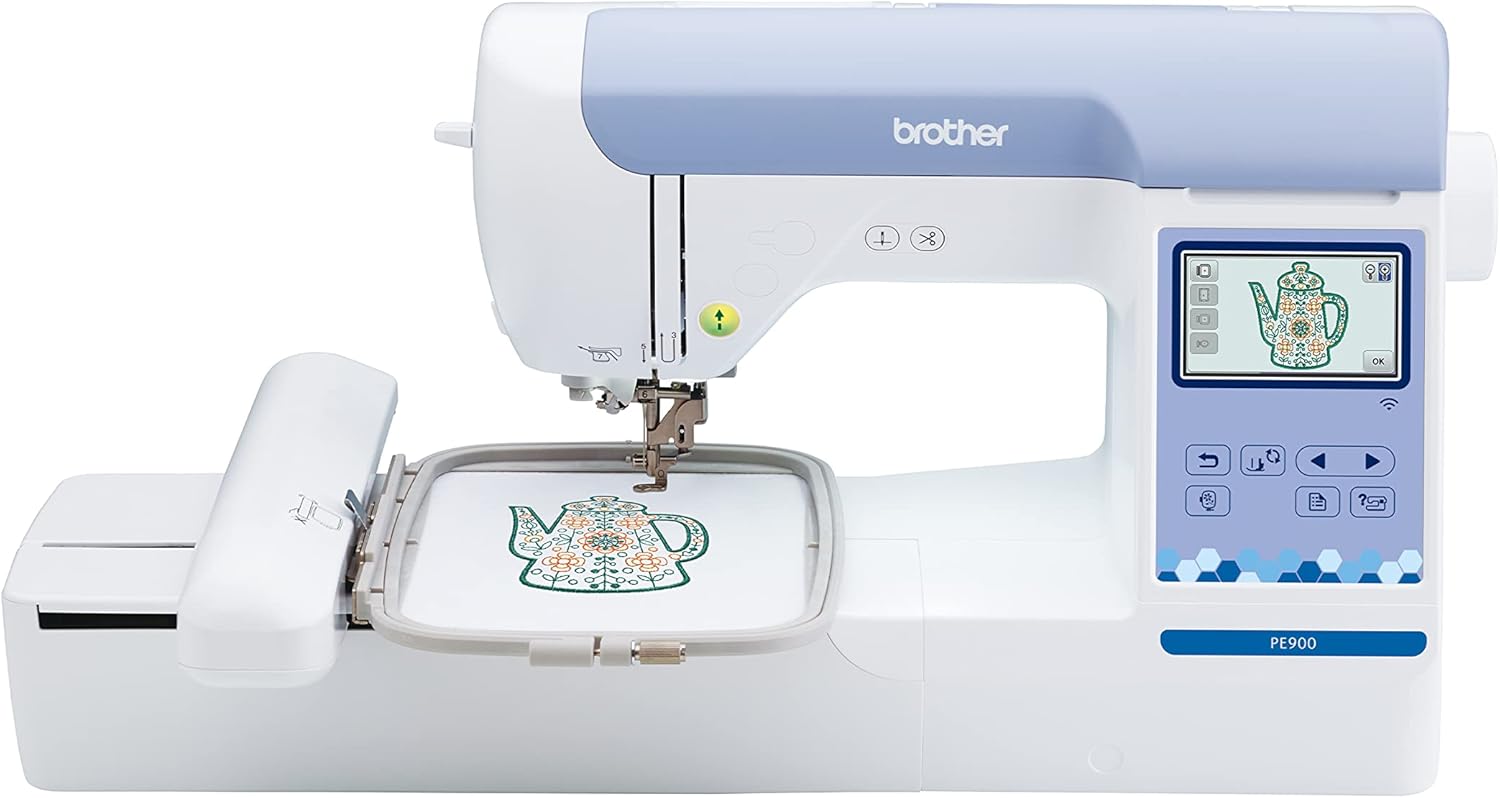
The Brother PE900 is an embroidery-only machine with a 5 by 7 inch embroidery field. It includes 193 built-in embroidery designs, 13 lettering fonts, a 3.7-inch color touchscreen, and an included 5 by 7 inch embroidery frame. Designs can be imported through USB or transferred wirelessly through the machine's WLAN connection.
Check On AmazonIf you click this link and buy, we earn a commission at no additional cost to you.
Separate decorative stitches and free-motion work from file-driven embroidery
Decorative stitches, free-motion work, and programmed embroidery can all create visible thread designs, but they do not use the same workflow. A decorative stitch on a normal sewing machine is selected from the machine’s available stitch functions and sewn while the user manages the fabric in the ordinary way. Free-motion work shifts more movement control to the sewist, which makes it a technique decision rather than proof that the project needs a programmed embroidery system. File-driven embroidery instead follows stored design instructions while the fabric is managed in a hoop-based embroidery process.
The finished appearance alone cannot tell the buyer which system is required. A simple stitched border, initials produced with built-in lettering where available, and an uploaded multi-color logo may all look decorative, yet they place very different demands on the machine and the user. Decide whether the goal is manual creative control, use of built-in sewing functions, or repeatable reproduction of a stored design. That boundary prevents the article from collapsing every decorative result into the same category and keeps the purchase decision focused on the actual process the project requires.
Count design-file, hoop, software and setup ownership burden
Machine choice includes the workflow around the machine, not only what appears on the feature panel. Programmed embroidery can add design-file handling, hoop selection and positioning, more setup before stitching, extra workspace around the moving hoop, and software or transfer requirements that depend on the exact system. None of those factors makes embroidery a poor choice when the project genuinely needs it. They simply belong in the ownership decision because the buyer is taking on a specialist process rather than adding one more decorative stitch to ordinary sewing.
| Area | Question |
|---|---|
| Design files | How will designs reach the machine? |
| Hooping | Can the project items be handled comfortably? |
| Workspace | Is there room for the machine and moving hoop? |
Apply that checklist to the projects you expect to repeat, not to a one-time feature demonstration. A person who mainly constructs garments may find that hoop preparation and file management would be used rarely, while someone repeatedly adding stored designs may see those same steps as a normal part of the work. The decision should also account for the fact that the sewing machine may still be needed for construction while embroidery is running as a separate operation. Looking at the complete workflow makes the ownership burden visible before the buyer starts comparing individual embroidery models.
Decide stay, add embroidery, or use another method
Once the operation list is clear, reduce the decision to three practical directions. Stay with normal sewing when construction, repair, hemming, and ordinary decorative stitching cover the recurring work. Add an embroidery system when stored, repeatable, hoop-based designs are a genuine recurring requirement that the sewing workflow does not satisfy. If both construction and programmed embroidery are essential, the next question is whether one combination machine or separate systems better fit the way the work will actually be done.
| Situation | Direction |
|---|---|
| Mostly construction sewing | Keep sewing capability as the priority. |
| Repeated file-based designs | Consider an embroidery workflow. |
| Both are essential | Compare whether one combined setup or separate systems fit better. |
Do not force a specialist purchase when the operation ledger does not support it. For a project that needs one occasional logo, another method or outside embroidery service may make more sense than owning a full embroidery workflow, while repeated personalized work can justify a very different decision. Likewise, needing both functions does not automatically prove that one combo machine is better than two separate systems. The table is a routing tool: decide which capability is genuinely required first, then compare products only inside the machine category that matches that requirement.

The Brother SE700 combines computerized sewing and embroidery with 103 built-in sewing stitches and 135 built-in embroidery designs. It provides a 4 by 4 inch embroidery area, a 3.7-inch color touchscreen, and wireless LAN connectivity for design transfer. The package includes eight sewing feet and a 4 by 4 inch embroidery frame set.
Check On AmazonIf you click this link and buy, we earn a commission at no additional cost to you.
Stop before model ranking
Do not compare individual machines until the system decision is complete. Model rankings can show differences in hoop area, included features, controls, or other specifications within an embroidery category, but they cannot decide whether programmed embroidery belongs in the project at all. Starting with models encourages the buyer to react to attractive capabilities before proving that the recurring operation needs them. That is how a system-choice question turns into a feature-shopping exercise without ever resolving the original problem.
Use the operation ledger as the gate. If the project is still mostly seams, hems, repairs, and ordinary sewing, remain on the sewing-machine path even when an embroidery model looks more sophisticated. If stored design reproduction has become a repeated requirement, then specialist comparisons become useful because the correct system category has finally been established. This boundary also keeps combination machines in the right place: they should be compared only after both ordinary sewing and programmed embroidery are confirmed needs, not as a default compromise between two categories the buyer has not yet justified.
Continue to embroidery-system buying only after machine embroidery is justified
Once automated embroidery is confirmed as a real and recurring need, the buying process can move from system choice to embroidery-specific criteria. Continue with embroidery machine buying criteria when the operation ledger shows that stored designs, hoop-driven work, or repeated programmed decoration are central enough to justify the specialist workflow. At that stage it becomes useful to compare the exact embroidery capabilities and ownership requirements of candidate systems because the category itself is no longer in question.
If one purchase must handle both ordinary sewing and machine embroidery, compare sewing and embroidery combo machines only after confirming that both functions are genuinely needed. A combination system should not be treated as automatically more versatile for every buyer, because the real issue is whether both workflows need to share one machine and one workspace. Keeping this sequence intact prevents model features from deciding the category prematurely. First prove the operation, then choose the system, and only then compare the machines designed to perform that system’s work.
Final Thoughts: buy the system only for the operation that needs it
An embroidery machine and a sewing machine solve different operation needs. Neither replaces the other across every project, so the useful decision is to identify which recurring task actually changes the required workflow.
Keep construction sewing as the priority when seams, repairs, hems, and ordinary decorative stitches cover the work. Add programmed embroidery only when stored design reproduction is a real requirement, then compare dedicated or combination systems from that clearer starting point.
Frequently Asked Questions
🧵 Can a sewing machine do embroidery?
A regular sewing machine can produce decorative stitching, and some work can be done with free-motion techniques. File-driven hoop embroidery is a different automated workflow, so the exact operation determines whether a separate embroidery system is needed.
🪡 Does an embroidery machine replace a sewing machine?
No. Construction tasks such as seams, hems, alterations, and repairs still belong to ordinary sewing capability. An embroidery system adds programmed decoration rather than replacing every construction function.
💻 Why do embroidery machines use design files?
Design files provide the programmed instructions used to reproduce embroidery artwork through the machine’s embroidery workflow. That is different from selecting an ordinary sewing stitch and manually guiding the project through the machine.
🖼️ Do I need an embroidery machine for logos or names?
You need to identify how the logo or name must be produced. If the project requires repeated file-driven hoop embroidery, an embroidery system becomes relevant; a simple decorative or lettering task may follow a different route depending on the exact sewing machine.
References and Sources
These sources support the capability distinction between sewing machines and programmed embroidery systems.
- SINGER sewing and embroidery comparison: Supports the difference between construction sewing and embroidery workflows.
- Brother embroidery documentation: Supports computerized embroidery capability examples.