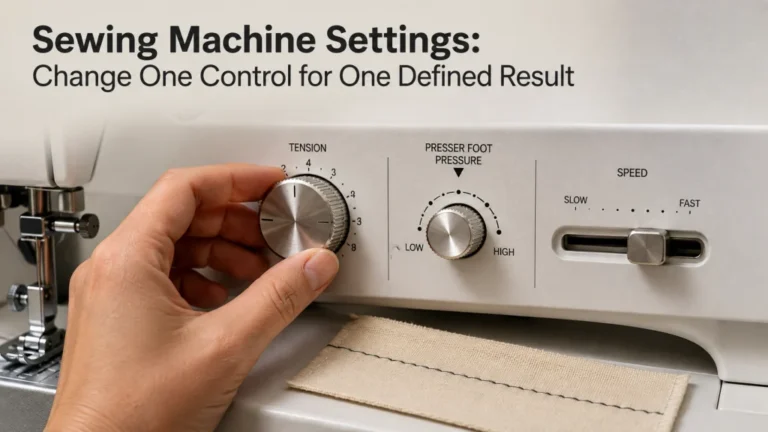
Stitch length and width are not universal fabric settings that can be copied from one machine to another. They are geometry controls that change the spacing, span, or position of the selected stitch, so the correct starting point is the exact stitch and its documented default or allowed range. The safest adjustment method is to change one control at a time, test on representative scrap, and verify needle clearance before using a wide stitch or unusual needle position.
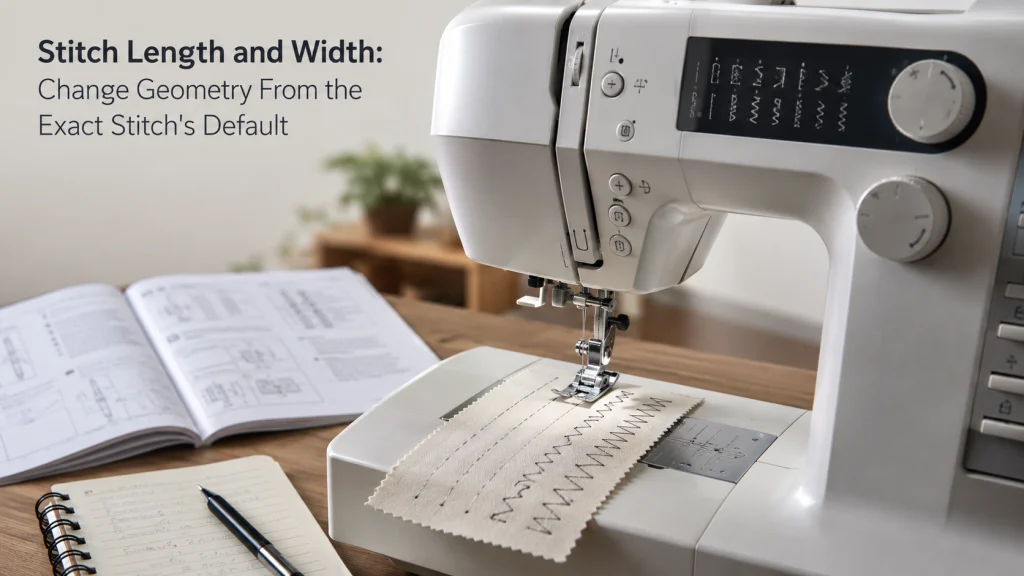
Select the stitch before changing geometry
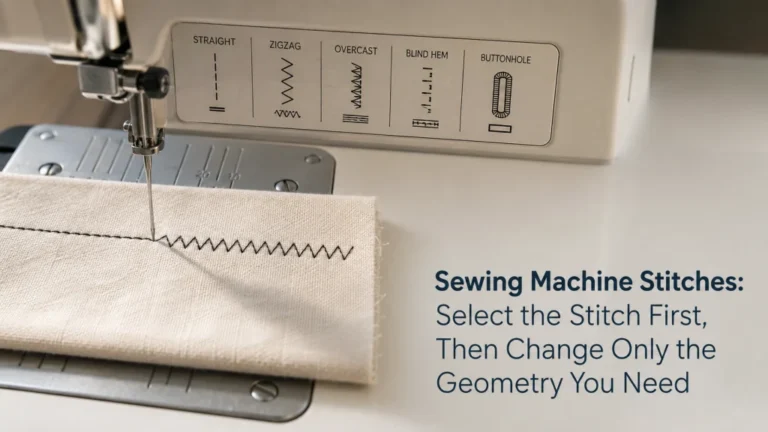
Stitch length and width only make sense after the machine knows which stitch you are modifying. A straight stitch and a zigzag stitch may use the same control area, but the result of changing that control can be different. If the stitch family itself is still unclear, compare how a straight stitch and zigzag stitch form before changing their geometry.
That distinction matters because width commonly changes side-to-side needle movement on zigzag-family stitches, while on some straight stitches the width control can move the needle laterally instead. The broader sewing machine stitch system explains where those stitch families fit, but the immediate job here is simpler: identify the selected stitch before touching its geometry controls.
| Control | What it commonly changes | What to verify first |
|---|---|---|
| Stitch length | Spacing or progression within the selected stitch pattern | The selected stitch and its documented editable range |
| Stitch width | Side-to-side span on many zigzag-family stitches | What width means for that exact stitch |
| Width on some straight stitches | Lateral needle position rather than a wider straight stitch | Needle-position behavior and accessory clearance |
This comparison is the key to avoiding a misleading shortcut. The number on the control is useful only after you know which geometric property that control is changing for the selected stitch.
Record the exact machine’s default length and width
Many machines preset stitch length and width for each stitch, but the available range is model-specific and stitch-specific. Before changing anything, record the selected stitch, its starting values, the presser foot, needle, thread, fabric stack, and any relevant accessory. That gives you a known reference instead of a collection of numbers with no context.
A useful log also records the value you changed and what happened on the sample. If you later compare two settings, you can tell which variable actually moved rather than guessing after several controls have been changed.
| Adjustment log | What to record |
|---|---|
| Machine and stitch | Exact model and selected stitch |
| Starting geometry | Default or current length and width shown for that stitch |
| Changed variable | Only the length or width value being tested |
| Setup | Fabric stack, thread, needle, presser foot, and relevant accessory |
| Observed result | How the sample changed after that one adjustment |
Note: Brother’s support for the SE2000 model family gives a documented example of setting a selected straight stitch to a 2.0 mm stitch length and saving that setting. That is a model-family control example, not a recommendation that 2.0 mm is the correct straight-stitch length for every machine, fabric, or seam.
The point of a documented number is to make the control behavior concrete without turning one manufacturer’s example into a universal recipe. For your machine, use its own display, manual, or support documentation as the starting evidence.

The Dritz Dual Purpose Marking Pen combines a blue Mark-B-Gone tip with a purple disappearing-ink tip. The blue ink is water soluble, while the purple ink is both air and water soluble. It is designed for temporary fabric markings used in sewing, quilting, alterations, seam allowances, and other washable-fabric work.
Check On AmazonIf you click this link and buy, we earn a commission at no additional cost to you.
Understand what shorter and longer change for the selected stitch
Changing stitch length changes spacing or progression within the selected stitch pattern. On a basic straight stitch, a shorter setting places penetrations closer together, while a longer setting spaces them farther apart. Decorative and multi-step utility stitches may respond differently because the machine is changing the geometry of an entire programmed sequence, not only the distance between two isolated needle holes.
That is why shorter should not be treated as automatically stronger, neater, or more correct. The useful setting depends on the selected stitch, material stack, needle and thread combination, and the result you are trying to produce. Change the number only when you can describe what geometric difference you expect to see on the sample.
Understand what narrower and wider change for zigzag-family stitches
On many zigzag-family stitches, increasing width increases the side-to-side span of the needle movement, while reducing width narrows that span. This changes the geometry of the selected stitch rather than its forward spacing, so width and length can produce visibly different changes even when both controls appear next to each other.
The available width is still limited by the stitch program and the machine. A wider number does not prove that every installed presser foot, needle plate, or specialty setup can safely accommodate that needle path. Treat the width control as a geometry choice first, then use the dedicated clearance check before sewing at an extreme setting.
Recognize when width moves a straight-stitch needle position instead
One of the easiest control behaviors to misread is a straight stitch whose width setting moves the needle position. The stitch line stays straight, but the needle shifts laterally across the available sewing area. Brother documents this behavior on multiple computerized models, where increasing or reducing width on certain straight stitches changes needle position instead of creating a wider straight stitch.
Width does not always mean wider: If a straight stitch is selected, confirm what the width control does before changing it. A lateral position change can alter clearance around the presser foot or needle plate even though the stitch itself still looks straight.
If your actual goal is precise placement for an edge, zipper foot, or another sewing reference, use the separate process for how to change sewing machine needle position. That keeps placement decisions separate from the geometry workflow covered here.
Recognize stitches with locked or preset ranges
Not every stitch allows the same amount of manual adjustment. Some decorative stitches, automatic programs, or model-specific functions may restrict the available length or width range, preset a value, or disable one control entirely. A control that appears unavailable can therefore be normal behavior for the selected stitch.
Before treating a disabled control as a fault, select the stitch again and check the exact model documentation. Brother support pages for several computerized models explicitly show that some settings cannot be adjusted for certain stitch selections, which is different from a control failure.
Change one control at a time
Length and width are hard to evaluate when several settings change together. If you alter length, width, tension, presser foot, and thread in one pass, the final sample cannot tell you which change produced the difference.
Keep the setup stable, change one geometry control, sew a short sample, and compare it with the starting sample. Once the effect is clear, either keep the change or return to the recorded starting point before testing the other variable.

The Dritz 620 Sewing Gauge is a compact measuring tool with an adjustable sliding marker. The marker stays in position for repeated measurements and evenly spaced references. Dritz lists the gauge for measuring and marking seam allowances, hems, buttonhole spacing, tucks, pleats, and other repeated sewing measurements.
Check On AmazonIf you click this link and buy, we earn a commission at no additional cost to you.
Test on representative scrap
A scrap test is useful only when it resembles the actual sewing situation. One layer of lightweight cotton may not tell you how the same geometry behaves through a folded seam allowance, stabilizer, or another material stack that changes feed and stitch appearance.
Use the same fabric layers, needle, thread, presser foot, and relevant preparation that the real seam will use. Record the changed value and the visible result so the test becomes evidence for your own setup instead of a number remembered without context.
- Confirm the selected stitch before changing controls.
- Record the machine’s starting length and width for that stitch.
- Change only one geometry variable.
- Sew a representative sample and record the result.
- Return to the starting setting before testing a different variable if needed.
The useful outcome is not one perfect number. It is a repeatable way to see how a known stitch responds on the exact machine and material combination in front of you.

The Fiskars Sewing Ruler is a clear acrylic ruler measuring 6 by 24 inches. It has incremental grid markings that remain visible over fabric for measuring and laying out sewing work. The ruler also includes angled reference lines and a long straight edge for creating and comparing repeatable fabric references.
Check On AmazonIf you click this link and buy, we earn a commission at no additional cost to you.
Check needle, foot and plate clearance before extreme changes
This is the physical checkpoint after you choose a wider stitch or unusual lateral position. Verify that the installed presser foot and needle plate are appropriate for the selected stitch, then follow the exact model instructions for checking needle travel before sewing at speed.
Brother’s support procedure for several computerized machines specifically instructs the user to turn the handwheel slowly toward themselves after adjusting stitch width and confirm that the needle does not contact the presser foot. That is more useful than assuming a maximum on-screen value is automatically safe with every accessory combination.
- Install the presser foot and needle plate required for the intended stitch.
- Set the selected stitch and geometry without running the machine at speed.
- Turn the handwheel slowly in the direction specified by the exact model manual.
- Watch the complete needle path for contact with the foot or plate opening.
- Stop and reduce the setting or correct the setup if clearance is not confirmed.
Clearance checkpoint: Do not sew through a setting that brings the needle into contact with the presser foot or needle plate. Repeated hard needle strikes, abnormal resistance, or a setup the manual reserves for service is a stop condition, not a reason to force the control farther.
This section is deliberately about the check itself, not about choosing a wider stitch. The width section explains what the geometry control changes; this checkpoint confirms whether the resulting needle path is physically compatible with the installed setup.
Stop if the control does not respond or the stitch is malformed
A normal user-facing adjustment should produce an expected change within the range allowed for the selected stitch. If the control remains unavailable when the manual says it should be adjustable, the stitch becomes malformed, or the machine behaves abnormally, stop changing numbers and verify the normal setup first.
Check the selected stitch, threading, needle, presser foot, accessory compatibility, and the model manual before assuming the geometry control itself has failed. Internal timing, electrical, linkage, or control faults are outside an owner-level stitch length and width adjustment.
Final Thoughts: change geometry from a known default
Stitch length and width become much easier to control when you start from a known stitch and a documented starting point. Record the geometry, change one variable, test it on representative scrap, and keep the observed result with the rest of the setup information.
The important distinction is not simply shorter versus longer or narrower versus wider. It is knowing what the selected control changes on the exact stitch, what range the machine permits, and whether the installed foot and plate can accommodate the resulting needle path.
FAQs
🧵 Are stitch length and width the same adjustment?
No. Length changes spacing or progression within the selected stitch, while width commonly changes side-to-side span or another stitch-specific geometry function.
🪡 Why does my width setting move the needle instead of making a wider stitch?
Some straight stitches use the width control for lateral needle position. Check the selected stitch and exact model documentation before assuming the control should make the stitch wider.
⚙️ Why is a stitch length or width control unavailable?
The selected stitch may have a preset or restricted range. Confirm the stitch and manual instructions before treating an unavailable setting as a machine problem.
🦶 Can every presser foot handle the widest stitch setting?
No. Verify the installed foot, needle plate, selected stitch, and model-specific clearance procedure before sewing at an extreme width or lateral position.
🧪 Should I change stitch length and width at the same time?
Change one geometry variable at a time when testing. That makes it possible to see which adjustment caused the difference on the sample.
References and Sources
- Brother stitch adjustment support: Documents model-family stitch width and length behavior, restricted settings, saved settings, and the 2.0 mm straight-stitch example.
- Brother width and length procedure: Confirms preset stitch settings, straight-stitch needle-position behavior, and model-specific adjustment limits.