Rotary cutter blades do not have one reliable replacement interval because wear depends on the material being cut, the cutting surface, accidental contact with hard objects, and how the cutter is used. The strongest signs are declining cut quality, skipped fibers or sections, and a need for more pressure than the same task normally requires. Before blaming the blade, check the cutting mat and make sure the cutter itself is rotating and operating normally. Replace the blade when the evidence points to a worn or damaged edge, not because a certain number of projects or months has passed.
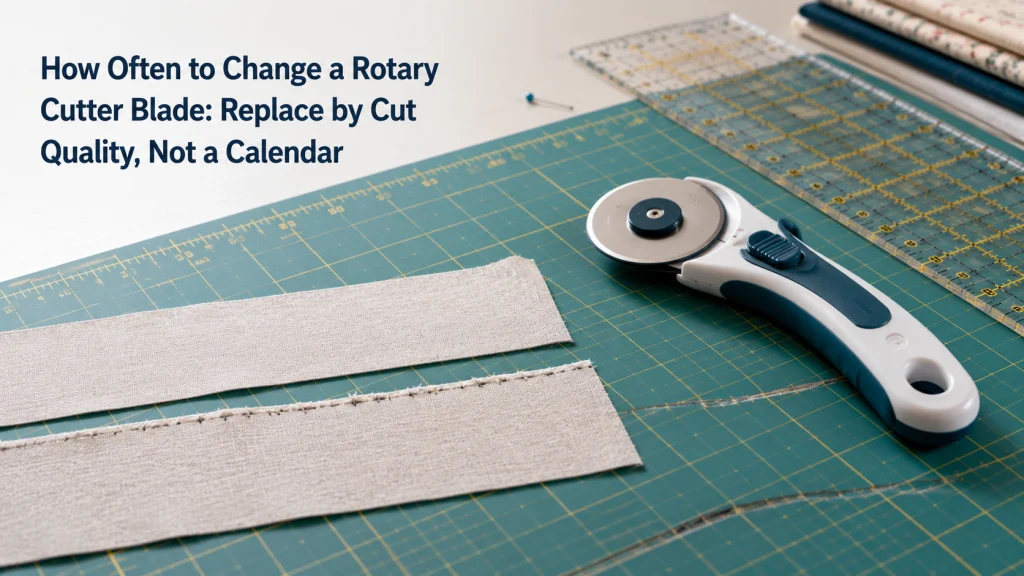
Blade Age Is Not Blade Condition
The question how often to change rotary cutter blade sounds as if it should have a simple answer, such as every few projects or after a fixed amount of time. That kind of schedule is easy to remember, but it ignores what actually wears a rotary edge. Two blades installed at roughly the same point in their service lives can behave very differently if one has made ordinary fabric cuts on a suitable mat and the other has struck a pin or spent repeated passes in a damaged cutting groove. Cut quality is therefore stronger evidence than calendar age.
Manufacturer guidance supports that condition-based approach. OLFA states that blade life varies with the material, cutter use, and cutting mat, and it does not recommend changing rotary blades after a specific amount of cutting time. Instead, the company points to ineffective cutting, skipped threads or larger sections, and the need to press hard as replacement signs. That gives a practical starting point for evaluating a dull rotary cutter blade without inventing a lifespan that cannot apply to every sewing room.
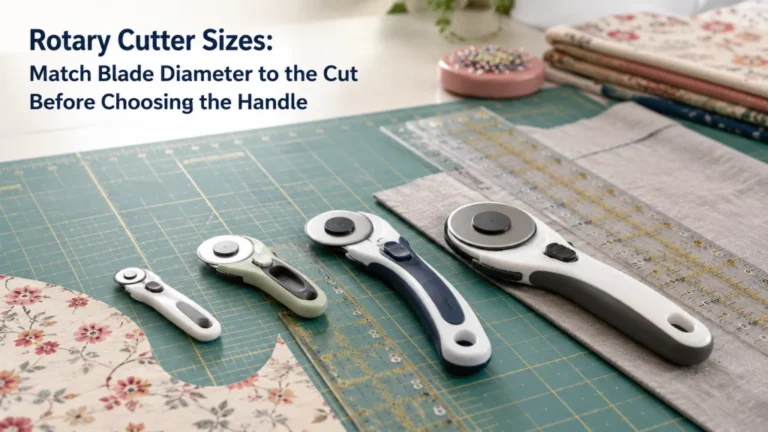
Start with the cutting system rather than the blade in isolation. The cutter, blade, mat, ruler, fabric, and pressure all interact, so a bad cut needs a short diagnostic check before replacement becomes the answer. If the broader setup is unfamiliar, reviewing fabric cutting tools and their roles helps separate blade condition from a tool-choice problem. The same logic fits within sewing tools for machine-focused work, where maintenance decisions should be tied to what the tool is actually doing.
Watch for Skipped Sections and Uncut Fibers
A clean rotary cut should separate the intended path without forcing you to go back and chase isolated threads. When the same fabric and cutting setup begin leaving short connected fibers, repeated skips, or small uncut sections, the edge deserves attention. One isolated miss does not prove the blade is dull because fabric movement, a ruler shift, or a damaged part of the mat can also interrupt a cut. A repeated pattern under otherwise normal conditions is much stronger evidence that the edge is no longer performing as it did.
| What you see | What it may indicate | What to check next |
|---|---|---|
| Fine threads remain along several cuts | Blade wear is plausible | Repeat the cut on a sound part of the mat with normal pressure |
| One short skip occurs in the same mat location | Mat damage may be involved | Move to a different cutting area before blaming the blade |
| A sudden repeatable skip appears after hard-object contact | A nick or localized edge damage is plausible | Stop compensating with more pressure and inspect the cutting setup |
| The blade drags or does not rotate normally | Cutter condition may be involved | Check the exact cutter instructions before treating it as blade wear |
The useful pattern is consistency. If skipped fibers follow the blade to a different sound area of the mat, blade condition becomes more suspicious; if the miss stays tied to one groove in the mat, the cutting surface deserves more attention. Avoid repeatedly rolling over the same failed line with greater force, because that changes the test and can create a safety problem instead of clarifying the cause. Once ordinary cuts repeatedly leave fibers under a normal setup, replacement has a clearer evidence base.
Watch for Rising Required Pressure
Pressure is one of the most useful warning signs because it reflects a change the operator can notice before the blade stops cutting completely. If a familiar fabric that normally cuts with steady, moderate pressure suddenly requires you to lean harder on the cutter, do not treat extra force as the fix. First confirm that the material, layer stack, mat, and cutter are comparable to the setup that worked before. If those conditions have not materially changed, increasing pressure can point toward a worn edge.
Warning: Do not compensate for a suspected dull blade by pushing harder. OLFA’s cutter guidance states that dull blades require extra force and that greater cutting force increases injury risk. Secure or retract the blade whenever the cutter is not in use, and follow the exact manufacturer’s safety instructions for the cutter you own.
The comparison must stay like-for-like. A thicker or denser material can legitimately require different cutting conditions, so a pressure change only means something when the task itself is reasonably comparable. The same is true for layer count, because cutting one lightweight layer and cutting a thicker stack are not equivalent tests of edge condition. When normal work starts demanding noticeably more pressure and cut quality is also declining, the case for replacing the blade becomes much stronger.
Check for a Nick After Hard-Object Contact
Not every bad blade becomes dull gradually. A rotary edge can begin skipping abruptly after contacting a pin, needle, ruler edge, or another hard object that should not have been in the blade path. That sudden change matters because one damaged point on a circular edge can produce a repeated miss as the blade rotates. The blade may still feel sharp through most of the cut while leaving a small uncut section at a regular interval.
Use the event and the symptom together rather than assuming damage from memory alone. If the blade made clean cuts, struck a hard object, and then began producing a repeatable skip on sound areas of the mat, localized edge damage becomes a reasonable explanation. Manufacturer maintenance guidance also emphasizes clearing pins, needles, fabric scraps, and other unwanted objects from the cutting surface before cutting. Do not run a finger along the blade to hunt for the nick; treat the edge as sharp and follow the cutter maker’s safe handling instructions.
A ruler strike needs similar restraint in diagnosis. The important fact is not that the ruler was present, since rotary cutting normally uses a ruler, but whether the blade actually climbed, struck, or scraped a hard edge. If cut quality changed immediately afterward, test the result on a different area of the mat rather than trying to prove the damage by touching the edge. A sudden, repeatable defect after known contact can justify replacement even when the blade is otherwise relatively new.
Check the Mat for Grooves and Embedded Fibers
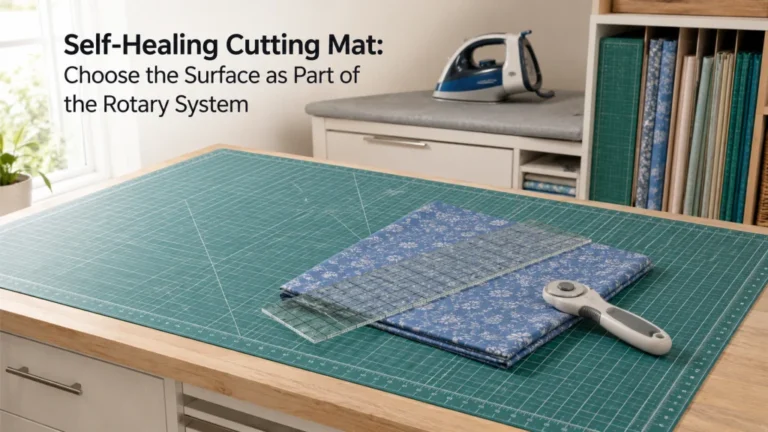
A worn cutting mat can make a usable blade look worse than it is. Repeated cuts in the same path can create grooves, while loose or embedded fibers can interfere with a smooth cutting surface. OLFA specifically advises moving cuts around rather than cutting over and over in the same place because repeated paths can inhibit the mat’s self-healing behavior, create grooves, reduce cut accuracy, and contribute to blade wear. That makes mat condition part of the blade-replacement diagnosis, not a separate housekeeping issue.
| Diagnostic check | Evidence pointing toward blade | Evidence pointing toward mat |
|---|---|---|
| Move the same type of cut to a sound area | Skipping follows the cutter | Cut improves away from the damaged area |
| Inspect the cutting path visually | Surface looks even but cuts still leave fibers | Deep grooves or embedded fibers line up with failures |
| Compare several nearby cut paths | Failures appear across different mat areas | Failures concentrate in one worn channel |
Do not use the mat check as a way to postpone an obvious blade replacement indefinitely. If the mat is sound and the same cutter continues skipping in different locations, the blade moves higher on the suspect list. If the problem follows one damaged cutting channel instead, replacing the blade alone may leave the original symptom unchanged. For a fuller boundary between surface wear and blade wear, see how to evaluate a self-healing cutting mat before replacing parts unnecessarily.
Separate a Dull Blade From Cutter Assembly Problems
Poor cutting does not always come from the cutting edge. A blade that does not rotate normally, a damaged handle, a loose or incorrectly seated component, or a malfunctioning safety mechanism changes the diagnosis because replacing the edge may not fix the tool. The exact construction varies among rotary cutters, so there is no universal assembly adjustment that belongs in a blade-life article. Check the instructions for the cutter you actually own before deciding that resistance or irregular rotation is evidence of dullness.
OLFA’s general cutter guidance tells users to check a cutter before use for a worn blade or broken handle, and its rotary-cutter FAQ treats improper blade rotation as a separate troubleshooting issue. That distinction matters when the symptom is drag rather than a cleanly rotating blade that simply fails to sever fibers. If the blade is binding, wobbling, or the safety mechanism is not working as intended, stop using the tool and follow the manufacturer’s instructions rather than forcing it through the cut. A replacement blade is not a repair for a damaged cutter body or faulty mechanism.
This boundary also prevents unnecessary blade changes. If the cutter resumes normal rotation after an owner-level check explicitly allowed by its instructions, evaluate cut quality again before discarding the blade. If it still skips fibers or requires excessive pressure on a sound mat, blade condition remains the stronger explanation. When a cutter is damaged or its safety parts do not function correctly, replacement timing for the blade is no longer the main problem.
Reject Universal Project-Count or Month Rules
There is no defensible rule that every rotary blade lasts a fixed number of quilts, garments, yards, or months. Material type changes edge wear, and so do the cutting surface, the amount of cutting, accidental hard-object contact, and the way the cutter is used. A person cutting long stacks of dense material is not creating the same wear pattern as someone making occasional cuts through lightweight fabric. Any lifespan number that ignores those variables looks precise but tells the reader very little about the actual blade in front of them.
If you are asking how long do rotary cutter blades last, there is no single useful number that applies to every cutter and workload. The practical interval is until cut quality shows replacement evidence, with the mat and cutter checked before age is blamed by itself. A blade can remain serviceable beyond an arbitrary schedule if it still cuts cleanly with normal pressure, while a newer blade can need replacement quickly after damage. Condition-based replacement avoids both throwing away a functioning edge and trying to squeeze unsafe extra use from a failing one.
Usage history is useful only as background for inspection, not as replacement proof. Someone repeatedly cutting dense denim stacks is not creating the same edge conditions as someone making occasional cuts through lightweight cotton, even if both describe the work as a few projects. Heavy cutting, abrasive material, or a known hard-object strike can justify checking the edge sooner. The cut itself still decides whether the blade has actually lost useful performance.
Choose a Compatible Replacement Before Changing It
The question of when to change a rotary cutter blade is answered by the evidence above, and compatibility becomes the next decision once replacement is justified. Rotary cutter blades can differ in diameter, edge style, mounting geometry, material, and the cutter families they are designed to fit. Visual similarity is not enough to prove that a blade belongs on a particular cutter. Use the exact cutter model and manufacturer compatibility information when you compare rotary cutter blade types.
- Replace when clean cuts repeatedly leave fibers or skipped sections on a sound mat.
- Replace when normal work requires clearly more pressure after material and layer conditions are ruled out.
- Replace when a sudden repeatable skip follows known hard-object contact and the problem follows the cutter.
- Check the mat first when failures stay concentrated in a groove or fiber-filled cutting path.
- Check the cutter instructions when the blade does not rotate normally or the handle or safety mechanism appears damaged.
- Verify the exact replacement compatibility before opening or handling a new blade.
Before moving from diagnosis to replacement, identify the specific failure that the new blade is expected to correct. That may be repeated skipping across different sound areas of the mat, higher pressure on a familiar task, or a repeatable defect that appeared after known hard-object contact. Framing the decision this way creates a clear before-and-after check once a compatible replacement is installed. If the same symptom remains, the mat or cutter assembly deserves renewed attention instead of assuming the replacement blade was also at fault.
This checklist answers whether replacement is justified without turning the decision into a shopping list. After a compatible blade has been identified, use the cutter manufacturer’s procedure and safety precautions rather than improvising removal, installation, or disposal. The separate instructions on changing a rotary cutter blade safely cover that next step without mixing it into the diagnosis. Keeping “is it time?” separate from “how do I change it?” makes both decisions easier to verify.
Final Thoughts: Replace on Evidence, Not the Calendar
A rotary blade is ready for replacement when its cutting behavior shows a real decline, not when an arbitrary date arrives. Repeated skipped fibers, uncut sections, and rising pressure are useful signs, especially when the same symptoms follow the cutter across sound areas of the mat. A sudden repeatable skip after hard-object contact can point to localized damage even on a relatively new blade. Those observations are more informative than trying to count projects.
The final check is to make sure the blade is actually the failing part. Inspect the mat for grooves and embedded fibers, confirm the cutter operates normally, and stop if the handle or safety mechanism is damaged. When the evidence still points to the edge, verify a compatible replacement and follow the exact manufacturer’s blade-change instructions. That is a simpler and safer ownership rule than trying to make every rotary blade fit one lifespan.
FAQs
Rotary blade life attracts fixed-number answers because they sound convenient, but most useful answers depend on the condition of the cut. The questions below focus on the signs that separate ordinary wear from mat problems, cutter problems, and sudden edge damage. They do not replace the exact safety instructions for the cutter you own. If a safety mechanism is damaged or the cutter behaves abnormally, stop using it and follow the manufacturer’s guidance.
Use the same diagnostic order throughout: observe the cut, compare pressure, move to a sound area of the mat, and check whether the blade rotates normally. That sequence gives you evidence without asking the blade’s age to answer a question it cannot answer reliably. It also prevents a worn mat from being mistaken for a dull edge. Once replacement is justified, verify compatibility before handling the blade-change process.
🧵 How do I know when my rotary cutter blade is dull?
Repeated skipped fibers, uncut sections, and a need for more pressure are strong signs. Check the mat and cutter condition first so a groove or rotation problem is not mistaken for blade wear.
📅 How often should I replace a rotary cutter blade?
There is no universal project or calendar interval. Replace it when cut quality declines under otherwise normal conditions, or when damage creates a repeatable cutting defect.
✂️ Can a new rotary blade become damaged quickly?
Yes. A hard-object strike can damage an edge before ordinary gradual wear would be expected, so blade age alone is weak evidence.
🟩 Can a worn cutting mat make the blade seem dull?
Yes. Grooves and embedded fibers can interfere with a clean cut, so move the same task to a sound area of the mat and compare the result.
⚙️ What if the blade is not rotating smoothly?
Treat abnormal rotation as a cutter or assembly issue until the exact manufacturer’s instructions say otherwise. Do not assume a fresh blade will repair a damaged handle, mounting component, or safety mechanism.
🪒 Should I sharpen a dull rotary cutter blade instead of replacing it?
This article does not recommend sharpening hacks because blade construction and manufacturer guidance vary. Follow the blade maker’s instructions and replace the edge when its documented guidance calls for replacement.
References and Sources
These sources are included because the article relies on specific manufacturer guidance about blade-life variables, dull-blade symptoms, cutting force, and mat grooves. They support the condition-based replacement rule rather than a universal lifespan claim. No retailer ranking or community opinion is used as technical proof. The links are limited to claims that materially affect the replacement decision or safe owner-level use.
- OLFA rotary blade FAQ: explains that blade life varies by material, cutter use, and mat condition, and identifies skipping and increased pressure as replacement signs.
- OLFA cutter usage guidance: explains that dull blades require extra force and that cutters should be checked for blade wear or damage before use.
- OLFA rotary mat maintenance: explains how repeated cutting paths, grooves, and embedded fibers affect the cutting surface and blade wear.
The sources do not establish one lifespan for every rotary blade, and the article does not invent one. They also do not prove that every skipped cut comes from blade wear, which is why the mat and cutter checks remain part of the decision. Blade-change procedures are intentionally left to the exact cutter instructions and the separate replacement procedure article. That keeps this page focused on deciding when replacement is warranted.