Changing a rotary cutter blade safely starts with identifying the exact cutter and its center mounting system, not with copying a generic disassembly sequence. Standard screw-fastened cutters, magnetic quick-change systems, and other designs can expose and secure the blade in different ways. This article shows how to route the job to the correct manufacturer instructions, contain the used blade, and verify the guard or retraction system before the cutter returns to use. It assumes a compatible replacement blade is already in hand and does not decide whether the old blade is dull enough to replace.
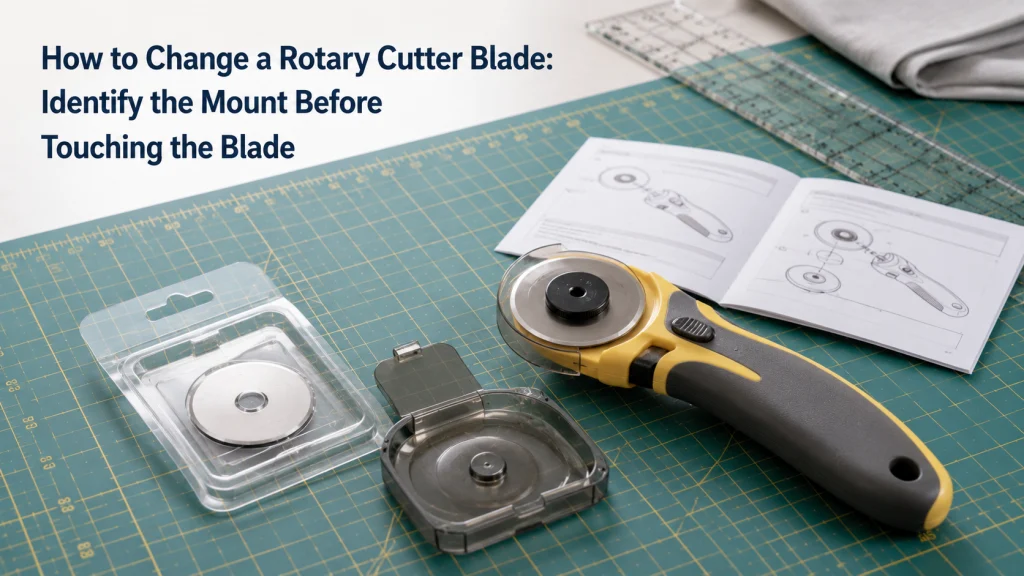
Identify the Mount Before Exposing the Blade
If you are trying to learn how to change a rotary cutter blade, the first useful step is not loosening a nut. It is identifying the exact cutter and the mechanism that holds the blade. Two cutters with the same blade diameter can use different release systems, different small parts, and different guard designs. A generic sequence can therefore be wrong even when the replacement blade itself is the right diameter.
Manufacturer documentation makes that difference concrete. Fiskars separates its blade-change guidance into Standard, EasyChange, and DuoLoop mounting systems, while OLFA publishes different instructions for classic, ergonomic, and quick-change cutter families. Those categories are evidence that “remove the blade” is not one universal mechanical action. The safest route is to identify the cutter first, then follow the instructions written for that exact mechanism.
The distinction also keeps this article within the right job. If you still need to choose the blade, use the article on matching rotary cutter replacement blades before opening the cutter. If the real question is whether the existing blade needs replacement yet, first check rotary blade replacement timing. Once compatibility and timing are settled, the procedure can be routed by the cutter’s mounting system instead of by guesswork.
Confirm the Exact Cutter and Compatible Replacement
Write down the manufacturer and model marking before opening any blade-change instructions. A family name such as “45 mm rotary cutter” is too broad when one manufacturer sells several 45 mm handles with different release mechanisms. Check the handle, original packaging, manual, or manufacturer product page for a model number or exact product name. That identifier is the starting point for every later decision in the change process.
Next, confirm that the replacement blade is documented for that cutter rather than assuming diameter alone proves fit. Diameter matters, but the center opening, carrier design, fastener arrangement, and supported blade types can also control compatibility. If the blade package makes a broad “fits most” claim, treat that wording as a lead to verify rather than final proof for an unusual mounting system. Do not expose the old blade until both the cutter identity and the replacement fit have a defensible evidence trail.
| Record | Best evidence | Why it matters before opening the cutter |
|---|---|---|
| Exact cutter model | Handle marking, manual, manufacturer page | Routes the blade change to the correct mechanism |
| Blade diameter | Manufacturer specifications or manual | Confirms the basic blade size |
| Replacement compatibility | Exact blade or cutter documentation | Prevents a same-size but unsupported replacement |
| Blade type | Manufacturer compatibility list | Distinguishes straight and specialty blades where relevant |
This check is deliberately separate from a general cutter-buying decision. A reader who is still choosing a tool should start with fabric cutting tools for sewing rather than treating blade replacement as a reason to choose a different cutter. The broader sewing tools selection framework also helps keep cutting tools in context with the rest of a home sewing setup. Here, the cutter is already owned, so the task is to service it at the owner level without inventing compatibility.
Identify the Manufacturer’s Mounting System
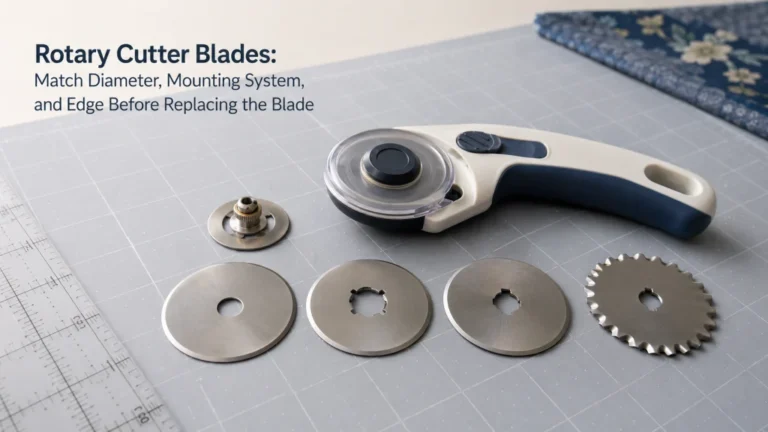
After the model is known, classify the way the blade is retained. A conventional cutter may use a screw-on fastener and removable hardware, while a quick-change cutter may use a lever, sliding lock, magnetic carrier, or another dedicated release system. The visual difference is not cosmetic because it changes what the user is expected to touch, hold, turn, or keep contained during replacement. The model instructions, not the apparent simplicity of the mechanism, should name the correct category.
Fiskars provides a useful example because its current instructions distinguish Standard cutters from EasyChange models and from the DuoLoop design. OLFA likewise separates classic straight-handle instructions from quick-change and ergonomic cutter instructions. That does not mean every cutter from every brand fits one of those exact categories. It means the procedure should be selected from the manufacturer-defined mechanism for the exact tool rather than translated from another brand’s terminology.
Mount identification card: Record the model name, blade diameter, visible retention mechanism, guard or retraction style, and the exact manufacturer instruction page before starting. If any of those details conflict with the instructions you opened, stop and resolve the mismatch instead of choosing the closest-looking diagram.
A first-time owner can easily misunderstand this point because two cutters may look nearly identical from the blade side. One may release from a thumb fastener, while another may be designed around a carrier that handles the blade differently. The practical question is not “Can I figure out how this comes apart?” but “Does the exact instruction page show this same mechanism?” That shift keeps the change procedure tied to evidence rather than confidence. It also prevents a familiar-looking cutter from becoming the basis for an unsupported procedure.

The Fiskars 45mm Rotary Cutter uses a precision-ground steel blade and a symmetrical stick handle designed for right- or left-handed cutting. A sliding control extends the blade, locks it in the cutting position, and retracts it for storage. The cutter is intended for materials including fabric, felt, vinyl, and multiple layers used in sewing and quilting projects.
Check On AmazonIf you click this link and buy, we earn a commission at no additional cost to you.
Open the Exact Manufacturer Instructions Before Starting
Once the cutter family is confirmed, open the instructions that name that exact model or mechanism. Prefer the manufacturer manual, support page, blade-change sheet, or model product page over a generic retailer description. A short manufacturer diagram can be more useful than a long tutorial if it shows the exact fastener order, release direction, blade carrier, and guard state for the owned cutter. Keep those instructions visible until the cutter is reassembled and checked.
Do not rely on memory from a previous cutter. Even within one brand, the standard, quick-change, and ergonomic lines can have different removal and reinstallation steps. A remembered washer order or release motion from an older tool may be irrelevant to the cutter on the table. Treat every unexplained extra part, spring element, carrier, or lock as a reason to return to the exact diagram rather than improvise.
| Evidence level | Use it for | Do not assume |
|---|---|---|
| Exact model instructions | Removal, installation, part order, guard checks | Another model follows the same sequence |
| Manufacturer family instructions | Mechanism-specific steps when the model is explicitly included | Every cutter with the same diameter is included |
| Replacement blade package | Blade identity and documented compatibility | It replaces the cutter’s service instructions |
| Retailer or community description | Finding terminology or a possible documentation trail | It proves the mechanical procedure |
The evidence ladder prevents a common form of false confidence. Search results often compress the task into a few familiar verbs such as unscrew, remove, replace, and tighten, but those verbs hide the mechanism-specific details that matter. The exact manufacturer’s instructions tell you which parts are designed to move and which safety features should be active before reuse. If the documentation cannot be matched to the cutter, that uncertainty should be resolved before the blade is exposed.
Prepare a Contained Place for the Used Blade
Blade replacement should begin with a destination for the old blade already prepared. The goal is to avoid ending up with an exposed circular blade loose on the sewing table while you search for packaging or a container. Clear the immediate work surface of fabric scraps, cords, rulers, loose notions, and anything that could hide a thin metal edge. Keep the replacement blade and the manufacturer’s instructions within reach so the work area stays controlled.
If the replacement blade arrives in packaging or a tray that the manufacturer identifies for handling or disposal, follow that documentation. Fiskars, for example, states on some rotary blade product pages that the included blade tray can be used to contain a worn blade. Do not assume every package from every brand serves that purpose, and do not improvise a storage method that leaves a cutting edge accessible. The correct container should be determined before removal, not after the old blade is already loose.
- Clear one stable, well-lit work surface.
- Keep children and pets away from the blade-change area.
- Have the exact manufacturer instructions open and readable.
- Prepare the documented tray, package, or other appropriate container for the used blade.
- Keep unrelated sewing tools out of the immediate work zone.
This preparation is not a substitute for the manufacturer’s handling directions. It simply removes avoidable distractions and gives the old blade an immediate controlled destination. If the cutter documentation specifies a particular surface, tray, lock state, or handling method, that instruction takes priority over a general workspace checklist. The blade should never become an untracked loose object on the table.

The Fiskars pack contains two 45mm replacement rotary blades made from precision-ground steel with a titanium coating. The blades are intended for cutting multiple layers and are listed to fit most 45mm rotary cutters. The included blade tray supports touch-free blade changes with compatible Fiskars Easy Change models and provides a controlled place for blade handling.
Check On AmazonIf you click this link and buy, we earn a commission at no additional cost to you.
Follow the Exact Removal and Installation Sequence
This is the point where a universal tutorial becomes less useful than the exact instructions beside the cutter. Follow the manufacturer’s sequence in the stated order, including which fastener, carrier, lever, lock, or support piece is moved and how the old blade is contained. Do not add a step because another cutter used it, and do not omit a step because the mechanism looks simple. Use only the blade replacement instructions for the identified rotary cutter, because a sequence written for a different mounting system may not apply.
Mechanism-specific examples show why that discipline matters. Fiskars Standard instructions use a different retention approach from the brand’s EasyChange system, which uses a magnetic blade carrier. OLFA likewise routes owners to separate instructions for classic, ergonomic, and quick-change cutter families instead of publishing one universal sequence. These examples demonstrate different architectures; they are not an invitation to transplant one brand’s steps onto another cutter.
Before the new blade is seated, inspect the documented contact surfaces and exposed carrier area for lint, dust, or other debris that could interfere with normal rotation. OLFA’s current troubleshooting guidance for a blade that is not rotating properly tells owners to disassemble the cutter as for a blade change, wipe dirt and dust from the handle and blade, then reassemble it. That supports a simple cleanliness check, but it does not justify adding solvents, oil, scraping, or extra disassembly that the exact cutter instructions do not call for. If the manufacturer gives a specific cleaning method for the owned model, that instruction takes priority.
Safety stop: Stop if the cutter in your hand does not match the diagram, a part appears damaged, the blade cannot be contained as instructed, or the guard or lock behaves differently from the documentation. Do not force a fastener, defeat a guard, or continue by guessing which component is supposed to release.
Keep attention on the part order as well as the blade itself. A small component that controls spacing, retention, or guard behavior can matter even when it does not look important beside a large circular blade. If a part drops away and its orientation is unclear, return to the exact diagram before reassembly. Completing the change means restoring the manufacturer’s intended assembly, not merely getting a new blade onto the handle.
Confirm Guard and Retraction Behavior Before Cutting
A blade change is not complete when the new blade is merely attached. The cutter’s protective system must also behave as the manufacturer describes before the tool returns to fabric. Depending on the model, that may involve a sliding guard, automatic retraction, a squeeze-trigger system, a lock, or another mechanism. Check the exact manual or product instructions for the expected closed, storage, and operating states.
Do this check without using fabric as the first test of whether the assembly is secure. If a guard does not cover the blade as designed, a retracting system does not return normally, or a lock will not enter the documented position, stop using the cutter. Reopening the tool repeatedly without instructions can compound an assembly mistake. Return to the manufacturer sequence and, if the problem remains unresolved, use the manufacturer’s support route rather than bypassing the safety feature.
Right- and left-handed configurations deserve the same model-specific discipline. Some cutters are designed so the blade or assembly can be configured for either hand, but the permitted arrangement and reassembly order are model dependent. Do not reverse components simply because the blade appears capable of fitting on the opposite side. Handedness is a documented configuration question, not a visual-fit experiment.
The final owner-level check is therefore functional rather than performance based. After reassembly, verify that the blade rotates freely in the manner the manufacturer expects before making the first fabric cut. OLFA specifically tells owners troubleshooting poor rotation to reassemble the cutter and check that the blade rotates properly. If the blade binds, wobbles, scrapes, or does not rotate normally, stop and return to the exact assembly instructions rather than using fabric as the diagnostic test. You are confirming normal retention and motion, not claiming that a new blade has improved cutting quality or predicting how long it will last.

The OLFA RTY-2/DX is a 45mm ergonomic rotary cutter with a squeeze-trigger handle that exposes the blade during use and automatically retracts it when released. Its curved handle has an anti-slip rubber grip, and a dual-action safety lock can secure the blade in the open or closed position. The cutter comes preloaded with an OLFA 45mm Endurance blade and supports right- or left-handed configuration.
Check On AmazonIf you click this link and buy, we earn a commission at no additional cost to you.
Contain the Used Blade and Follow Local Disposal Rules
Once the used blade is removed, keep it contained until it reaches the disposal route allowed where you live. A worn rotary blade may cut fabric poorly and still have an edge capable of causing injury, so “dull” does not mean harmless. Do not leave it loose in a trash bag, desk drawer, sewing basket, or mixed container where someone can contact the edge unexpectedly. The immediate goal is secure containment, followed by the disposal method required by local rules.
Manufacturer packaging can sometimes help, but only when the manufacturer explicitly identifies it for that use. Fiskars states that the blade tray supplied with some replacement blades may be used for worn-blade disposal, which is a useful model of documented containment rather than improvisation. Other blade systems may have different packaging and instructions. Check the exact blade documentation and the applicable local sharp-object disposal requirements instead of assuming one disposal method applies everywhere.
This article does not prescribe a universal municipal disposal category because those requirements can differ by location. It also does not recommend homemade puncture containers, taping methods, or other improvised handling as a substitute for local guidance. If your local waste authority gives specific directions for sharp metal objects, follow that route. If the manufacturer’s package has a containment function, use it only as documented and still comply with local disposal rules.
After the old blade is secured, account for all removed hardware and clear the work area before returning to sewing. A missing fastener or loose sharp object is a reason to keep the cutter out of service. Store the cutter with its guard or retraction system in the manufacturer-specified safe state. That closes the blade-change task without extending it into sharpening, blade-life prediction, or improvised maintenance.
Final Thoughts: Let the Exact Mounting System Control the Procedure
Changing a rotary cutter blade is straightforward when the procedure is matched to the cutter instead of reduced to one generic sequence. Confirm the model, confirm the replacement, identify the mounting system, and open the exact manufacturer instructions before exposing the blade. Prepare a contained destination for the used blade and preserve the order of every part the instructions identify. After reassembly, the guard, lock, or retraction feature must behave as documented before the cutter returns to use.
The important boundary is simple: compatibility, replacement timing, and blade-changing procedure are three different decisions. Solve them in that order rather than using a blade-change tutorial to answer all three at once. If the cutter or protective mechanism does not match the documentation, stop rather than forcing the tool or guessing at the assembly. A correct blade change is the one that returns the exact cutter to its documented configuration with the used blade safely contained.
FAQs
🔧 Do all rotary cutters use the same blade-change steps?
No. Screw-fastened, magnetic, quick-change, ergonomic, and other mechanisms can use different removal and reassembly sequences. Identify the exact cutter model and use the manufacturer’s instructions for that mechanism.
🪒 Can I replace a rotary cutter blade if the diameter matches?
Diameter is only one compatibility check. Confirm the replacement against the exact cutter documentation, including any mounting or blade-type restrictions. A same-diameter blade should not be treated as automatically compatible.
🧲 What is different about a quick-change rotary cutter?
A quick-change cutter can use a dedicated carrier, lever, sliding lock, magnetic mechanism, or another system instead of a conventional screw-fastened assembly. The exact design varies by model. Use the instructions for the specific cutter rather than applying a generic quick-change sequence.
🛡️ What should I check after installing the new blade?
Confirm that the blade is retained and that the guard, lock, or retraction system reaches the states described in the manufacturer’s instructions. If the protective mechanism does not operate normally, keep the cutter out of use. Do not bypass the guard to make the tool cut.
♻️ How should I dispose of an old rotary cutter blade?
Contain the blade so its edge is not exposed, then follow the disposal requirements that apply where you live. Use manufacturer packaging for disposal only when the documentation says it is intended for that purpose. Do not leave a used blade loose in household trash or a sewing drawer.
References and Sources
- Fiskars rotary blade instructions: distinguishes Standard, EasyChange, and DuoLoop blade-change systems and routes each to its own procedure.
- OLFA rotary cutter FAQ: routes different cutter families to separate blade-change instructions and documents cleaning and rotation checks when a blade does not rotate properly.