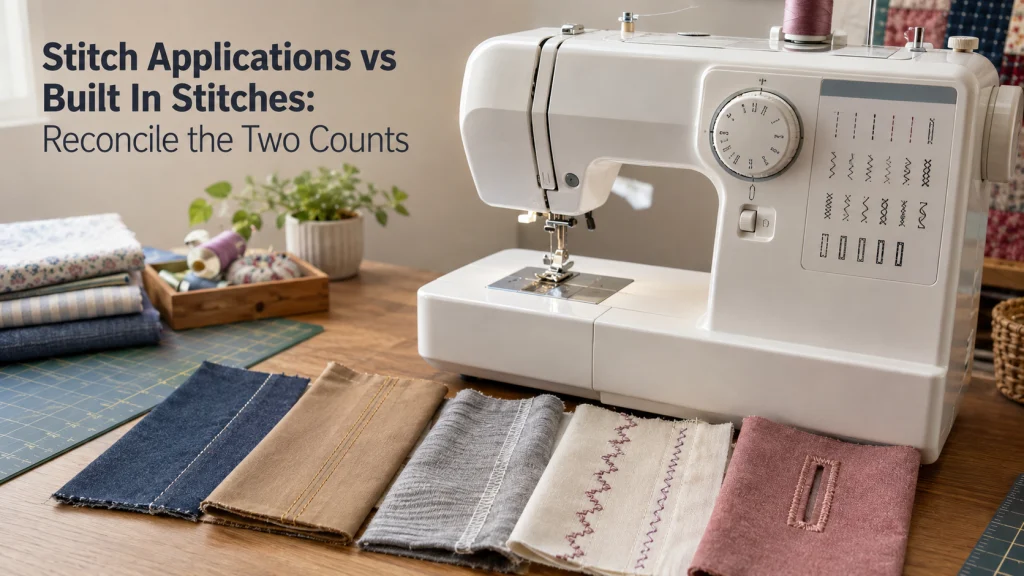
A sewing machine can publish a large stitch-application number and a much smaller built-in-stitch number without either figure being a typo. The two counts may measure different things, so the useful comparison is not the largest number on the feature sheet but what the manufacturer says each number includes. By tracing the product page, stitch chart, and machine documentation, you can separate selectable patterns from sewing uses, adjusted variants, buttonhole styles, lettering, and other functions. That gives you a count you can compare without assuming every brand measures its stitch library the same way.
One Machine Can Have Two Correct Stitch Totals
The phrase stitch applications vs built in stitches becomes confusing as soon as one product page publishes both numbers. Singer’s Heavy Duty 4423, for example, is listed with 97 stitch applications and 23 built-in stitches, while the same page describes an application as a sewing technique that can be performed with a selected stitch. That means the larger number is not a claim that 97 separate stitch patterns are waiting on the selector dial. A buyer who expects 97 individually selectable designs would be comparing the wrong field.
The distinction matters before you compare that machine with a model from another brand. One specification may count selectable patterns, another may count techniques that reuse those patterns, and a third may separate lettering or buttonholes into additional fields. The first job is therefore to identify what each label measures before deciding whether one stitch library is actually broader. For a wider look at this kind of specification reading, read a sewing machine feature sheet as a set of defined fields rather than one headline score.

The SINGER Heavy Duty 4423 is a mechanical sewing machine with 23 built-in stitches and 97 stitch applications. SINGER defines its stitch applications as sewing techniques that can be performed with the available stitches, while the built-in stitch count identifies the machine's selectable stitch library. It also includes a one-step buttonhole, built-in needle threader, top drop-in bobbin, adjustable presser foot pressure, and drop feed.
Check On AmazonIf you click this link and buy, we earn a commission at no additional cost to you.
Treat Every Stitch Count as a Brand-Defined Field
Stitch terminology is not standardized enough to let you treat every large number as the same unit. A field labeled built-in stitches, stitch applications, stitch functions, patterns, programs, buttonholes, or alphabets may represent a different layer of the machine’s capability. Even when two brands use the same familiar word, the surrounding product page can reveal that they include different categories in the total. Read the label together with the brand’s own definition, not in isolation.
A useful terminology register keeps the wording attached to its source instead of translating everything too early. For example, Singer explicitly distinguishes built-in stitches from stitch applications on models such as the 4423, while Brother’s SM8270 lists 160 built-in sewing stitches and separately describes two lettering fonts with alphanumeric stitches. Those statements should stay in their original categories until you know what is included in each count. Only then can you normalize the fields for a fair comparison.
| Published field | What to verify | Do not assume |
|---|---|---|
| Built-in stitches | Whether the count includes buttonholes, lettering, or special patterns | That every brand counts the same categories |
| Stitch applications | The manufacturer’s exact definition and application chart | That every application is a separate selectable pattern |
| Buttonhole styles | Whether styles are included in the main stitch total | That a style count describes the operating sequence |
| Lettering or alphabets | Whether fonts, characters, or both are counted separately | That one alphabet equals one stitch |
Quick-glance glossary: Built-in stitch is a manufacturer-labeled stitch pattern or category included in the machine’s published library. Stitch application is a documented sewing use associated with a stitch when the brand uses that term. Setting variant is a changed width, length, position, or other adjustable parameter rather than automatically a new base pattern. Function is a broader feature label that may describe a control or behavior instead of a stitch. Program can describe an automated or menu-driven sequence, depending on the machine. Alphabet or lettering should remain separate until the documentation shows whether fonts or characters are included in the stitch total.
Keeping the original wording intact prevents a common spreadsheet mistake: placing unlike totals in one column and ranking them numerically. The register also makes later checking easier because every field can be traced back to the exact model page or chart that defined it. If a brand changes its wording, you update that field instead of rebuilding the whole comparison from memory. A traceable register gives you a stronger basis for understanding the machine than a single inflated-looking number.

The Brother HC1850 is a computerized sewing and quilting machine with 185 built-in stitches. Amazon breaks that total into 130 sewing stitches, including eight auto-size buttonhole styles, plus 55 alphanumeric stitches. It also has an LCD display, an advanced needle threader, a drop-in top bobbin, a wide table, and eight included feet.
Check On AmazonIf you click this link and buy, we earn a commission at no additional cost to you.
What a Built-In Stitch Count Actually Tells You
A built-in-stitch count is most useful when the documentation connects the number to patterns the machine can select or display. On the Singer 4423 page, the 23 built-in stitches are the stitches shown on the selector system, and Singer breaks that set into basic, stretch, decorative, and buttonhole categories. That is much closer to the physical choice a buyer expects when looking at a dial or stitch chart. It still does not create a universal definition for every brand, because inclusion rules can differ.
Computerized machines can make the boundary more complicated because a screen may provide stitches, buttonholes, alphabets, memory functions, mirrored patterns, or adjustable versions through different menus. Brother’s SM8270, for example, publishes a built-in sewing-stitch count and then lists its lettering fonts separately on the same official page. A first-time buyer could easily add all visible numbers together and create a total the manufacturer never uses. The safer method is to record each field exactly as published and note which choices are directly selectable.
What Stitch Applications Mean on Singer Machines
For Singer models that publish the term, the stitch applications meaning is tied to sewing techniques rather than a second bank of hidden stitch patterns. Singer describes a stitch application as a specific technique that can be done with a selected stitch. The 4423 application document makes the relationship visible by repeating the same base stitch across different uses, such as seams, topstitching, basting, quilting, and other tasks. One selectable straight stitch can therefore support several listed applications.
This is why the application total can be much larger than the built-in-stitch total without being a contradiction. The application list is useful because it shows what the manufacturer expects the available stitches and adjustments to be used for, but it should not be read as a pattern inventory. On the computerized Quantum Stylist 9960, Singer publishes 600 built-in stitches and a larger 1,172 stitch-application figure, while also listing lettering and buttonhole information. The relationship between those fields is informative, but the application number still should not be compared directly with another brand’s built-in-stitch count.

The SINGER Quantum Stylist 9960 is a computerized sewing and quilting machine with 600 built-in stitches and 1,172 stitch applications. Amazon lists essential, stretch, and decorative stitches, 13 one-step buttonhole styles, and built-in lettering. It also includes 13 presser feet, an extension table, automatic needle threader, speed control, start and stop control, and a top drop-in bobbin.
Check On AmazonIf you click this link and buy, we earn a commission at no additional cost to you.
Separate Patterns, Settings, Uses, Functions, and Programs
A clean comparison starts by separating things the marketing page may place close together. A pattern is a selectable stitch design, a setting variant changes a parameter such as width or length where the machine allows it, and a sewing use describes what that stitch can accomplish in a specific technique. A function may describe a control or behavior rather than a stitch at all, and a program can refer to an automated sequence depending on the machine. Combining those units creates a bigger number, but not a clearer picture of what the operator can select.
This distinction is especially useful when two models use similar words in different ways. On the Singer 4423, for example, Singer lists 23 built-in stitches and separately lists adjustable stitch width up to 6 mm. The width range changes how a selected stitch can be formed, but it does not turn each possible width into another built-in stitch in Singer’s published count. A comparison that treated every adjustment as another pattern would therefore mix a setting range with a stitch-library total.
- Record the exact label used by the manufacturer.
- Identify whether the item is selectable, adjustable, or simply a documented use.
- Keep buttonholes and lettering in separate columns until the documentation shows how they are counted.
- Do not convert a technique, control feature, or setting range into an extra stitch unless the manufacturer does so explicitly.
- Use the model’s own chart or manual when a product-page label is too compressed to resolve the count.
That list is intentionally conservative because it prevents double counting. If the same straight stitch appears under several techniques, it remains one base pattern unless the machine documentation identifies separate selectable variants. If lettering is shown as two fonts with many characters, keep fonts and characters distinct rather than turning them into an undefined stitch total. The goal is not to make the number smaller, but to make each unit understandable.
Keep Utility, Stretch, Decorative, Buttonhole, and Lettering Categories Separate
Once the counting unit is clear, sort the library by function before deciding whether it fits your planned work. Utility stitches cover routine construction and finishing tasks, stretch categories address selected seams or fabrics, and decorative patterns exist mainly for embellishment or specialized effects. Buttonholes deserve their own field because both style count and operating sequence can matter. Lettering also needs separate treatment because a font, a character, and a decorative stitch are not interchangeable units.
The value of this inventory is that it shifts attention from total size to category coverage. A machine with a smaller overall library may still contain every category a buyer expects to use, while a larger library may add many decorative options without changing the core utility set. That is not an argument for fewer or more stitches; it is a reason to compare the categories that affect the planned work. The machine’s documentation should tell you what exists, while your project list tells you which categories matter.
| Library category | What to record | Why it stays separate |
|---|---|---|
| Utility | Distinct selectable construction and finishing patterns | Often the core day-to-day library |
| Stretch | Patterns identified for stretch-related uses | Not every project or fabric requires them |
| Decorative | Distinct decorative designs | Can make a library look much larger without adding utility categories |
| Buttonholes | Styles and the machine’s operating system | Style count is different from one-step or multi-step operation |
| Lettering | Fonts and, when documented, available characters | Brands may publish lettering outside the main stitch count |
This inventory also reduces the temptation to decide from a product tile alone. If a listing says a machine has hundreds of stitches but does not show how those stitches break down, the next useful document is the stitch chart or manual rather than another retailer summary. The same logic works for a much smaller mechanical library. Category coverage is meaningful only after the published total has been reconciled with what the operator can actually select.

The Brother XR3774 is a sewing and quilting machine with 37 built-in stitches. Amazon lists blind hem, decorative, and quilting stitches together with a one-step buttonhole. The package includes a wide table, eight sewing feet, a machine cover, and an automatic needle threader with a drop-in top bobbin.
Check On AmazonIf you click this link and buy, we earn a commission at no additional cost to you.
Reconcile the Product Page With the Stitch Chart and Manual
The product page is a starting point, not the entire count audit. Use it to capture the manufacturer’s headline fields, then move to the stitch chart or application document to see how the categories are organized. The Singer 4423 page links to an application document that repeatedly maps individual base stitches to multiple techniques, which explains why its application count exceeds its built-in-stitch count. That document provides the missing relationship that a short specification row cannot show by itself.
The manual is the final check when the chart leaves a selection or operating detail unclear. It can show how the selector, screen, mode, buttonhole sequence, or adjustment controls actually correspond to the published library. This is also where a buyer can distinguish a displayed pattern from a setting change or operating function. If you want the mechanical context behind those controls, understand how sewing machines work before treating every menu item as another stitch.
Why Application Totals Do Not Compare Directly Across Brands
Cross-brand comparison fails when a buyer takes the largest stitch-related number from each product page and assumes the units match. Singer’s application figure is explicitly technique-based on the models discussed here, while Brother’s SM8270 uses a built-in sewing-stitch count and separately states its lettering fonts and buttonhole styles. Those are different publication structures even before you inspect the underlying charts or selection controls. A larger number in one column may therefore represent a broader counting method rather than more unique selectable patterns.
The solution is to normalize by meaning, not by label size. Compare built-in selectable patterns with built-in selectable patterns when the documentation supports that match, then compare buttonhole styles, lettering, and other categories in their own fields. Keep technique or application counts visible as useful context, but do not use them as a direct substitute for pattern count. This makes the comparison less dramatic and much more informative.
Read Stitch Access Separately From Stitch Count
Two machines with similar normalized libraries can still present those stitches very differently. A mechanical selector dial may show the available patterns directly around the control, while a computerized machine may use numbered menus, navigation keys, direct-select buttons, or an on-screen category system. Those access methods affect how you locate a stitch, but the count alone does not prove that one interface is easier. Ease of access requires looking at the exact control layout and documentation, not guessing from the size of the library.
When reading a product page, note how the machine says stitches are selected and then confirm that behavior in the manual or quick-reference chart. A printed stitch panel can help you identify the available patterns, but it does not automatically tell you which settings are adjustable or whether a special mode is required. Likewise, a screen that displays many items can include characters, buttonholes, or functions alongside stitch designs. Keep the interface field beside the count rather than blending it into the count.

The Janome JW8100 is a computerized sewing and quilting machine with 100 built-in stitches and seven one-step buttonholes. Its LCD screen and buttons are used to choose stitches and adjust settings, while a start and stop button and speed control slider provide additional controls. The package also includes an extension table, even feed foot, quarter-inch foot, hard cover, stitch chart, and standard accessories.
Check On AmazonIf you click this link and buy, we earn a commission at no additional cost to you.
Match Stitch Categories to the Work You Actually Plan to Do
After the counts are normalized, the practical question is which categories your planned sewing requires. Someone expecting routine garment construction may care first about straight stitching, zigzag options, seam finishing, blind hemming, stretch-related choices, and buttonholes. A sewist focused on decorative work may care much more about pattern variety or lettering. Neither reader needs a universal minimum stitch count because the useful library depends on the work, not on a single threshold.
A first-time buyer often misunderstands this point by treating a larger total as automatic room to grow. More selectable patterns can add options, but growth can also depend on control over stitch length and width, presser-foot compatibility, feed behavior, buttonhole system, workspace, and support documentation. Write down the tasks you already expect to perform, then check whether the documented categories cover them. Leave actual stitch settings for the exact fabric and project to the machine manual and task-specific instruction rather than inferring settings from a category name.

The Brother XM2701 is a lightweight sewing machine with 27 built-in stitches. Amazon lists decorative, blind hem, zigzag, and stretch stitches plus an auto-size buttonhole, covering several common sewing categories. The machine also includes six sewing feet, an automatic needle threader, a drop-in top bobbin, and a free arm.
Check On AmazonIf you click this link and buy, we earn a commission at no additional cost to you.
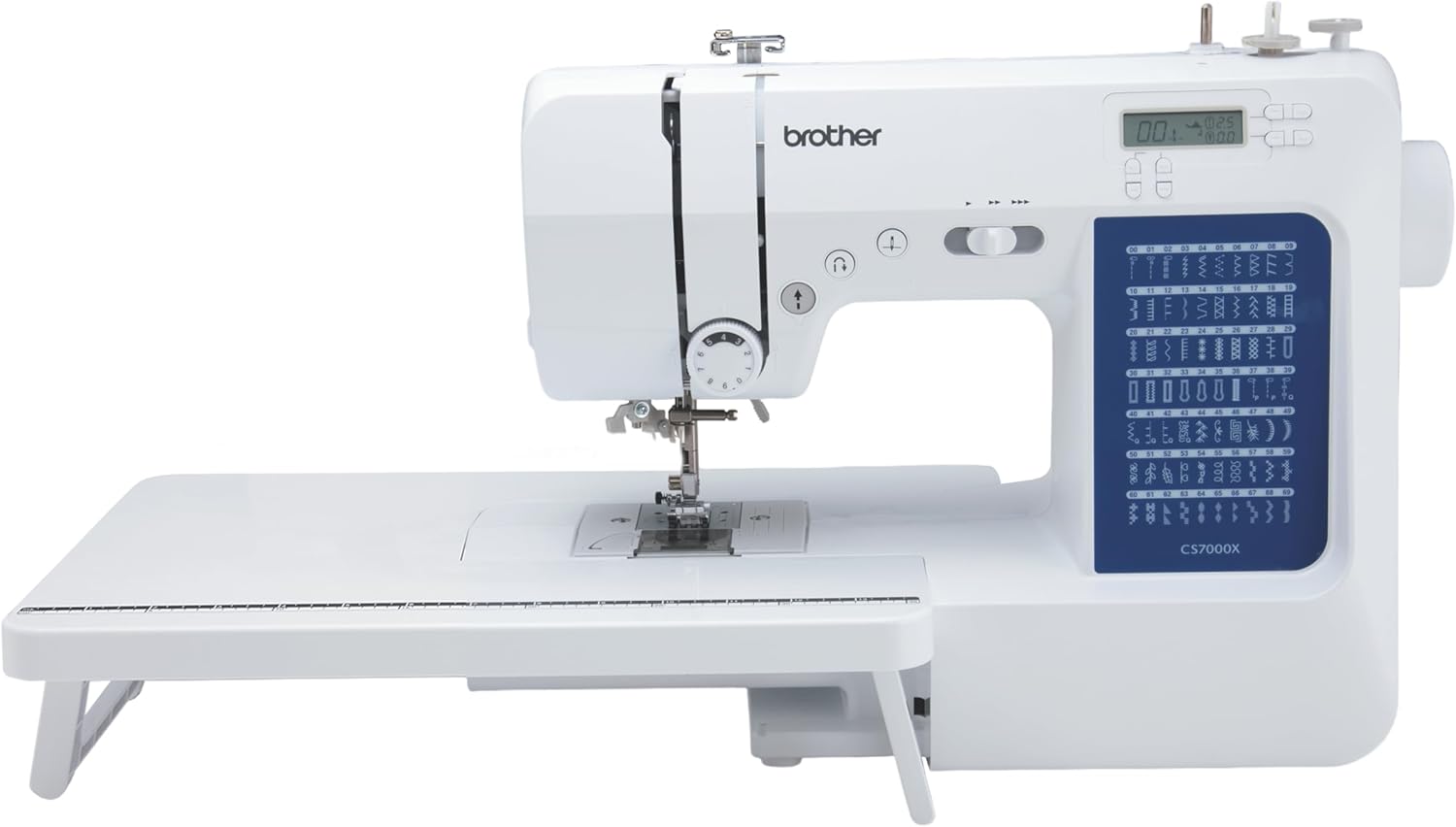
The Brother CS7000X is a computerized sewing and quilting machine with 70 built-in stitches. Amazon lists utility, decorative, heirloom, and quilting stitch functions along with seven one-step auto-size buttonholes. It also includes a wide table, 10 sewing feet, a quilt guide, protective hard case, automatic needle threader, and drop-in top bobbin.
Check On AmazonIf you click this link and buy, we earn a commission at no additional cost to you.
What a Larger Stitch Library Does Not Prove
A larger stitch library does not prove better stitch formation, steadier feeding, stronger construction, greater durability, or better performance on difficult material stacks. It also does not prove that the included presser feet match the work you plan to do or that replacement parts and service will be easier to obtain. Those questions require their own evidence, such as model specifications, compatibility information, documented test conditions, warranty terms, and service support. Stitch count is one feature field, not a quality score.
The same caution applies to price and machine complexity. A higher-priced model can include more controls or patterns, but price alone does not establish that the additional library is useful for a particular sewist. A smaller library can be entirely sufficient when its selectable stitches and controls match the planned work, while a larger library can be valuable when its extra categories are genuinely wanted. The decision becomes clearer once the count is normalized and separated from claims it cannot support.
Build a Count-Normalization Worksheet Before Comparing Machines
A simple worksheet prevents the headline stitch number from controlling the comparison. Give each model its own row, record every published field under the manufacturer’s wording, and add a note showing where the definition came from. Then create normalized columns only for items that can be compared on the same basis, such as selectable stitch patterns, buttonhole styles, lettering fonts, and documented applications. Leave a cell blank when the source does not establish an equivalent field.
This method is deliberately less tidy than forcing every machine into one total, but it preserves the information that actually matters. It also exposes where another document is needed before a comparison is valid. If a product page says 100 stitches but the chart shows how buttonholes or alphabets are included, the worksheet can capture that relationship instead of guessing. When two brands publish genuinely different units, the worksheet should show the difference rather than hiding it.
| Field to record | Model A | Model B | Evidence check |
|---|---|---|---|
| Manufacturer’s headline stitch term | Exact wording | Exact wording | Product page |
| Selectable built-in patterns | Verified count or blank | Verified count or blank | Stitch chart or manual |
| Applications or techniques | Keep brand definition | Keep brand definition | Brand definition or application chart |
| Buttonhole styles | Separate count | Separate count | Specifications and manual |
| Lettering or alphabets | Fonts and characters if stated | Fonts and characters if stated | Specifications and stitch chart |
| Selection method | Dial, buttons, or menu | Dial, buttons, or menu | Manual or control diagram |
The worksheet is especially useful when you revisit a comparison later because the source definitions remain visible. A changed product page can be checked against the earlier field instead of relying on a remembered total. It also keeps missing information honest, since an unverified field stays unverified rather than being filled from a retailer’s shorthand. That is the point of normalization: comparable evidence first, arithmetic second.
Final Thoughts: Compare Selectable Capability, Not Headline Totals
Stitch counts become useful only after you know what each count measures. Built-in patterns, sewing applications, buttonhole styles, lettering, setting variants, and control functions can all appear near one another on a feature sheet, but they should not be collapsed into one number without documentation. Start with the exact manufacturer’s label, trace it to the chart or manual, and record what the operator can actually select. That removes most of the confusion before any machine-to-machine comparison begins.
From there, compare the categories that match your planned work and keep unrelated quality claims out of the stitch-count column. A large application total can be a useful map of techniques, while a smaller built-in-stitch total can still be the better measure of distinct selectable patterns on that model. Neither figure proves stitch quality, feeding performance, reliability, or overall value by itself. The strongest comparison is the one that preserves the manufacturer’s definitions and then asks whether the documented library fits what you intend to sew.
FAQs
🧵 What are stitch applications on a sewing machine?
On Singer models that use the term, a stitch application is a sewing technique that can be performed with a selected stitch. It is not necessarily a separate stitch pattern, so check the exact brand definition before comparing the number with another machine.
🔢 Why can stitch applications be higher than built-in stitches?
One built-in stitch can support several documented sewing techniques, so an application count can grow without adding a new selectable pattern for every entry. The manufacturer’s application chart should show how those uses map back to the available stitches.
🎛️ Does a built-in-stitch number always mean unique selectable patterns?
Do not assume that across brands. Check whether the published total includes buttonholes, lettering, or other pattern categories, then confirm the selection system in the stitch chart or manual.
🔤 Should lettering characters be added to the stitch count?
Only if the manufacturer explicitly includes them in that stitch field. If fonts or characters are published separately, keep them separate so you do not create a total the brand itself does not use.
🪡 How many stitches does a beginner sewing machine need?
There is no universal number that every beginner needs. Start with the construction, finishing, stretch, buttonhole, or decorative categories required by the work you plan to do, then confirm those choices on the exact model.
🧾 Can I compare stitch counts from two different brands directly?
Only after you confirm that both numbers measure the same kind of thing. Normalize selectable patterns, buttonholes, lettering, and application-style counts into separate fields before drawing a conclusion.
💻 Do mechanical and computerized machines count stitches differently?
The control type alone does not determine the counting rule. A mechanical machine may show selections on a dial, while a computerized model may separate stitches, buttonholes, lettering, or other choices across menus, so compare the manufacturer’s defined fields rather than assuming dial and screen totals use the same unit.
References and Sources
- Singer Heavy Duty 4423 specifications: Defines 97 stitch applications and 23 built-in stitches on the same model page.
- Singer 4423 Stitch Applications Guide: Shows multiple sewing techniques mapped to recurring base stitches, clarifying how applications differ from selectable patterns.
- Singer Quantum Stylist 9960 specifications: Publishes separate fields for built-in stitches, stitch applications, alphabets, and buttonhole styles on a computerized model.
- Brother SM8270 specifications: Shows another brand’s wording for built-in sewing stitches, buttonhole styles, and lettering fonts.